
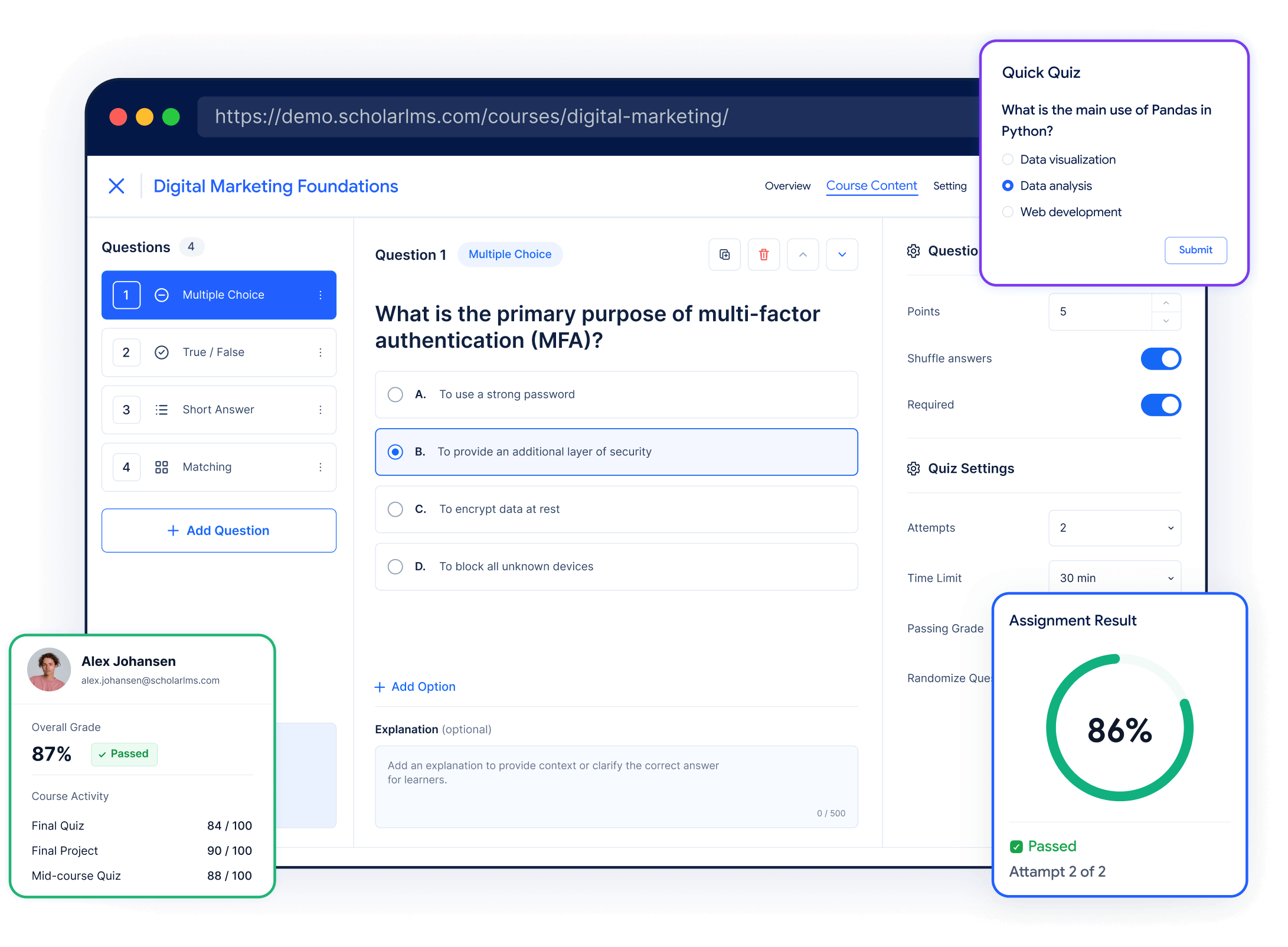






Assessment capabilities
Assess learning in more than one way
Use quizzes, assignments, grading, and feedback to check understanding, evaluate learner work, and support progress throughout the course.




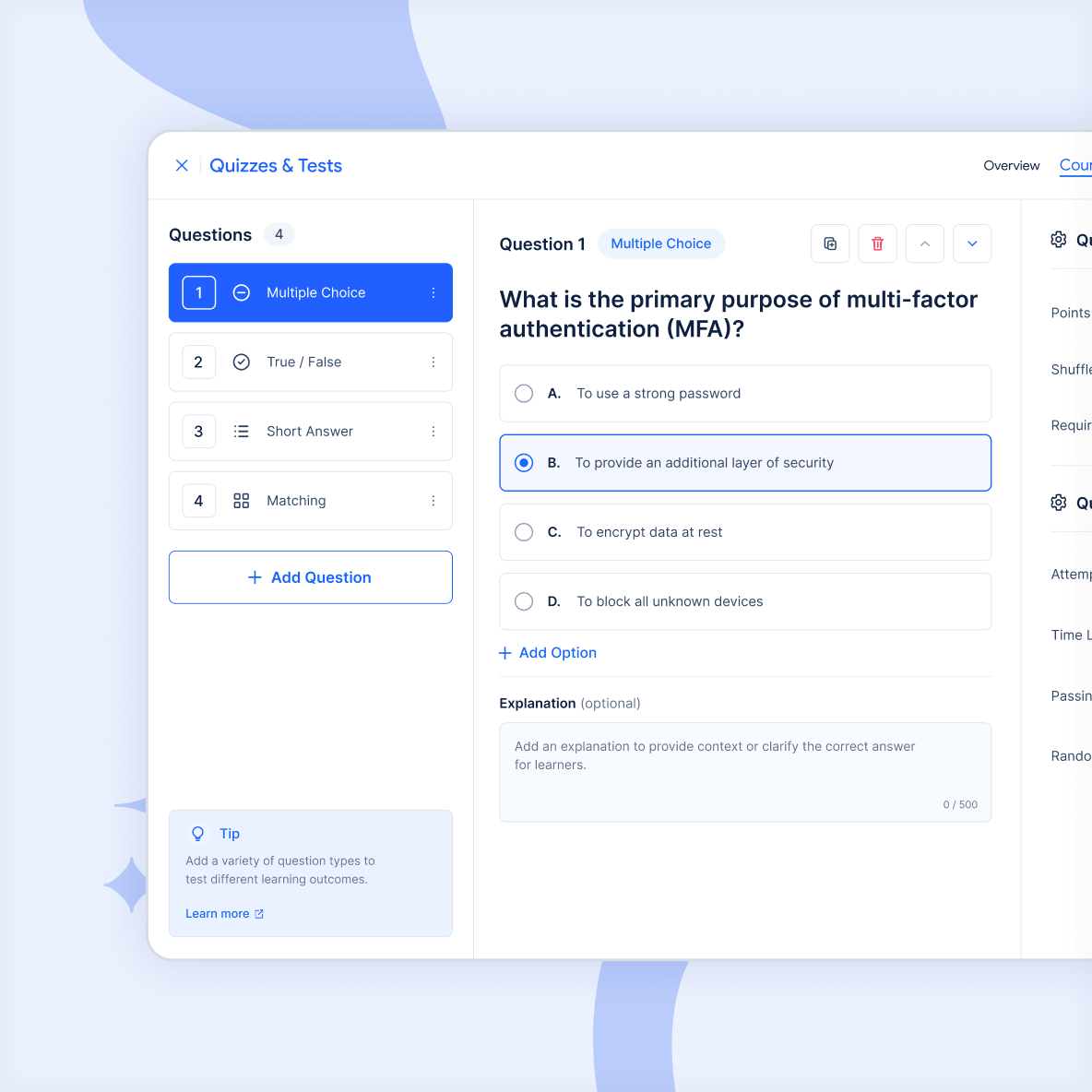
Quizzes & Tests
Build assessments that match your training goals
Create anything from a quick knowledge check to a comprehensive course assessment using flexible quiz and question options.
- Use different question types
- Randomize questions and answers
- Set attempts and completion requirements
- Add time limits where required
- Automatically grade questions
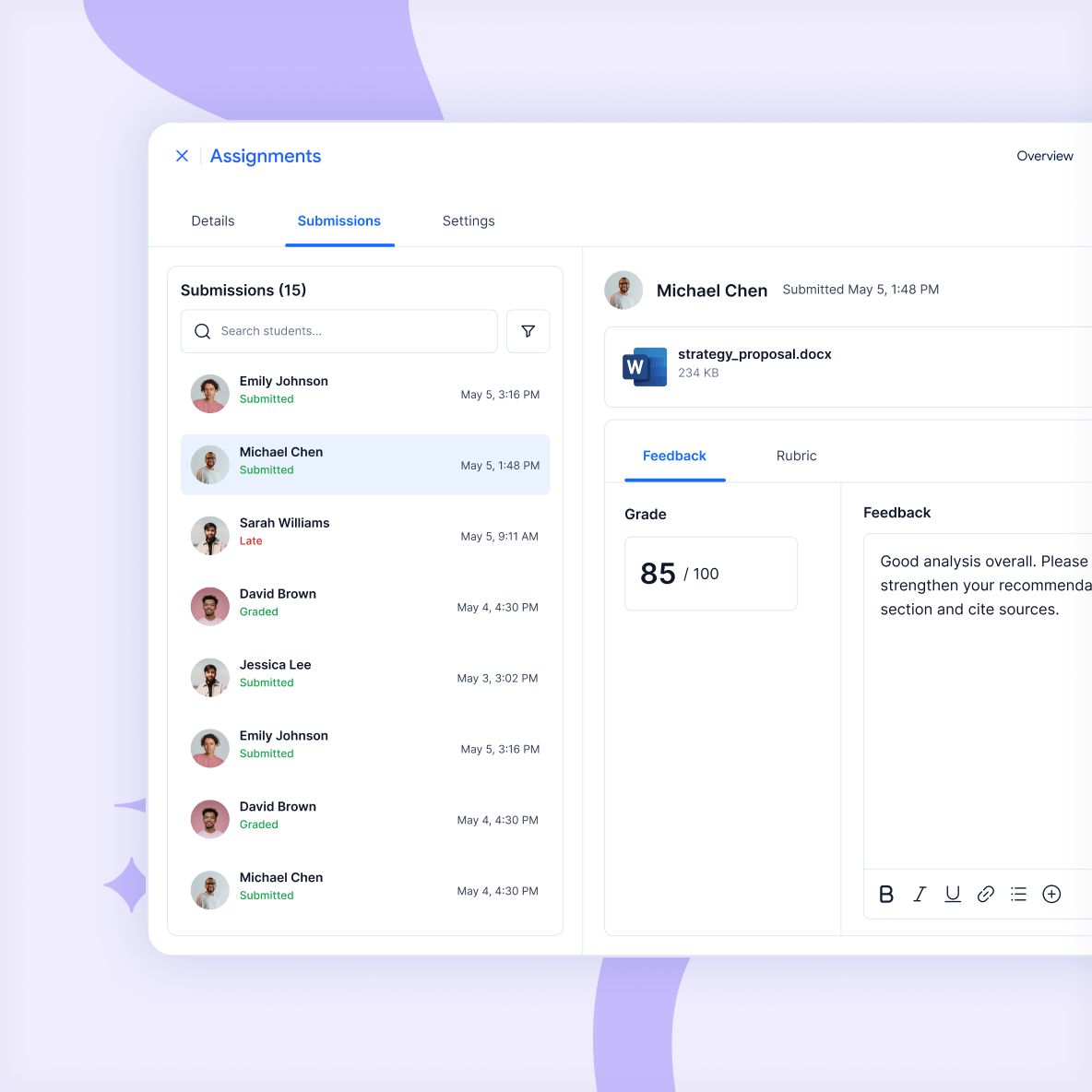
Assignments
Assess understanding through practical work
Give learners assignments that allow them to demonstrate understanding through submitted work, projects, documents, or other activities.
- Define instructions and submission requirements
- Set submission deadlines
- Review learner submissions
- Grade submitted work
- Provide instructor feedback
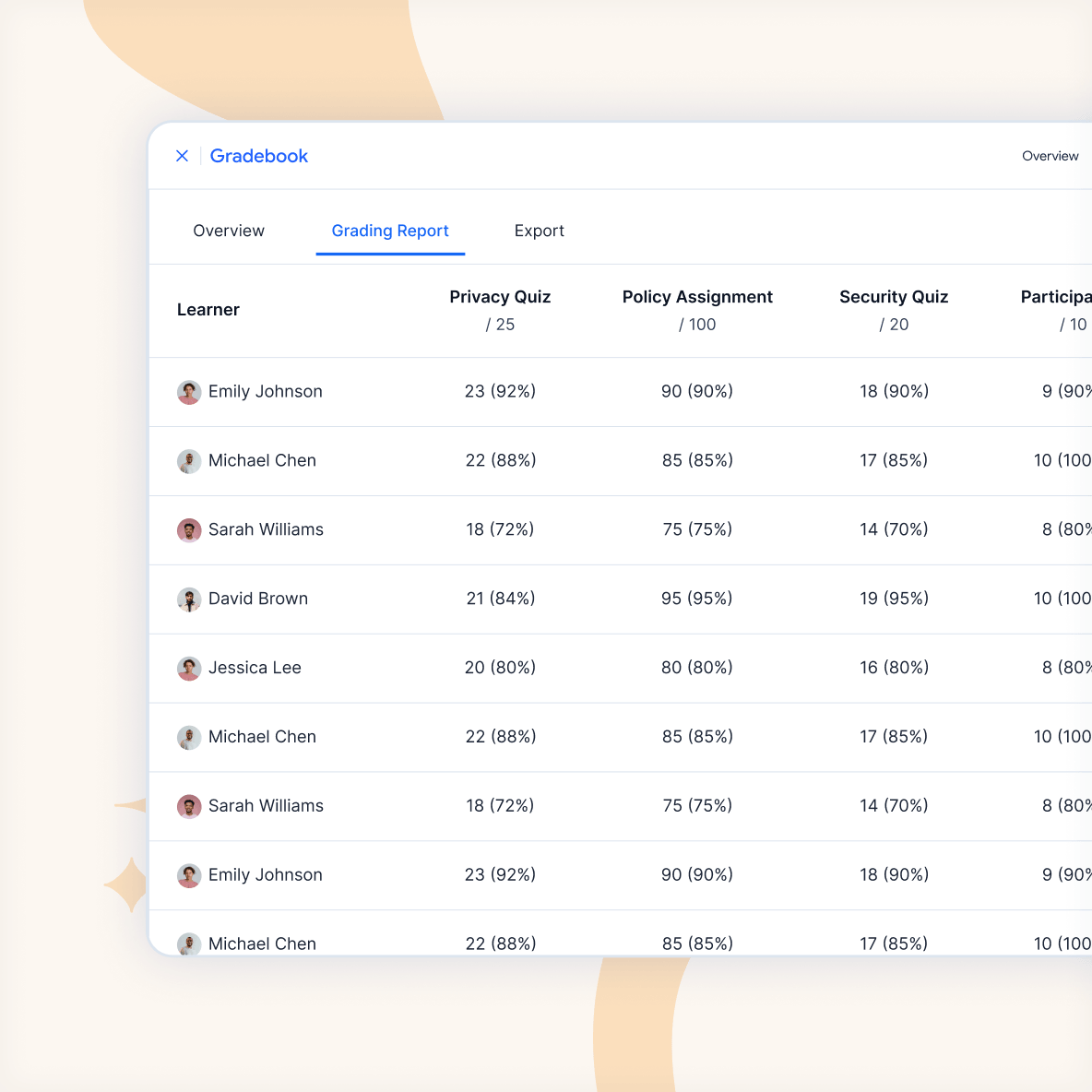
Gradebook
Keep grades and learner results in one place
Bring results from quizzes, assignments, and other graded activities into a central gradebook, giving instructors a clearer view of learner performance across the course.
Use the Gradebook to review individual results, organize graded activities, calculate course grades, and understand how different assessments contribute to a learner’s overall result.
Course completion
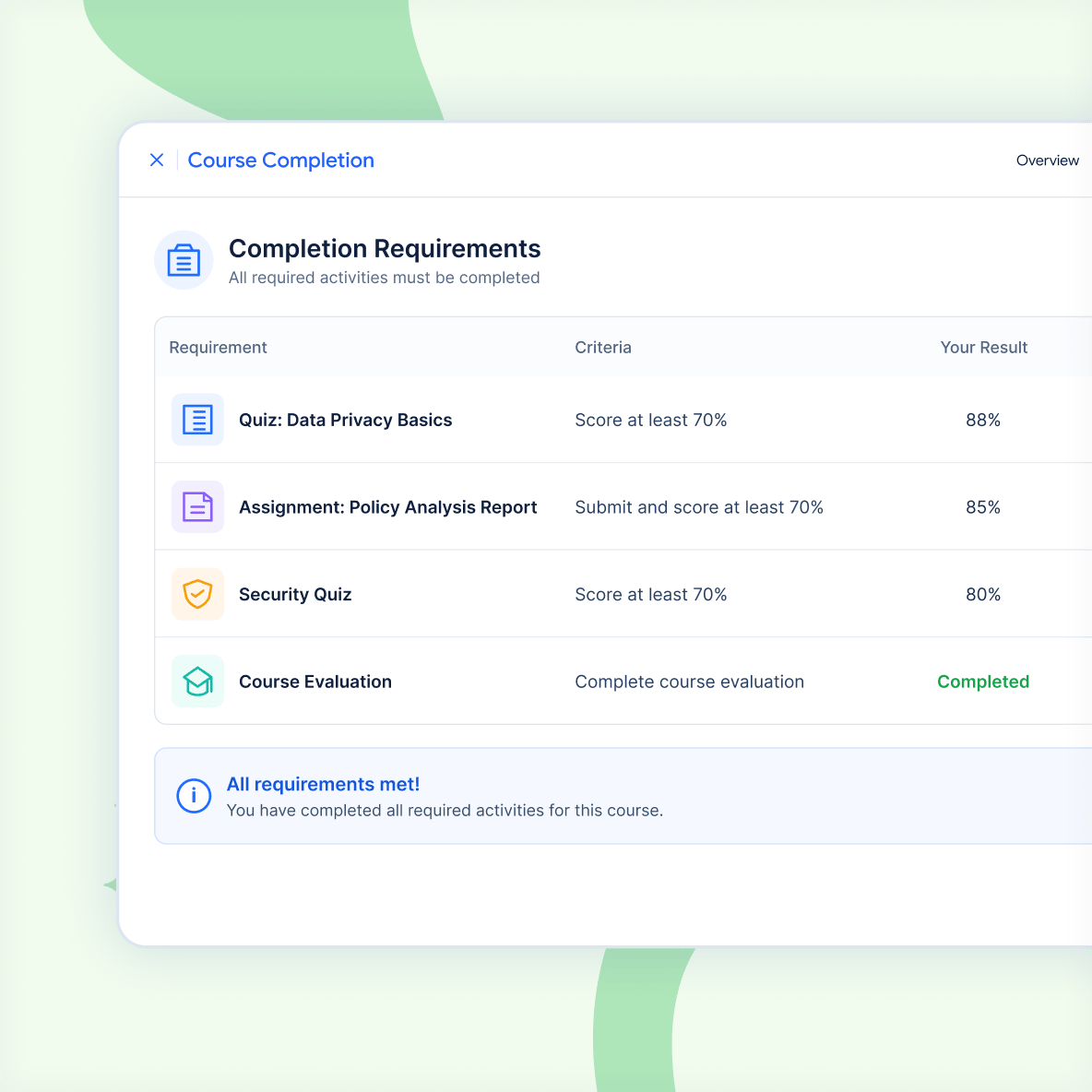
Define what learners need to complete
Set clear completion requirements so learners know what is expected and administrators can see whether those requirements have been met.
- Require selected activities to be completed
- Set minimum passing grades
- Include required quiz or assignment outcomes
Use Cases
Assess learning across different programs
Use quizzes, assignments, grading, feedback, and completion requirements across different learning and training scenarios.