Platform Updates — March 2026
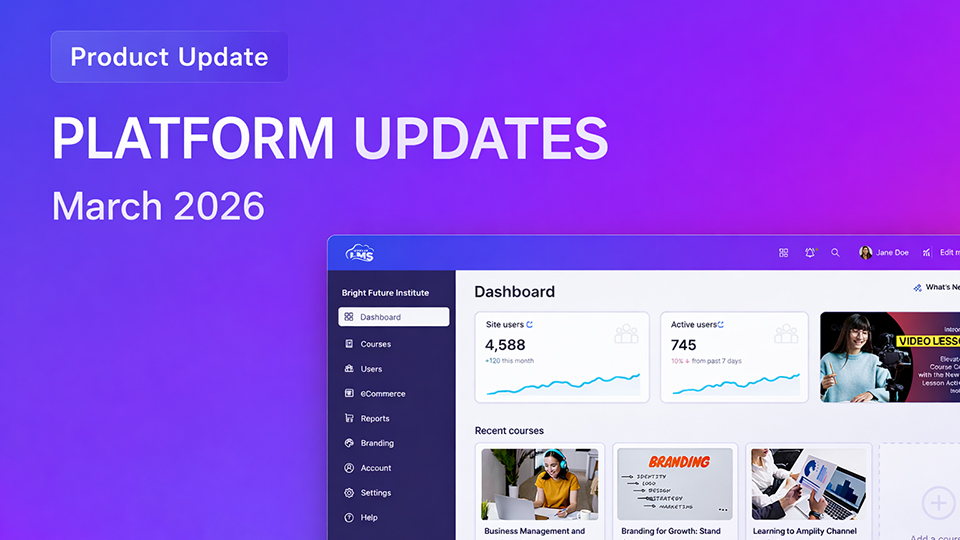
We’re excited to introduce a new set of improvements to ScholarLMS designed to make managing and navigating your learning platform faster, simpler, and more efficient.
What’s New in This Release
This update introduces improvements across several areas of the platform:
Platform Experience Improvements
- Redesigned Admin Dashboard
- New Learning Space in Navigation
- Improvements to Course Pages
New Features and Enhancements
- New Course Overview Page
- Smart Search
- Bulk User Actions Improvements
- Video Lesson Enhancements
- Course Recompletion (Progress Reset)
- Online Classroom Reports
Platform Experience Improvements
In addition to new functional features, this release also includes several improvements to the overall ScholarLMS interface to make navigation and course management more intuitive.
These changes focus on helping administrators and instructors quickly understand what is happening across their LMS and take action where needed.
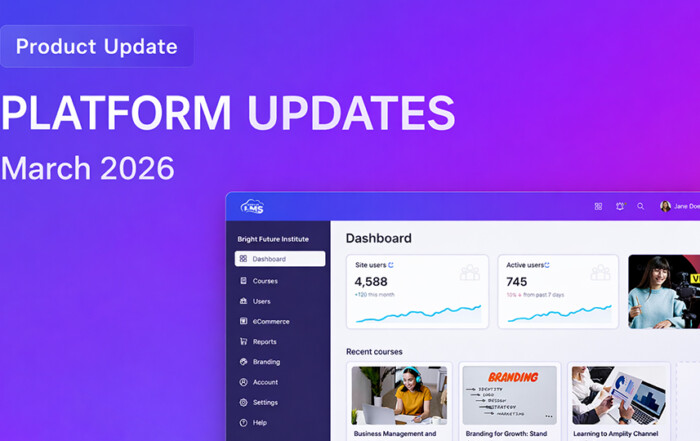
Redesigned Admin Dashboard
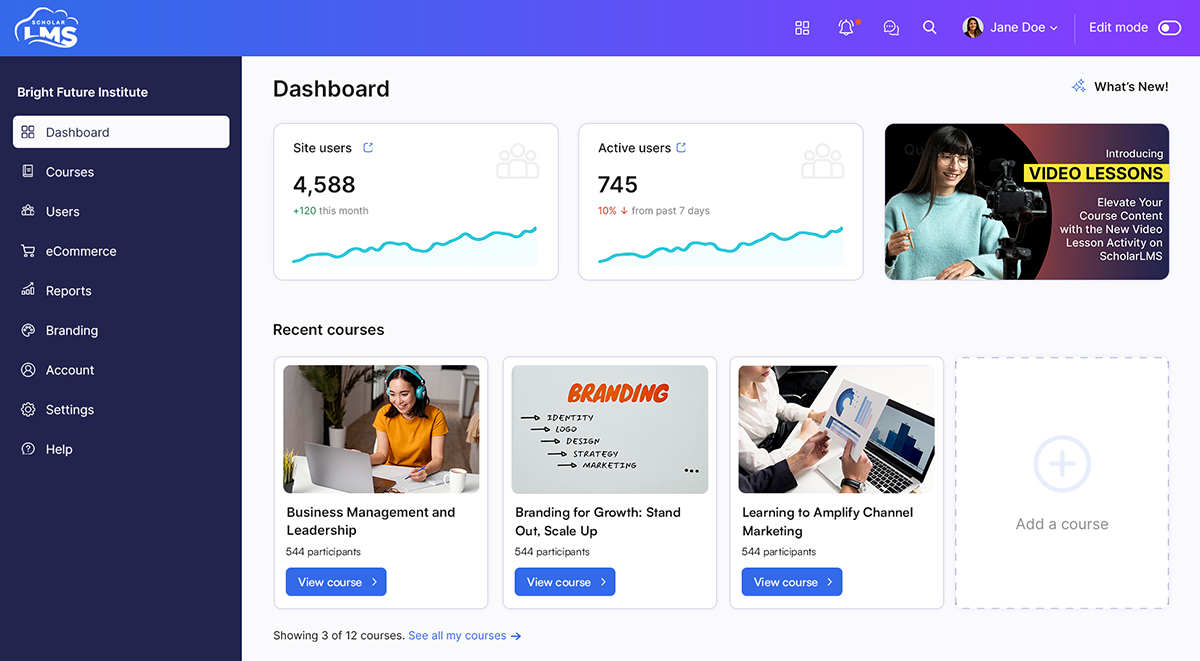
The Admin Dashboard has been redesigned to provide a clearer overview of platform activity and key insights.
The updated layout surfaces important information more prominently, helping administrators quickly understand the state of their LMS.
The redesigned dashboard provides:
- Improved visibility into platform activity
- Easier access to important management tools
- Better overview of users, courses, and activity
These improvements help administrators quickly identify trends and manage the platform more efficiently.
New Learning Space in Navigation
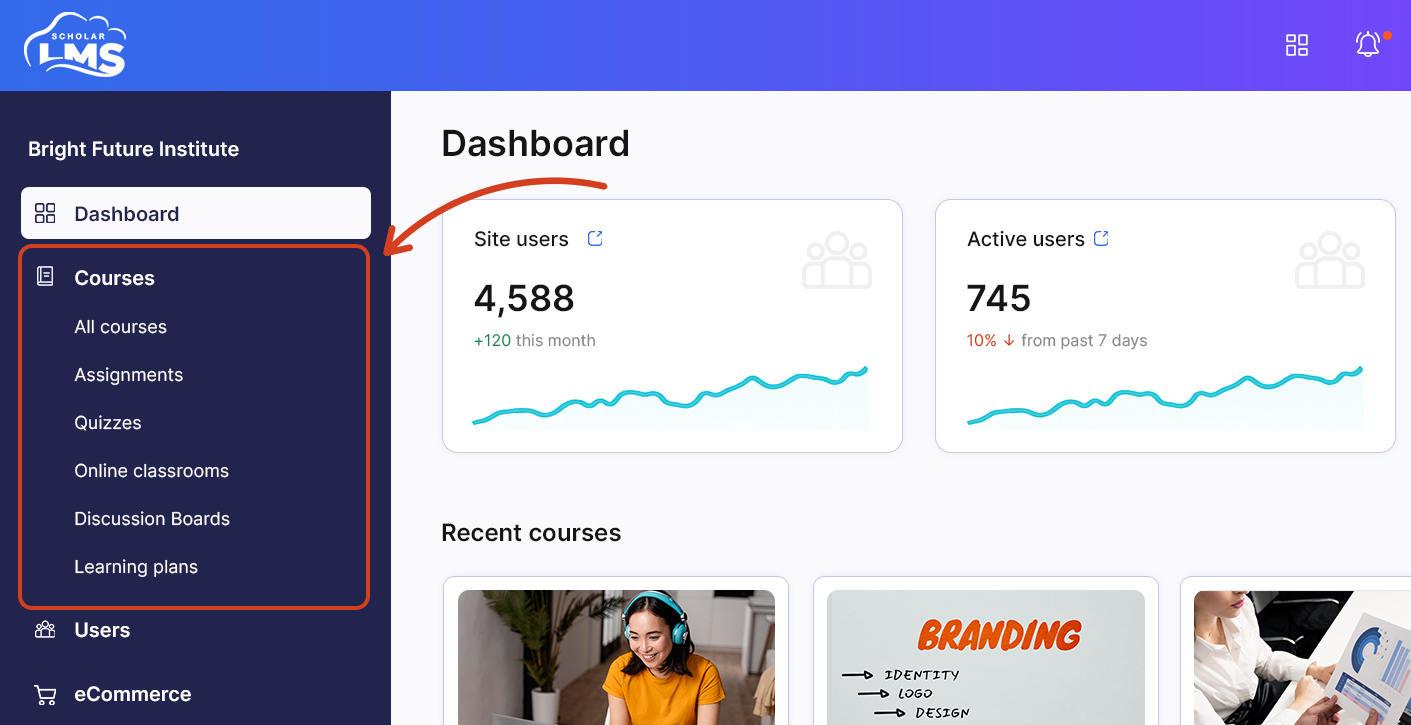
A new Learning Space section has been introduced in the left navigation to make learning-related tools easier to access.
This section groups together key learning components so that users can quickly access the tools they need without navigating through multiple menus.
The Learning Space provides a centralized location for accessing:
- Courses
- Assignments
- Quizzes
- Online classrooms
- Forums
- Learning plans
New Features and Enhancements
This release also introduces several new capabilities designed to improve how administrators manage courses, users, and learning activity.
New Course Overview Page
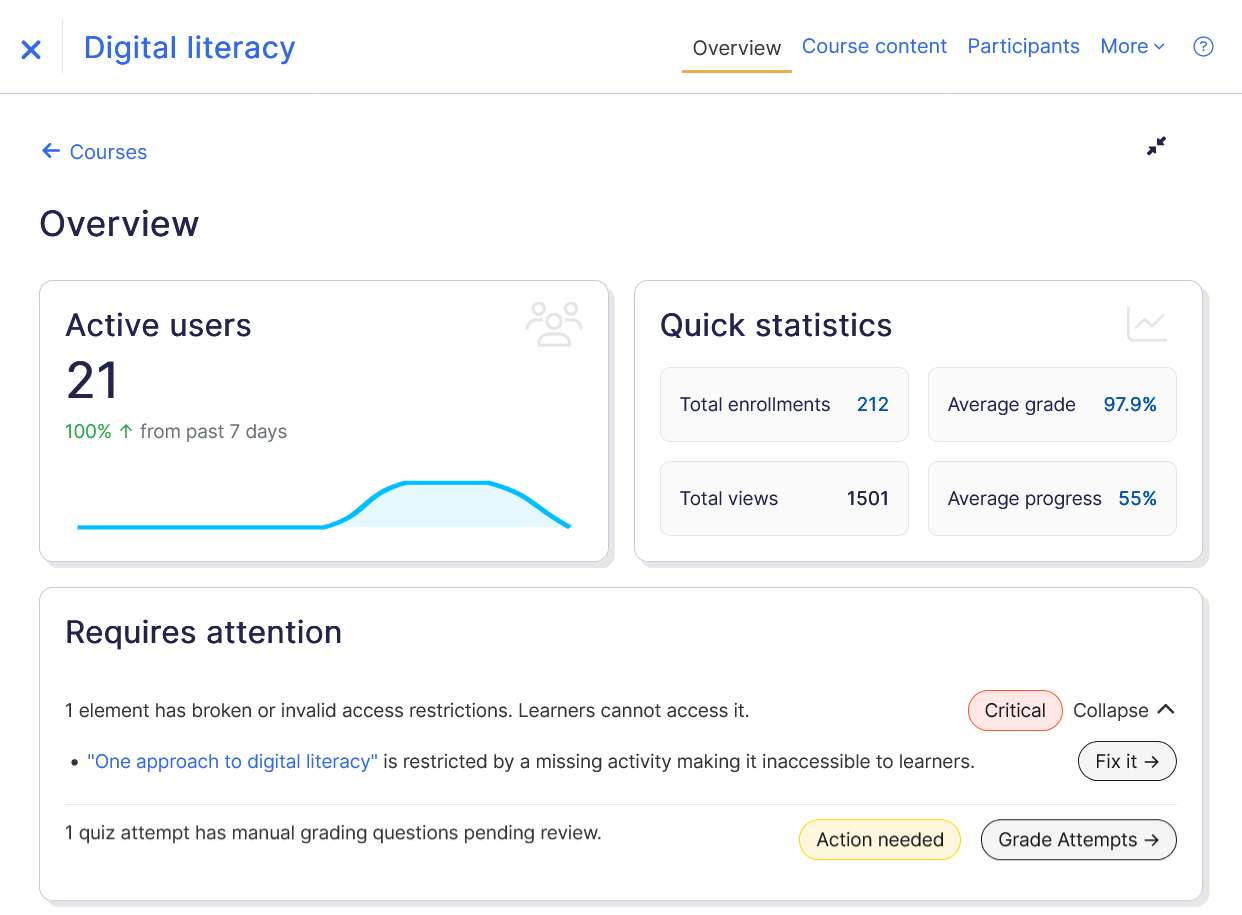
The Course Overview page is a powerful new feature in ScholarLMS that helps instructors quickly understand the status and performance of their courses.
It consolidates important course insights into a single dashboard, allowing instructors to monitor learner engagement, review key course metrics, identify configuration issues, and track upcoming deadlines without navigating through multiple pages.
The page highlights key information such as:
- Course activity insights
- Learner progress indicators
- Configuration checks
- Recommendations for improving course setup
This helps instructors maintain well-structured courses and quickly address issues that may affect learner progress.
Learn more → Course Overview Guide
Smart Search
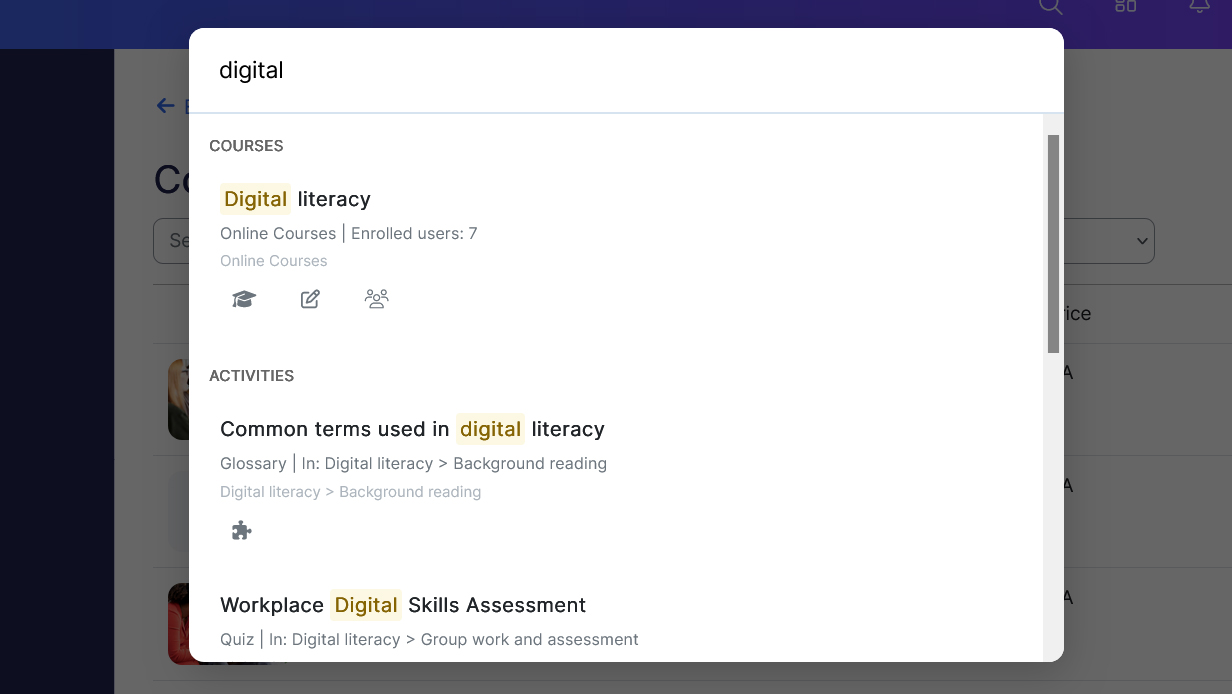
Managing an LMS often involves navigating through multiple menus to locate courses, users, or settings. Smart Search simplifies this process by allowing administrators and instructors to quickly locate important items from anywhere in the platform.
Accessible from the search icon in the top navigation bar, Smart Search provides instant results as users type.
Users can quickly search for:
- Courses
- Users
- Activities and resources
- Course categories
- Site settings
- Plugin and administrative pages
Search results provide additional context such as the course category and enrolled users, helping users quickly identify the correct item.
The system also includes Search Analytics, allowing administrators to view commonly searched keywords and search activity trends.
This makes it easier to understand how users navigate the LMS and identify areas where content organization can be improved.
Learn more → Smart Search Documentation
Bulk User Actions Improvements
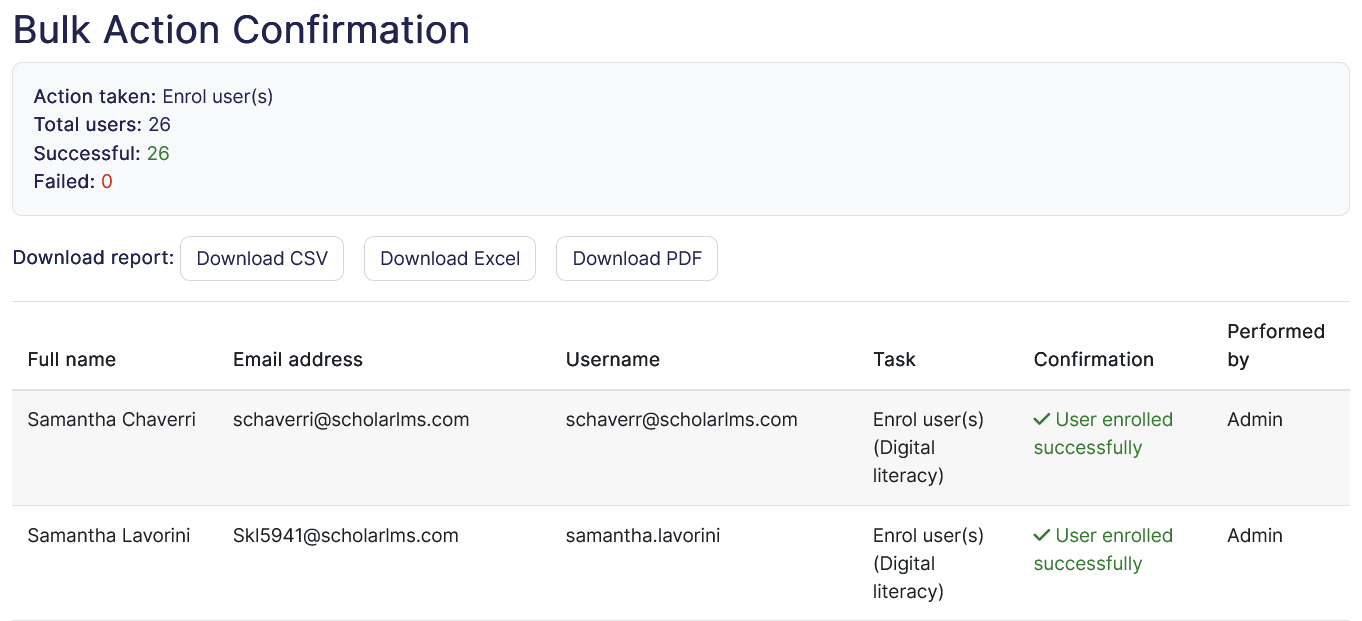
Managing users across courses often requires performing repetitive administrative tasks. The updated Bulk User Actions system allows administrators to perform common actions on multiple users at once.
Available actions include:
- Suspending user accounts
- Unsuspending user accounts
- Enrolling users into courses
- Unenrolling users from courses
Bulk actions can be initiated from the Bulk User Actions page or directly from the All Users page.
ScholarLMS also includes safeguards to prevent conflicts. For example, users already enrolled in a course will not be enrolled again, and users not enrolled in a course will be skipped during unenrollment.
Once the operation is complete, a confirmation report summarizes the action performed and any skipped users.
Learn more → Bulk User Actions
Organized Video Library
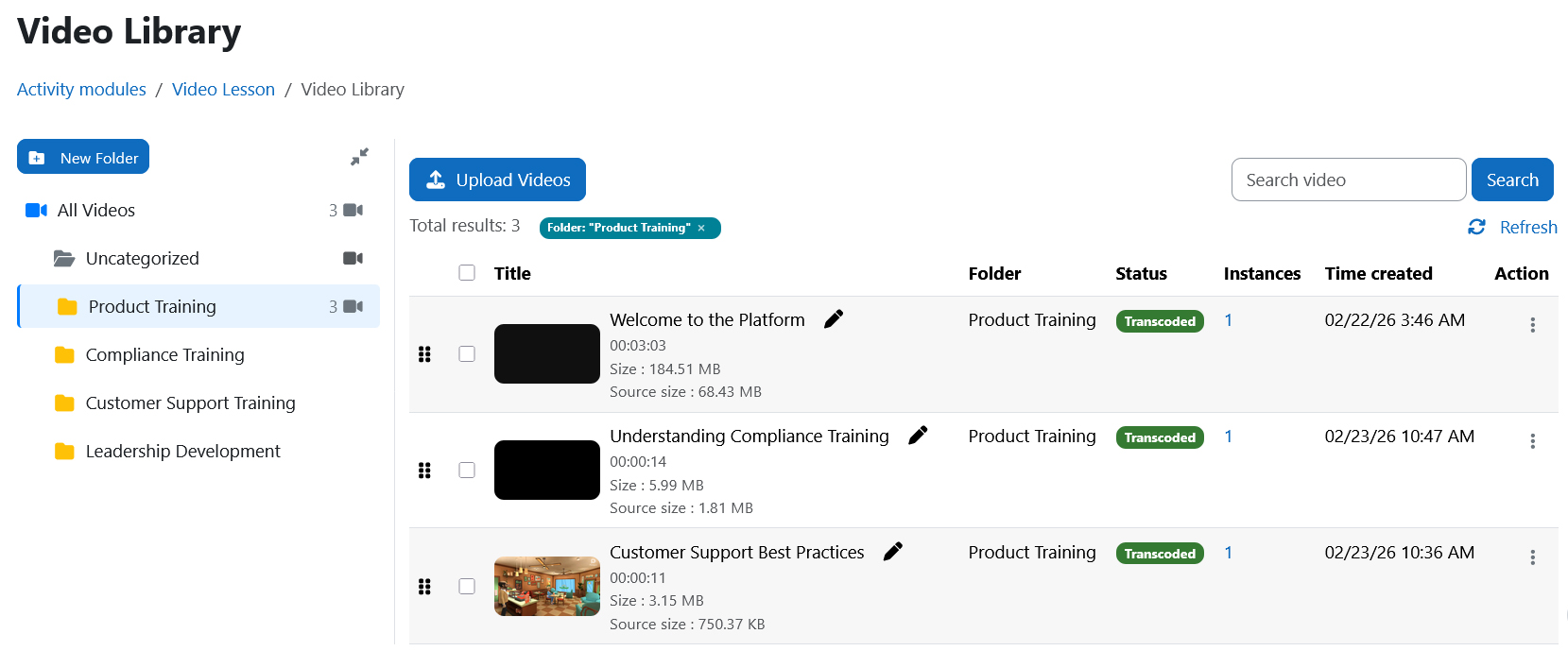
Administrators can now organize videos using folders or categories. This helps maintain a structured video library and makes it easier to locate specific training materials.
Videos can be categorized during upload or later from the Video Library.
Importantly, moving a video between categories does not affect Video Lesson activities that already use the video inside courses.
Learn more → Video Lesson activity guide
Subtitles for Existing Videos
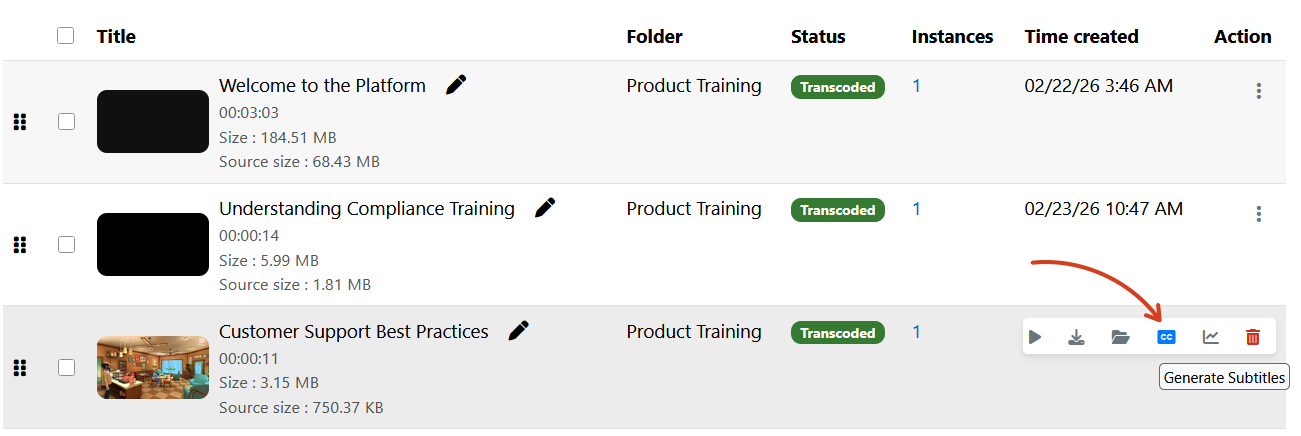
Another improvement allows subtitles to be generated for videos already stored in the Video Library.
Previously subtitles could only be generated during upload. With this update, administrators can generate subtitles whenever needed.
This provides greater flexibility and helps ensure accessibility features can be added even after videos are already in use.
Course Recompletion (Progress Reset)
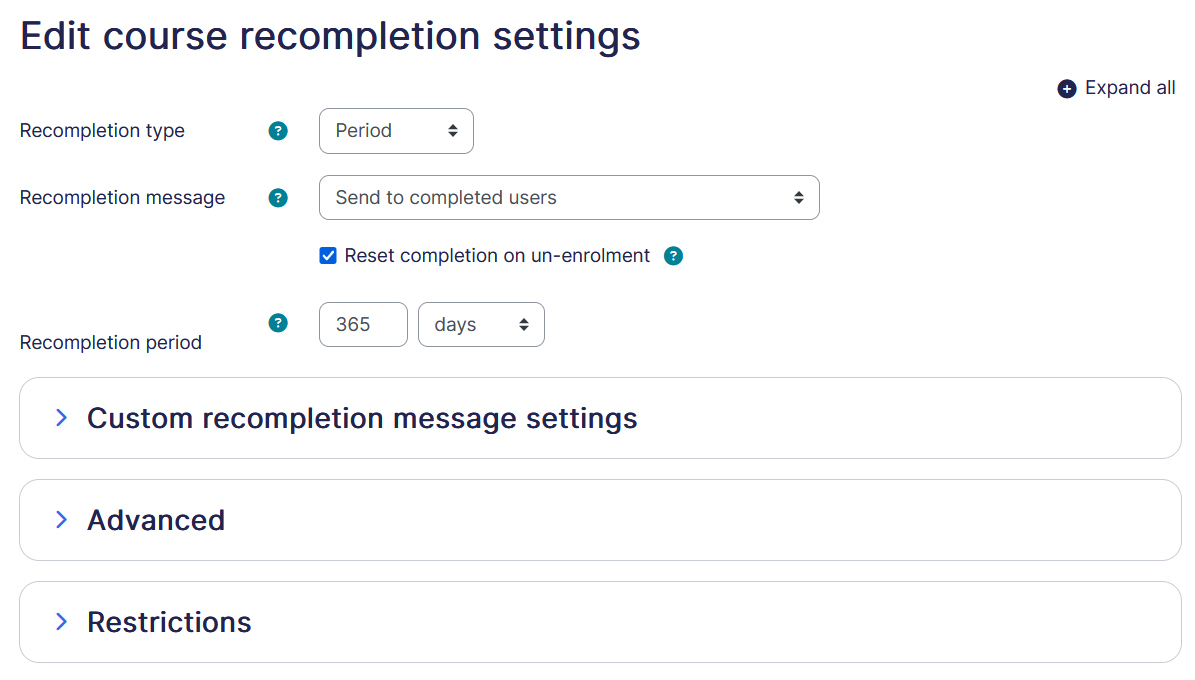
Many organizations require learners to repeat training periodically, such as annual compliance courses or certification renewals. Course Recompletion allows administrators to reset course completion so learners can retake training when required.
Recompletion can be configured to run automatically after a defined interval or triggered manually for selected users.
The system also supports activity-specific options such as resetting quiz attempts, reopening assignments, or resetting SCORM attempts while preserving historical records for reporting.
Learners can also receive notifications when recompletion is required.
Learn more → Course Recompletion Guide
Online Classroom Reports
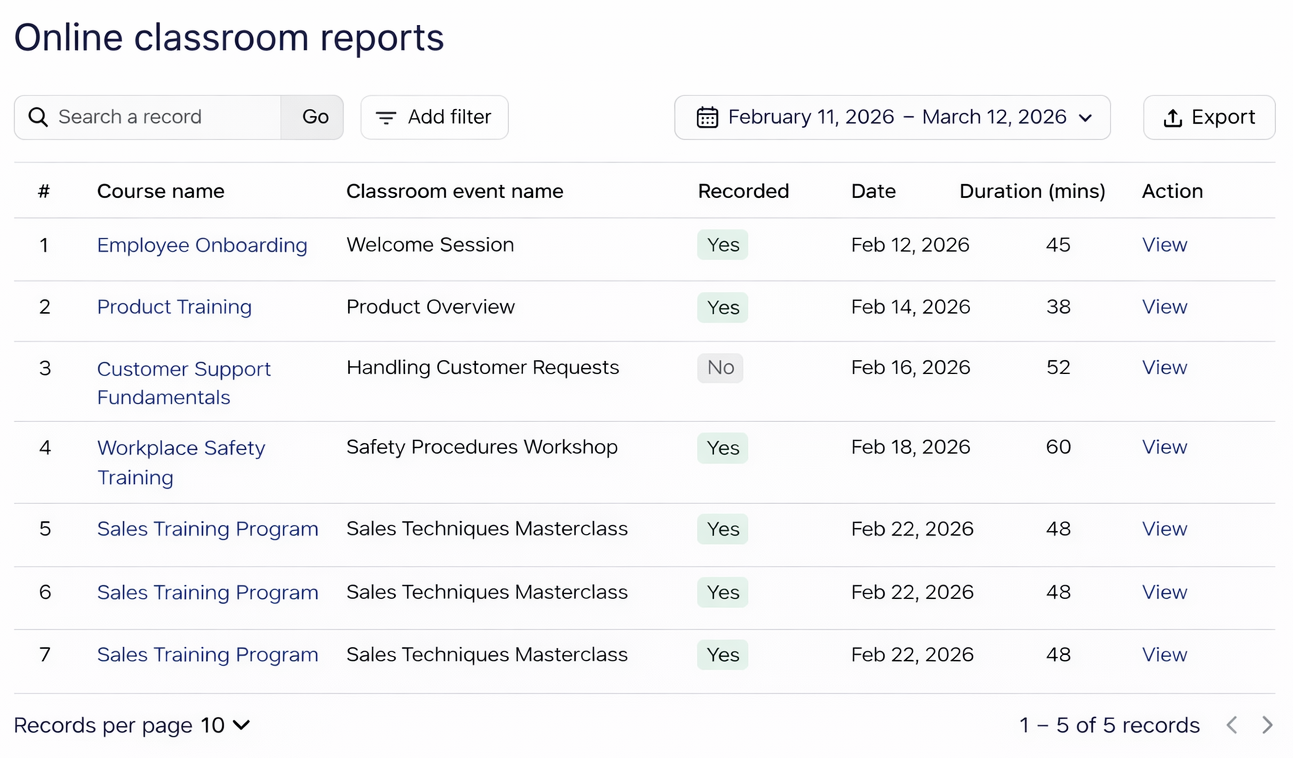
A dedicated Online Classroom Reports page is introduced that allows administrators to monitor virtual classroom sessions conducted across the platform.
Administrators can search the report, filter sessions by date range, and export reports for record keeping or further analysis.
Continuing Improvements to ScholarLMS
These updates are part of our ongoing effort to make ScholarLMS easier to manage and more powerful for organizations delivering modern learning experiences.
More improvements and new features are planned for upcoming releases.