
Table of Contents
The Guest Access feature allows users to view the contents of a course without being enrolled or even without having an account. This feature is often used to provide a preview of a more detailed course available on your site.
About Guest Access #
- Guests do not require login credentials to access courses enabled for Guest Access.
- Guests can view all content within a course, including videos, pages, and forum discussions.
- However, guests cannot participate in course activities such as quizzes and assignments; they can only view the content.
Enable/disable Guest Access to a course #
- Navigate to your course.
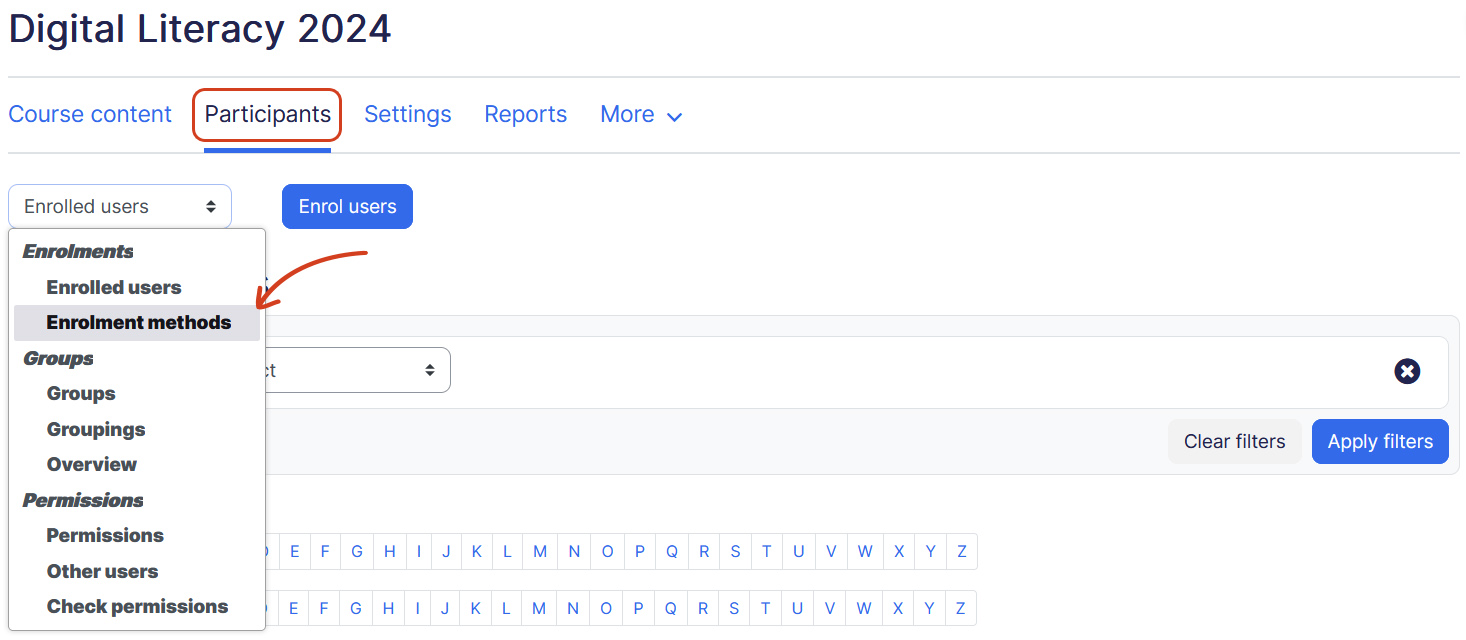
- Click Participants. Change the drop-down menu at the top from Enrolled Users to Enrollment Methods.
- Find Guest Access and click the enable/disable toggle as needed:
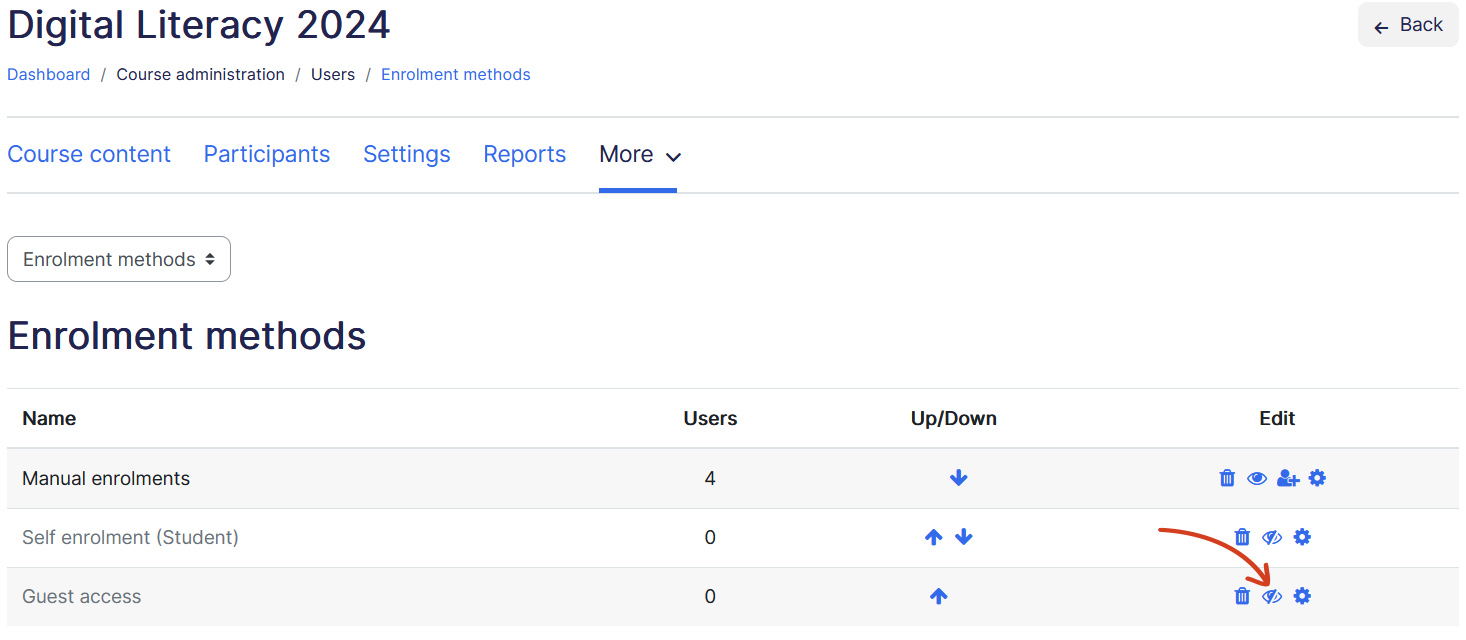
- (Disable) — Guest Access is on; click to disable.
- (Enable) — Guest Access is off; click to enable.
- If you want to require guests to enter a password:
- Click (Edit).
- Enter your Password.
- Click Save changes.
- Give this password to people who need to enter the course.