Learner Theme Gets a Fresh Look — and a Smarter Experience #
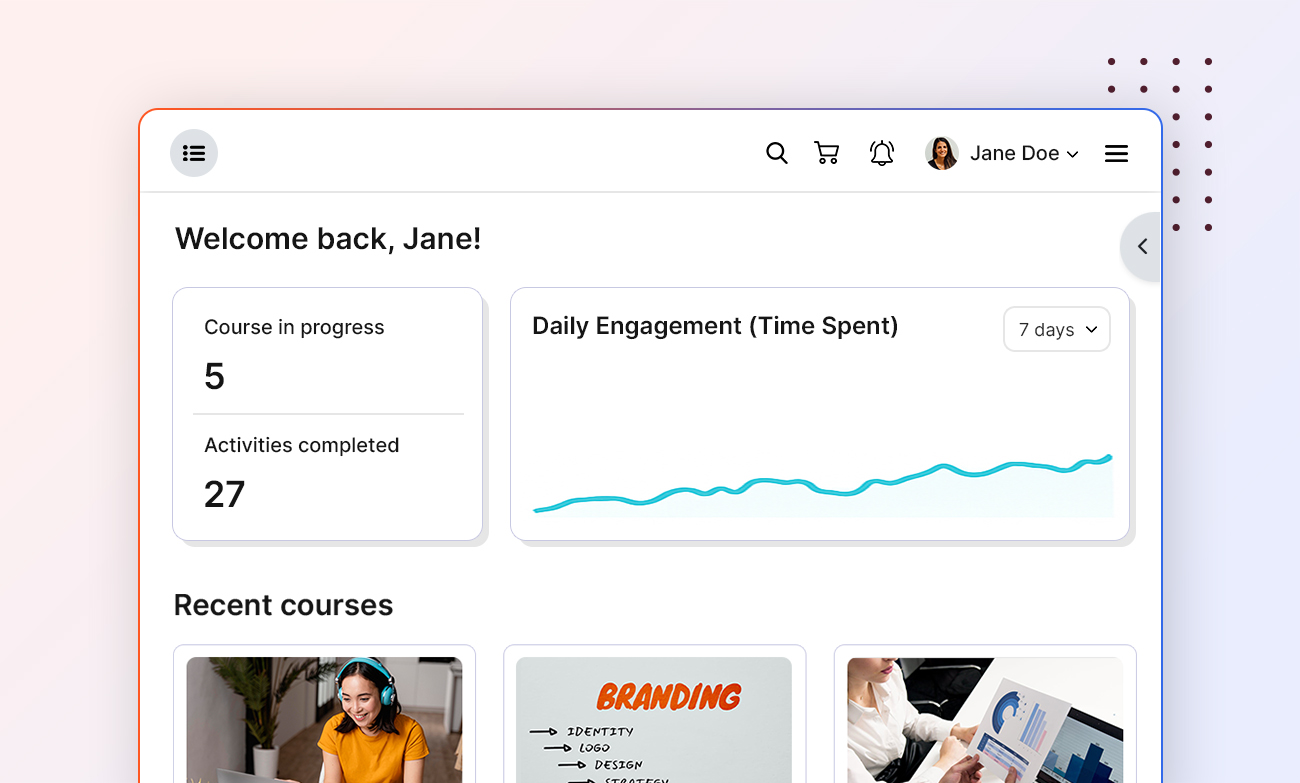
We’ve rolled out a series of updates to the Learner theme — designed to make learning smoother, navigation clearer, and the overall experience more focused.
This isn’t just a design refresh; it’s a rethinking of how learners move through their dashboard, courses, and activities — so everything feels more natural, less cluttered, and more engaging.
Let’s take a tour of what’s new.
Dashboard #
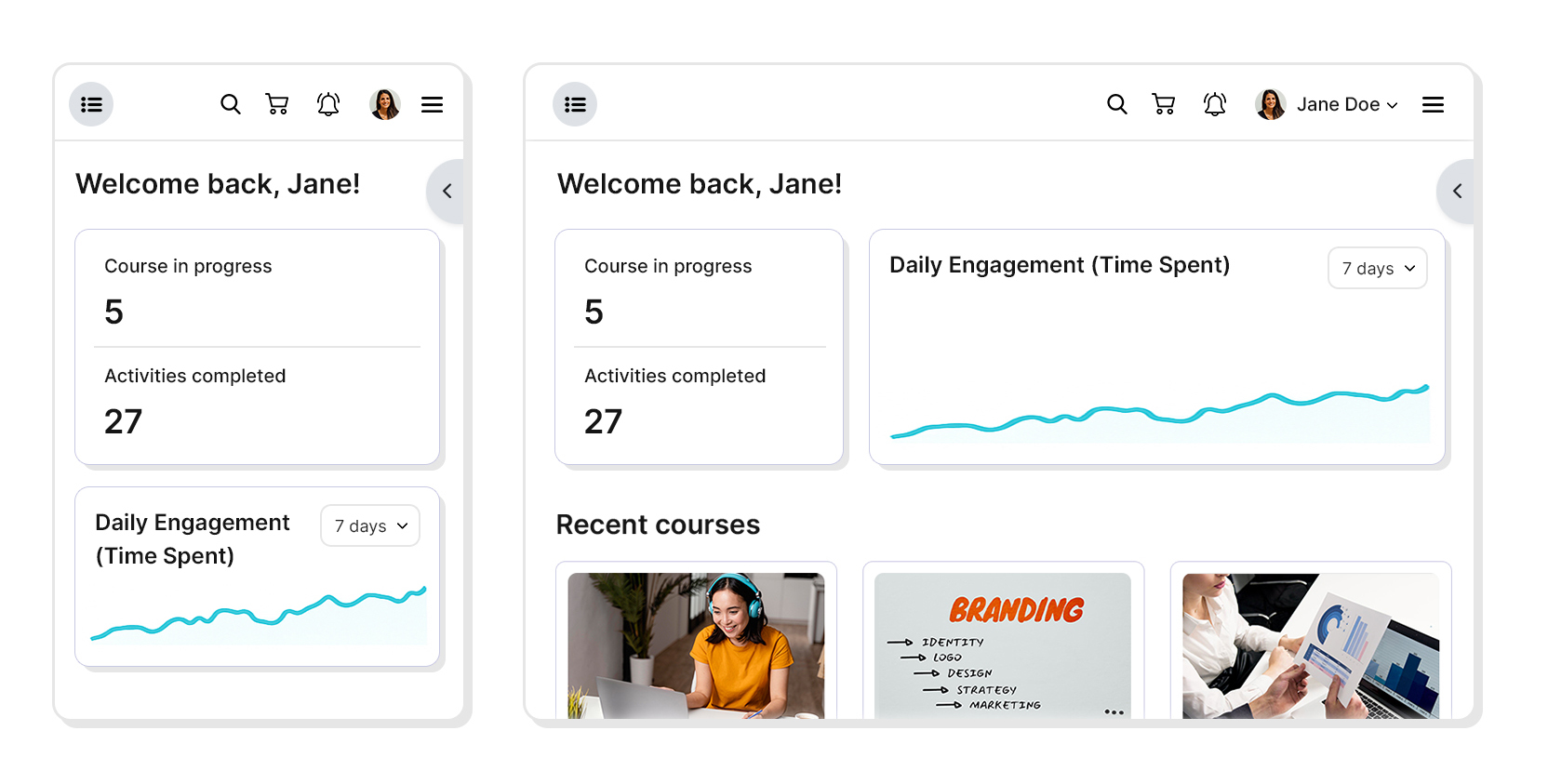
The learner dashboard now feels more open and focused — with a fixed wide layout and no right sidebar, everything your learners need is visible at a glance.
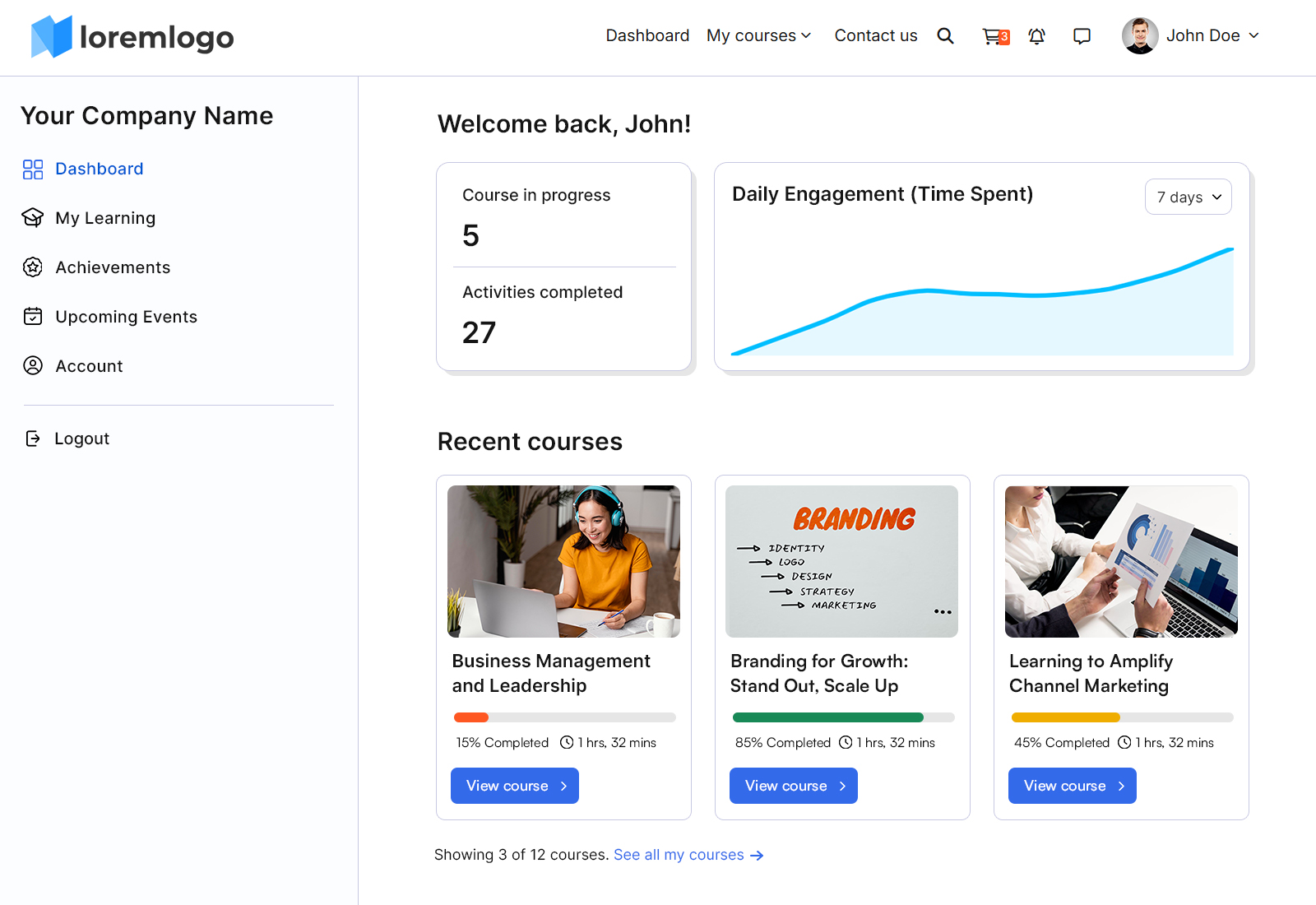
At the top, learners can see their quick learning stats — Courses in progress, Activities completed, and Total time spent — giving them instant feedback about their progress and engagement.
Below that, the Recent Courses section lists their last three active courses, making it easier to jump back in.
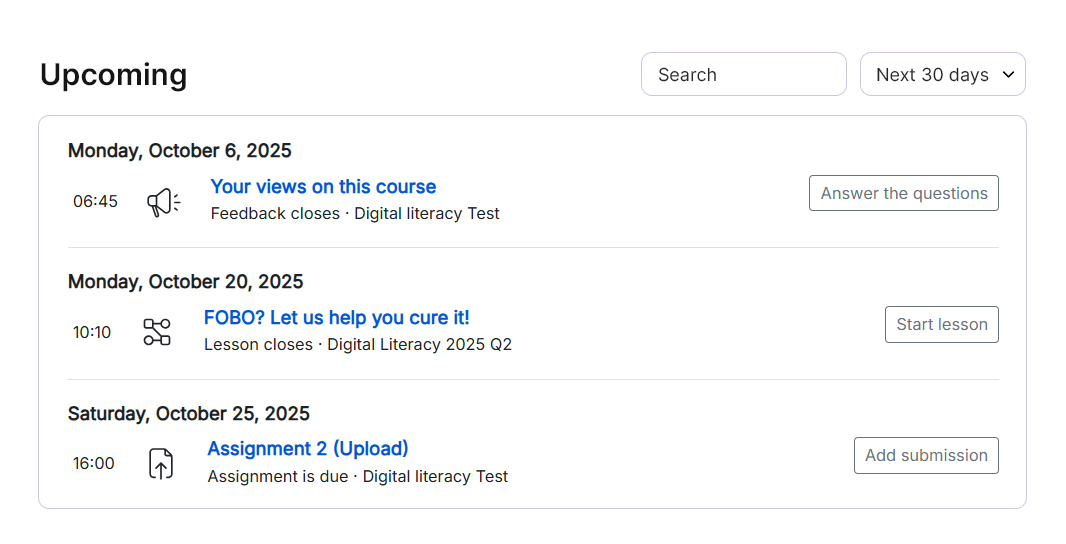
The Upcoming block now automatically pulls together any activity with a due date — assignments, quizzes, or even online classrooms — so learners stay aware of what’s coming next.
If your site uses Events, the new Events Calendar shows bookable events neatly in one place, ready to be booked.
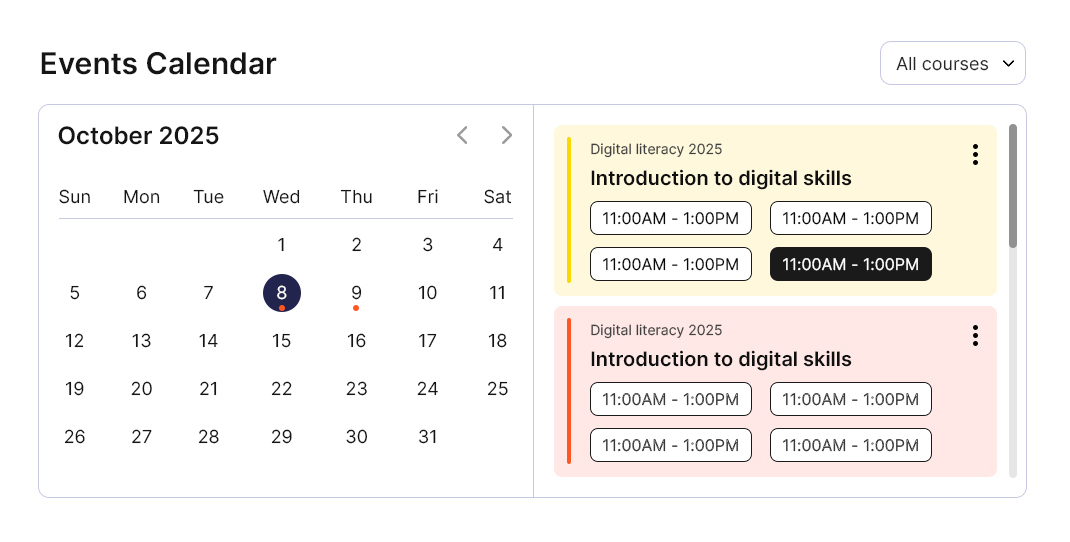
👉 Refer to our “Admin and Learner Dashboard” guide for detailed instructions on setting up and customizing learner dashboards.
Left Sidebar
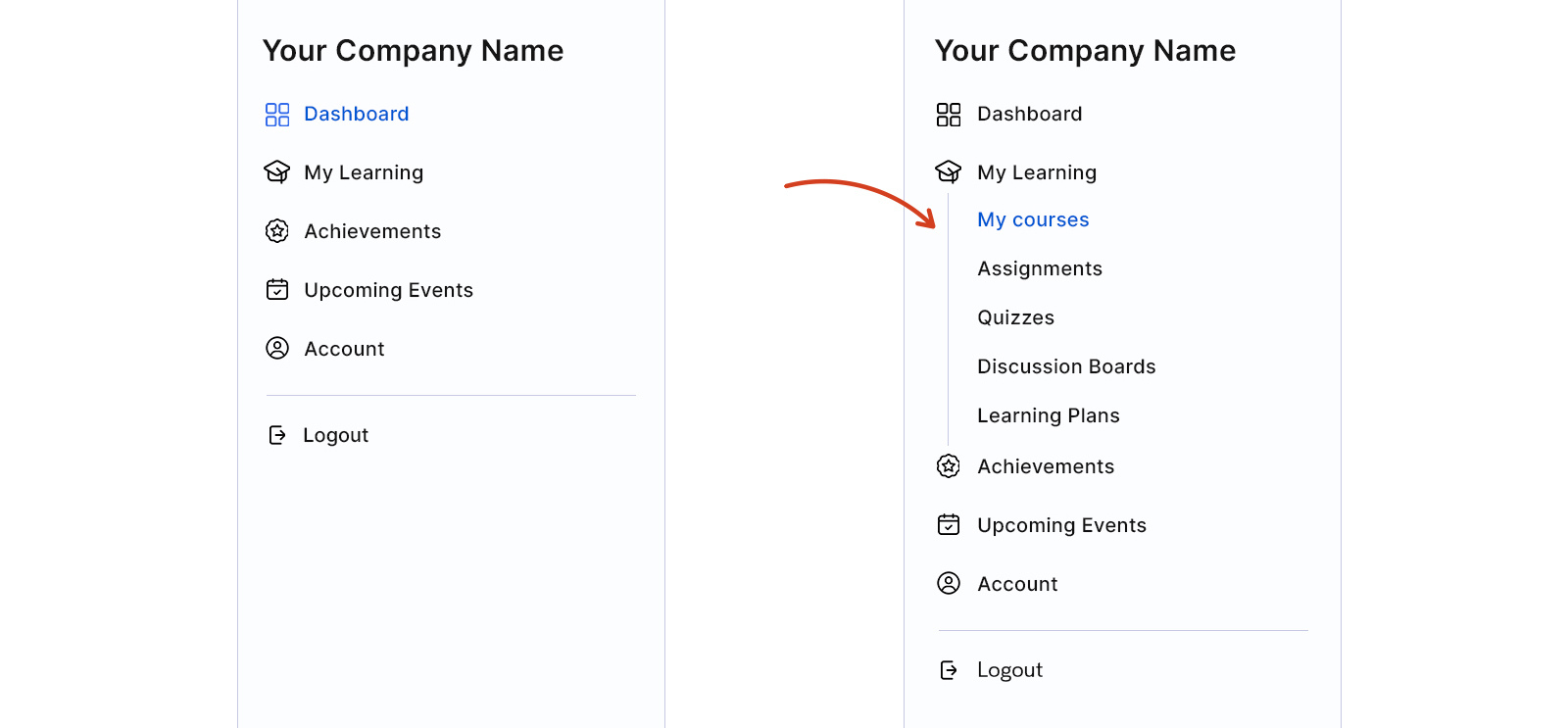
We’ve reorganized the left sidebar so that related pages are grouped more logically, making navigation much more intuitive.
Header
The header now adapts depending on where learners are:
1. Site-wide Header – the familiar one, just visually cleaner and lighter.
2. Course/Activity Header – a focused version that appears within any course or its activities.
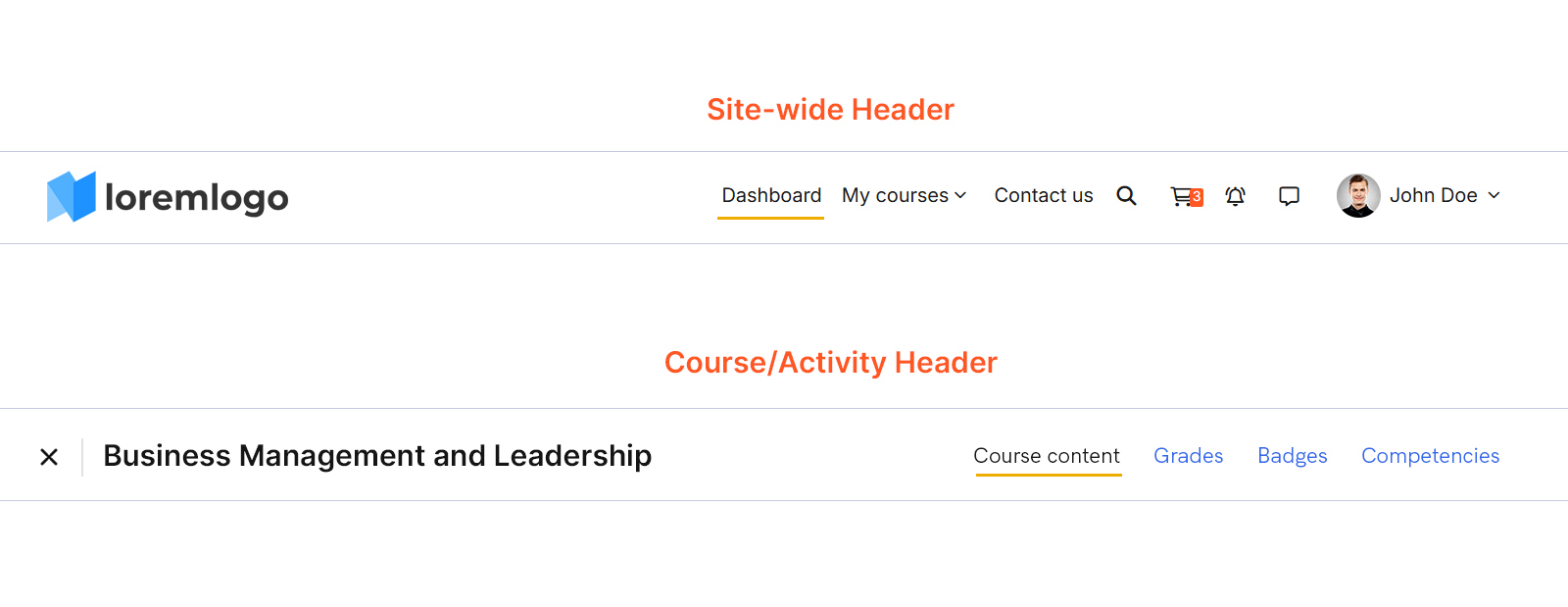
This new course header includes a Close/Exit button (which takes learners back to My Courses) and a compact course menu with quick links to Course Content, Grades (if enabled), and Competencies (if enabled).
This makes moving around a course simpler and less distracting — especially for learners who prefer staying in flow.
My Learning pages #
The My Learning section now holds all key learning areas:
- My Courses
- Assignments
- Quizzes
- Discussion Boards
- Learning Plans
This makes it easier for learners to find what they need — without wandering through menus.
1. My Courses
The My Courses page now offers a better overview at a glance.
- Improved filters, with both List and Card view options.
- A new label showing if a course enrollment is expiring within 30 days.
- Progress bars in red, orange, and green, making learner progress instantly visible.
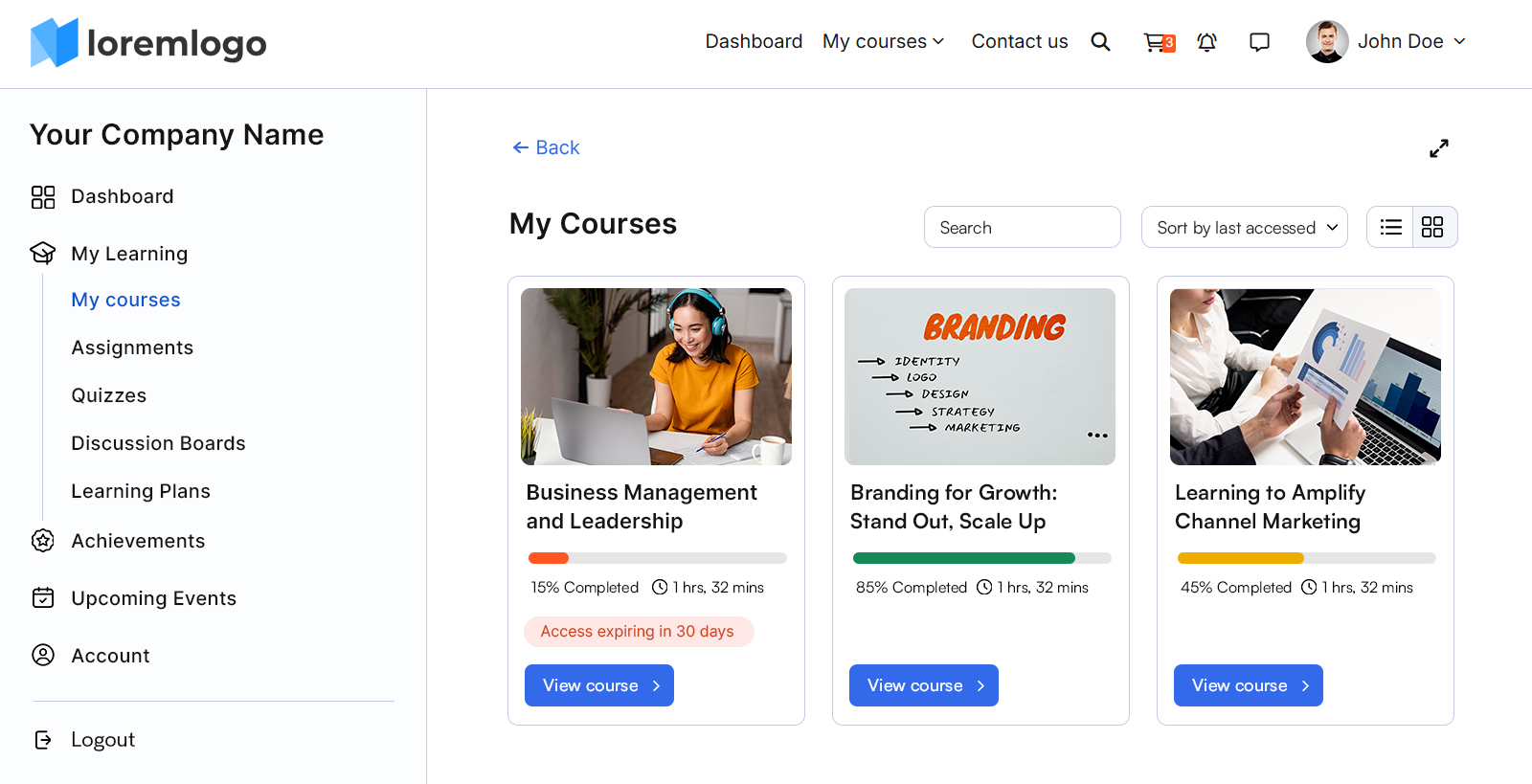
These subtle updates help learners plan better and stay aware of where they stand.
2. Assignments
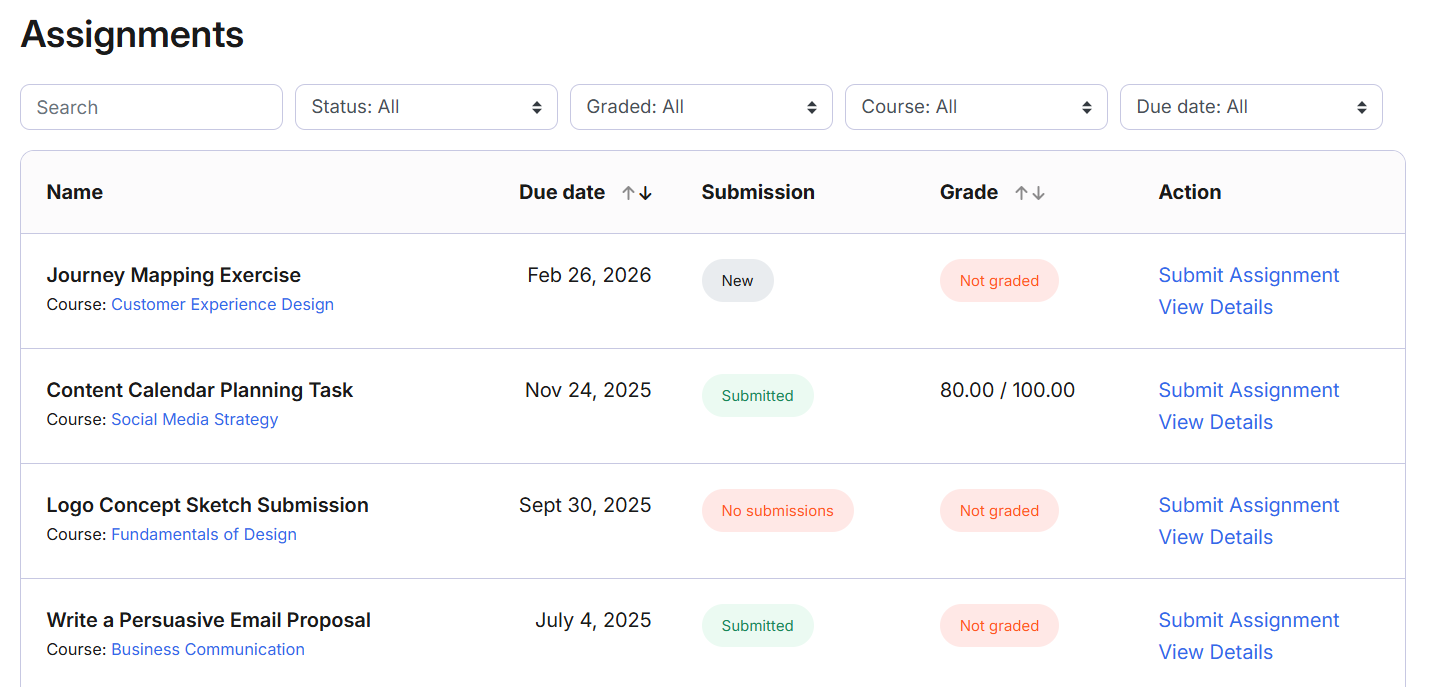
The Assignments page now brings together all assignments from across a learner’s courses — providing a single, easy-to-access view of everything that needs attention.
Assignments can be filtered easily by:
- Status (New, Pending, Submitted)
- Graded/Not Graded
- Course
- Due Date (if set)
Note: Assignments that are locked due to access restrictions will not appear in this list.
3. Quizzes
Just like Assignments, the Quizzes page now displays all quizzes from across a learner’s courses.
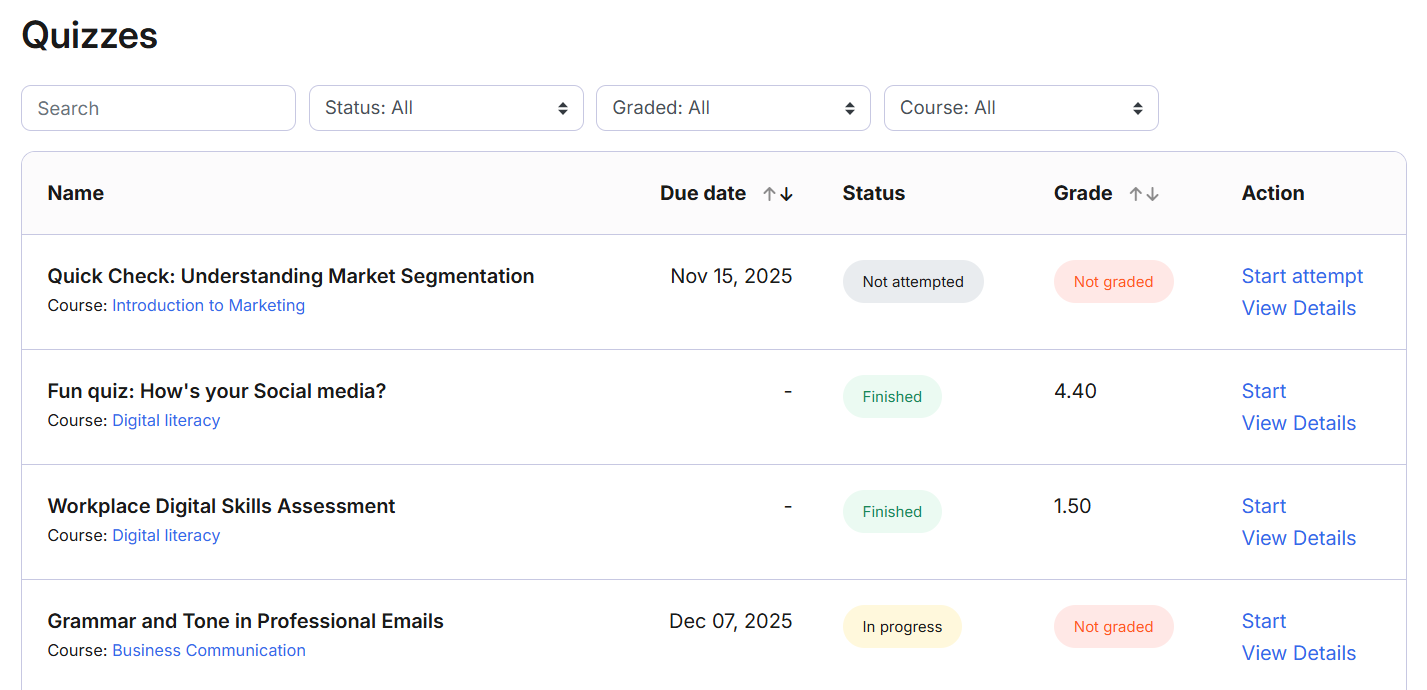
Learners can filter by status, course, or grade, and see attempt and grading status at a glance.
Note: Quizzes that are locked due to access restrictions will not appear in this list.
4. Discussion Boards
The Discussion Boards page brings all active forums into one place.
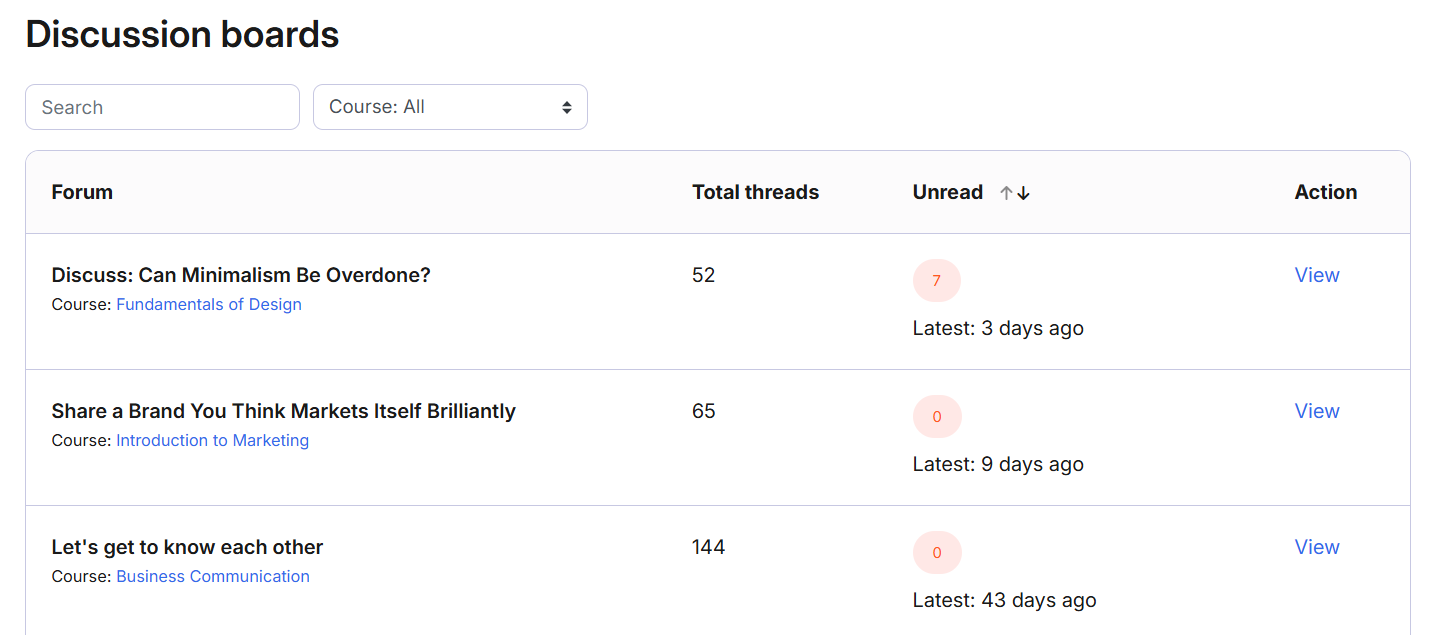
Learners can see:
- Total threads
- Unread posts
- Last activity time
Note: Discussions that are locked due to access restrictions will not appear in this list.
Achievements #
We’ve grouped all achievement-related pages under the Achievements menu, making it easy for learners to quickly review their accomplishments.
- Grades
- Certificates
- Badges
- Course Progress Report
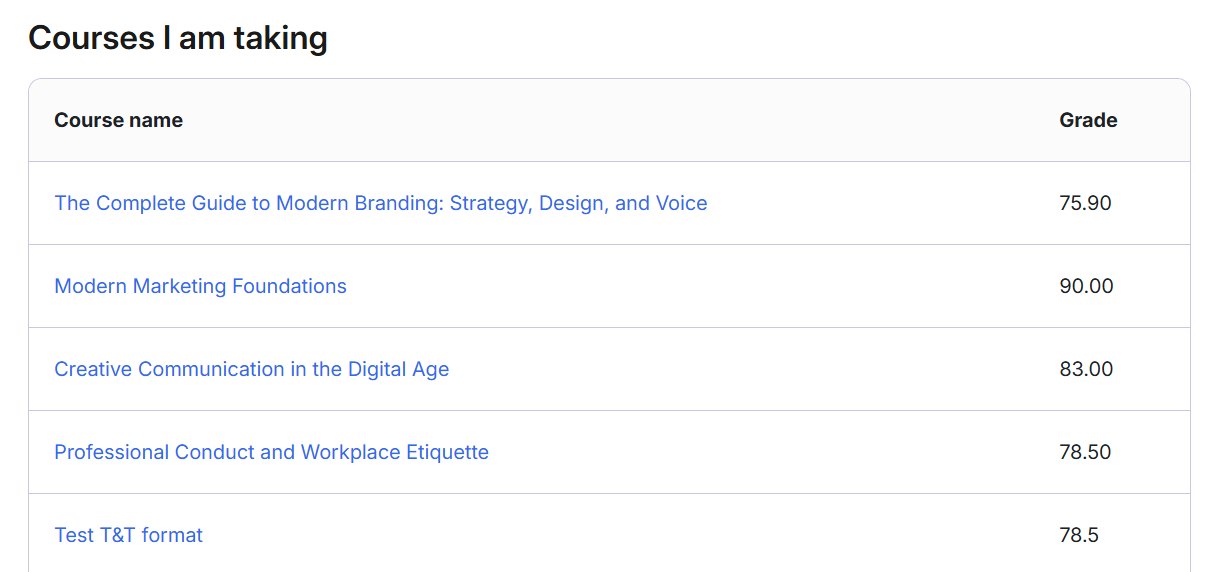
1. Grades
Shows all grades from the learner’s current courses in one place, giving a quick snapshot of performance and progress.
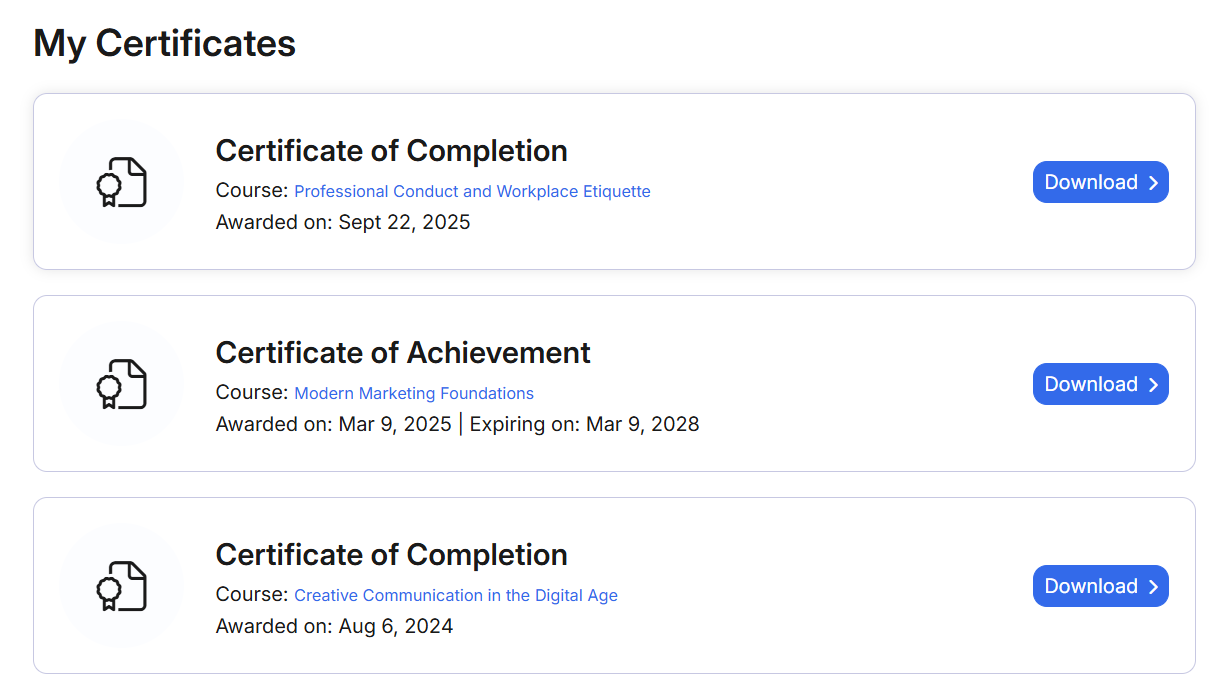
2. Certificates
Displays all certificates a learner has received, along with the course name, date awarded, and expiry (if applicable).
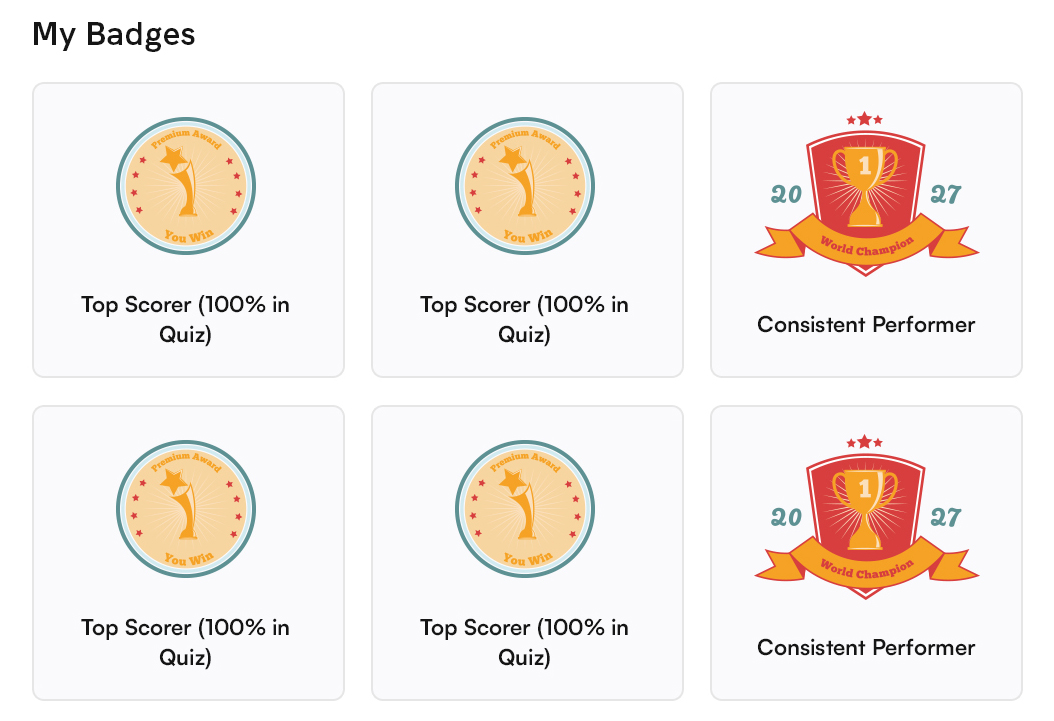
3. Badges
Lists all badges earned through courses or activities, helping learners track their achievements and milestones.
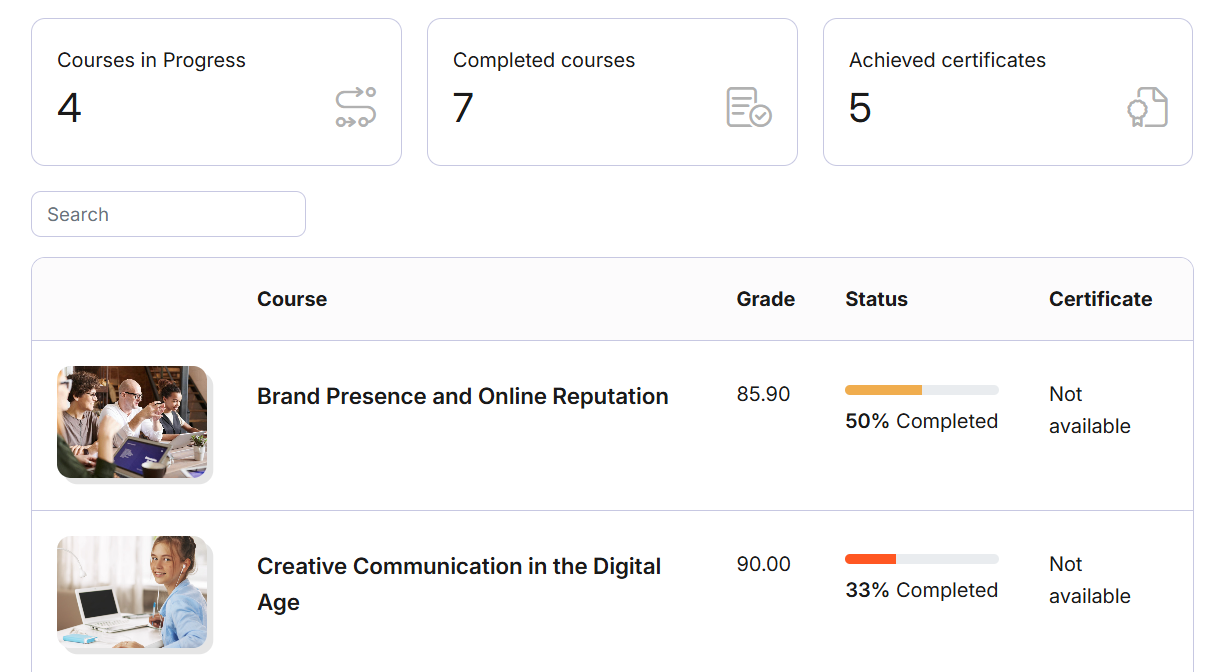
4. Course Progress Report
Combines grades, completion status, and certificates earned into a single view, offering a complete picture of overall learning progress.
Course Pages #
Once inside a course, learners will notice a much cleaner experience.
- Consistent focused course header
- Course progress and time spent shown in the left navigation
- Course expiring label for enrollments nearing expiry
- Clearer nested section design for longer courses
- Simple, clear activity status labels — Done, To Do, or Locked
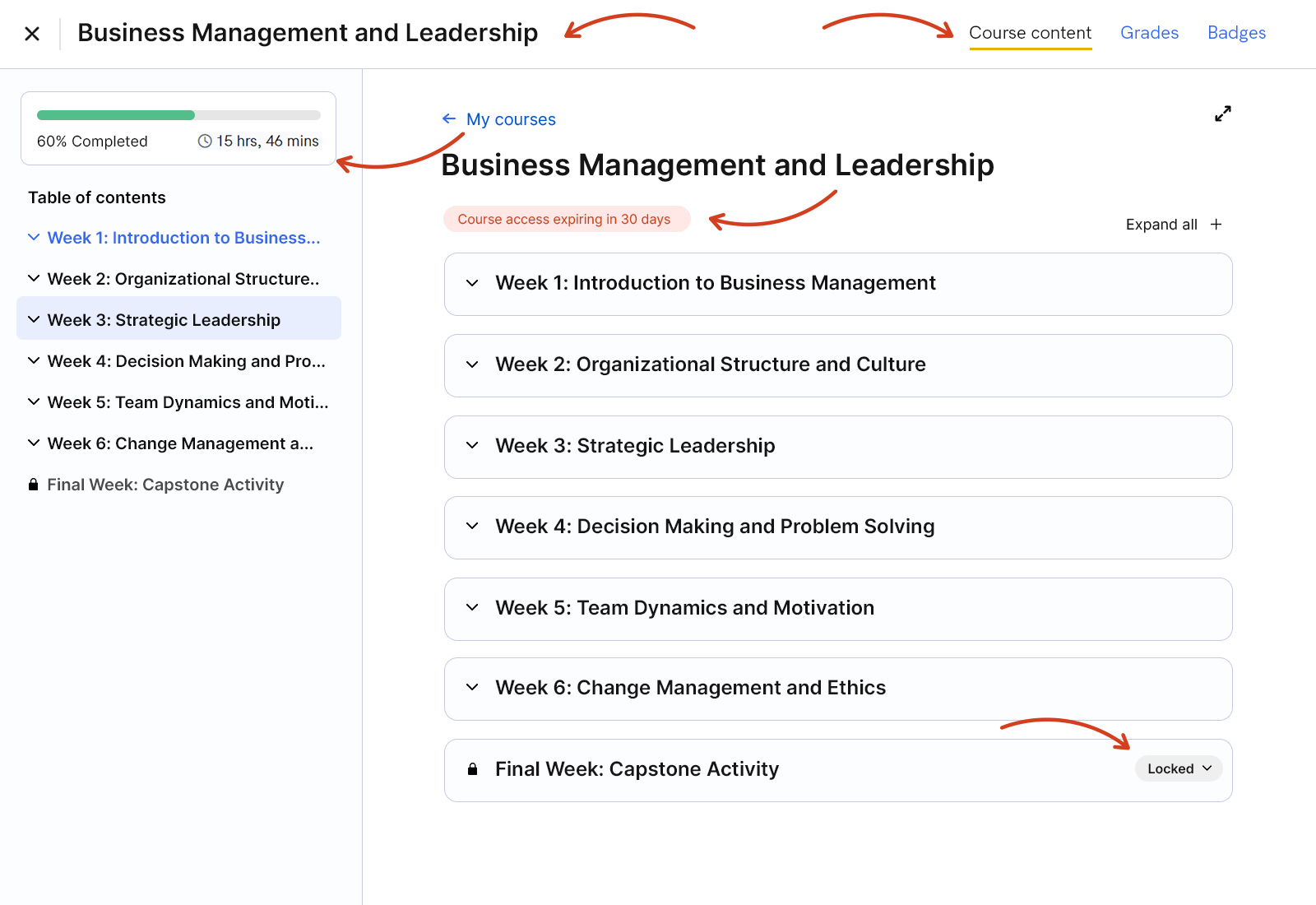
When something is locked, learners can now click the lock icon to see what’s required to unlock it.
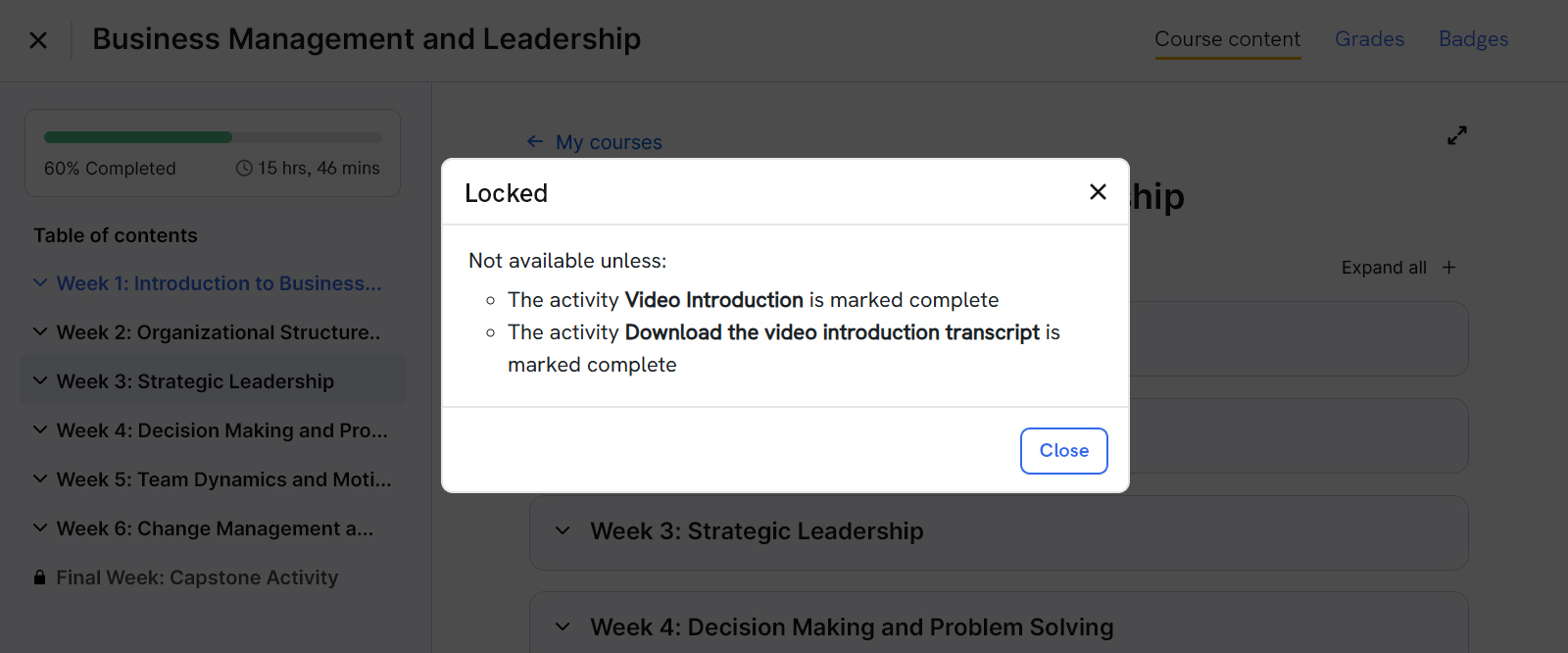
The table of contents navigation on the left also got a visual upgrade — greyed-out locked items and clear icons make navigation more predictable and intuitive.
Quiz Page #
The Quiz page itself has been redesigned for better focus.
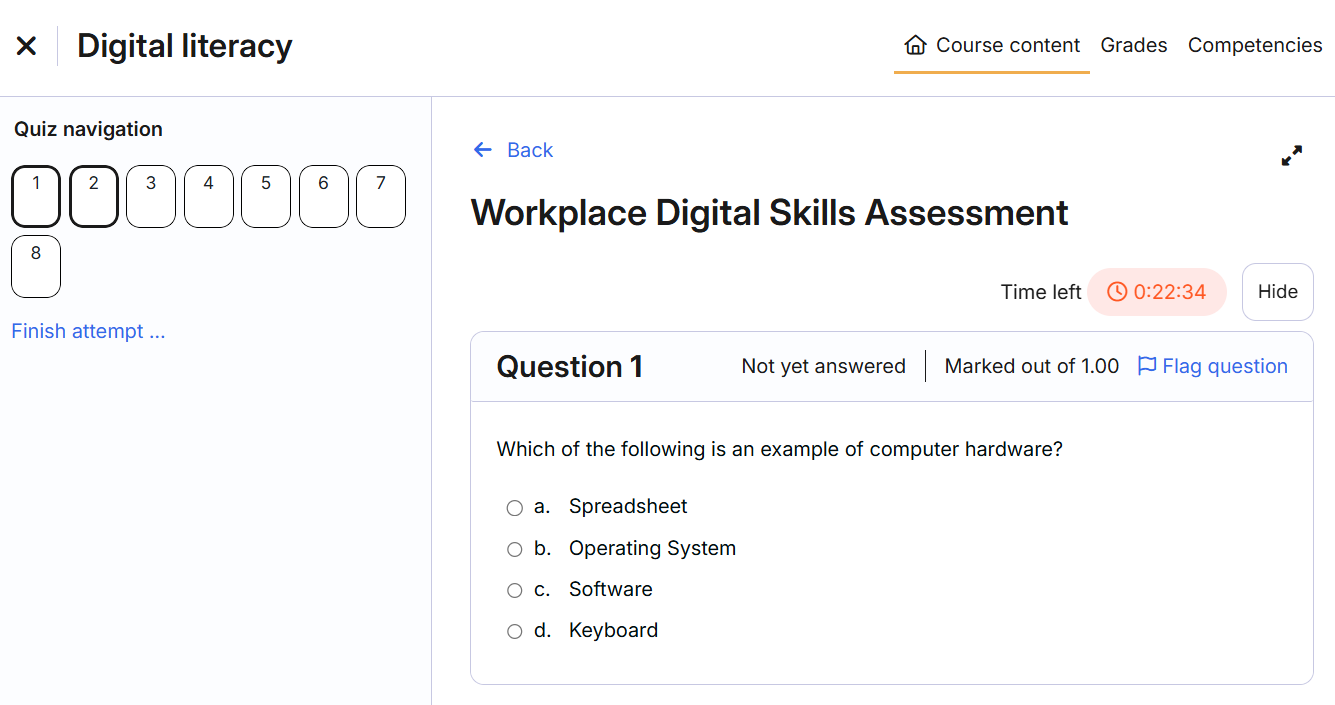
- The Quiz Navigation now stays fixed on the left, so learners can easily move between questions.
- Each question sits in its own container for better readability.
- On review, learner responses appear neatly within the same question box.
These small refinements help learners concentrate better and complete quizzes with fewer distractions.
Improved Responsive Design #
Learning doesn’t always happen on desktops anymore — so we’ve optimized the entire theme for tablet and mobile users.
Layouts adjust gracefully to smaller screens, ensuring key information remains easy to read and interact with.
Course Landing Page #
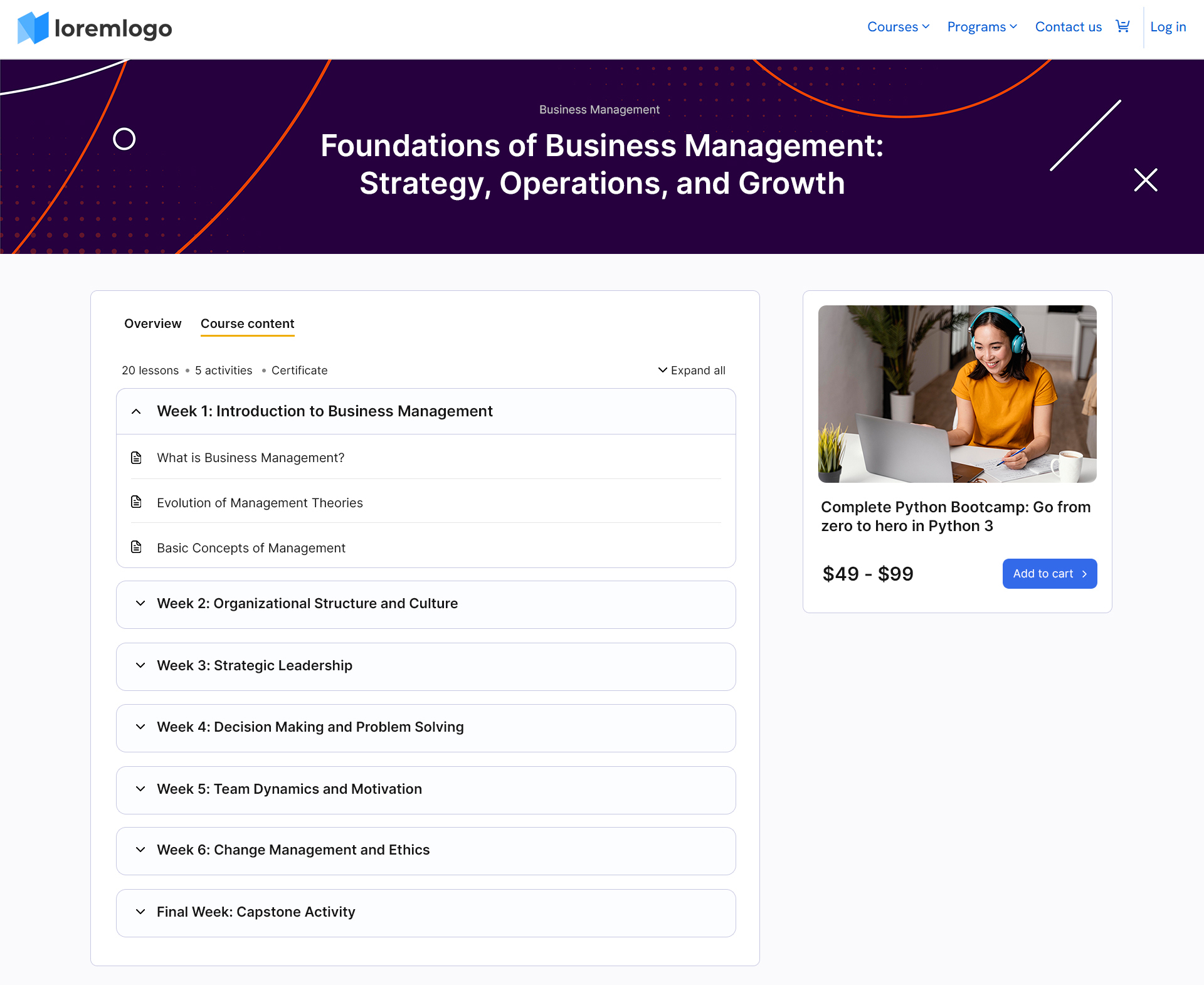
The Course Landing Page now feels more polished and informative.
- You can now set a custom hero banner to give courses a unique visual identity.
- Course Overview and Course Content are now combined in a tabbed layout, keeping the page tidy.
- The Course Content tab shows totals for lessons, activities, and certificates — giving learners a complete sense of what to expect.
How to Preview These Updates #
There are two simple ways you can preview the updated Learner Theme:
1. Switch to a Student Profile
Use the Switch user feature to temporarily view the platform as a learner. This lets you explore the updated dashboard, course pages, and navigation exactly as your learners will see them.
👉 Refer to our “Switch to User Account” guide for detailed steps.
2. Log in with a Student Account
If you have a demo or test learner account, you can log in directly to experience the new Learner Theme updates firsthand.
Wrapping Up #
This update is all about clarity, focus, and better learner engagement.
From the dashboard to the course pages, every design and layout decision was made to keep learners informed and immersed — while making your platform look cleaner and more modern.
We hope your learners enjoy the smoother experience, and as always, your feedback will help us keep improving what comes next.