
The competency framework serves as a structured guide for competency-based learning (also known as skill-based, proficiency-based or mastery-based learning) by defining the competencies that need to be mastered. The framework plays a crucial role in supporting a competency-based learning (CBL) environment by guiding learners through the learning process and helping them master the essential Competencies needed for their career or academic goals.
Overview #
Let’s understand what steps are needed to make your eLearning site become a competency-based learning (CBL).
- Plan and Structure a Competency Framework: Before you begin setting up a competency framework on your site, it’s crucial to carefully plan and structure the framework. This process ensures that the required skills and Competencies for each role within your organization are clearly defined and easily identifiable.
- Create a Competency Framework on Your Site: This guide will show you how to create and manage a competency framework on your eLearning site.
- Add Competencies to Courses and Link to Activities: Once the framework is created, next step is to integrate Competencies into your courses and connect them to those activities that makes student competent for a particular skill.
- Create Personalized Learning Plan Templates: Creating custom learning plan templates that can be assigned to individual students or groups of students to support personalized learning paths.
Adding competency frameworks #
To add a new competency framework:
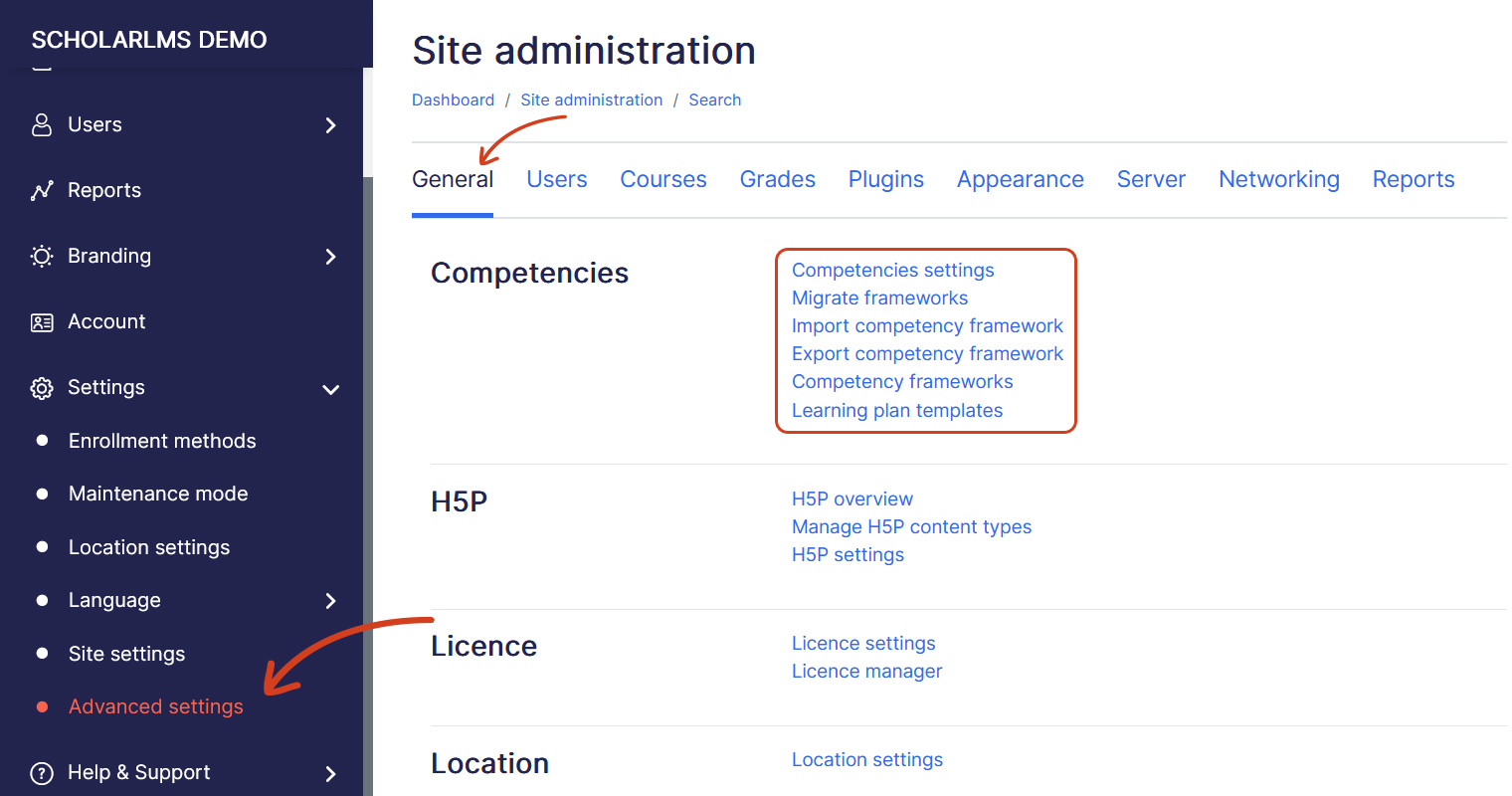
- Navigate to Settings->Advanced Settings, on General tab Scroll to the Competencies section and click Competency frameworks.
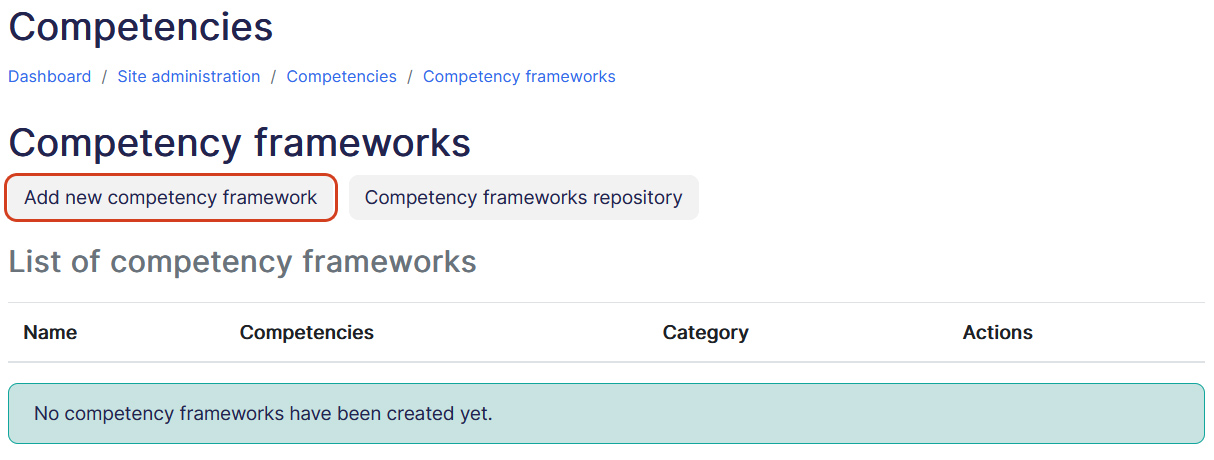
- The Competency frameworks page shows any existing frameworks in your system. To create a new framework click on Add new competency framework button.
- Fill details for the new framework on Add new competency framework page.
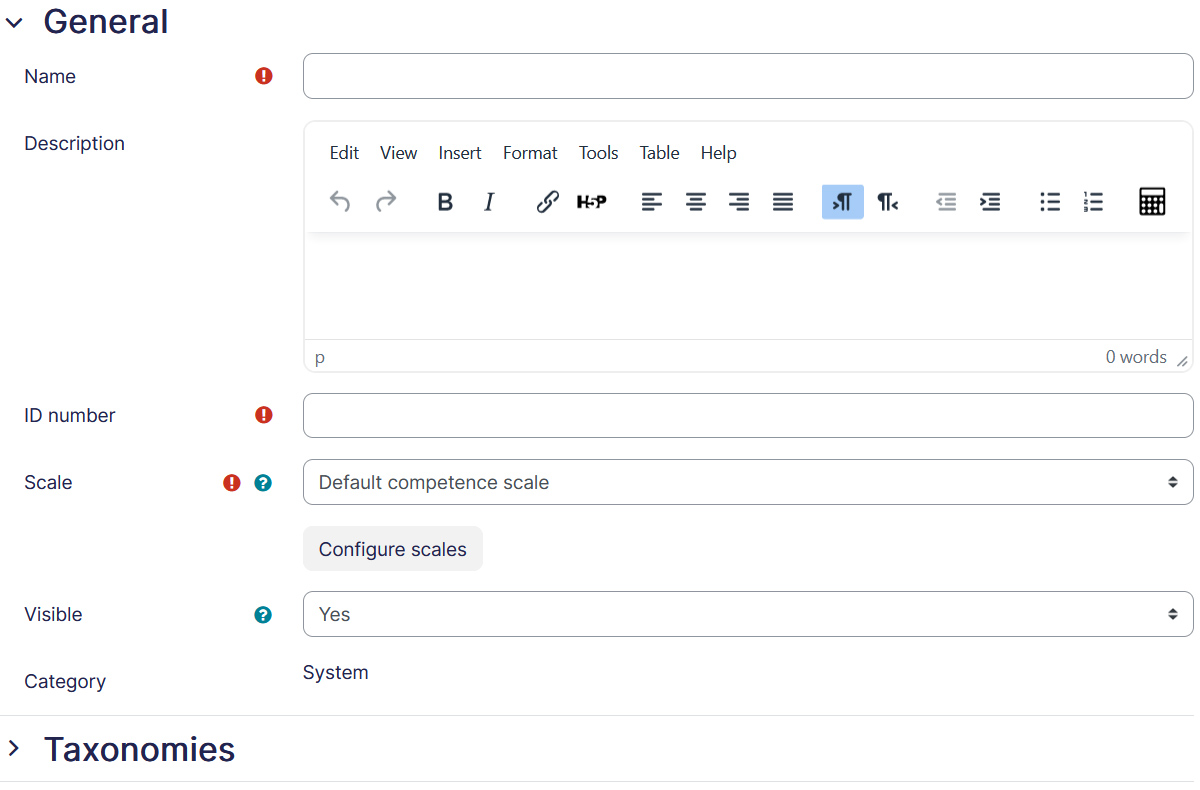
- Name — Name the competency which is short and meaningful for your organization.
- Description — Description is optional but it’s recommended to add description about the competency.
- ID Number — The ID number should be very specific, especially if it is likely that you will have multiple versions of a competency framework on the site at the same time (e.g. when revising the framework each year).
- Scale — A scale determines how proficiency is measured in a competency. After selecting a scale, it needs to be configured.
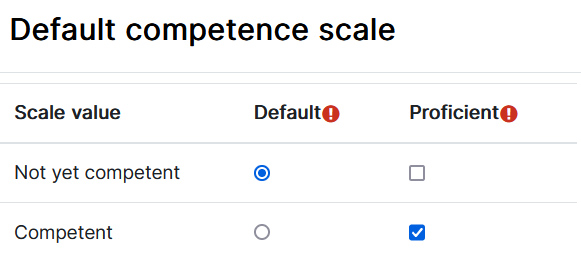
- The item selected as ‘Default’ is the rating given when a competency is automatically completed.
- The item(s) selected as ‘Proficient’ indicate(s) which value(s) will mark the Competencies as proficient when they are rated.
- Taxonomies — From the Taxonomies drop downs, you can define the words used to describe Competencies in the framework, depending on their depth in the tree.
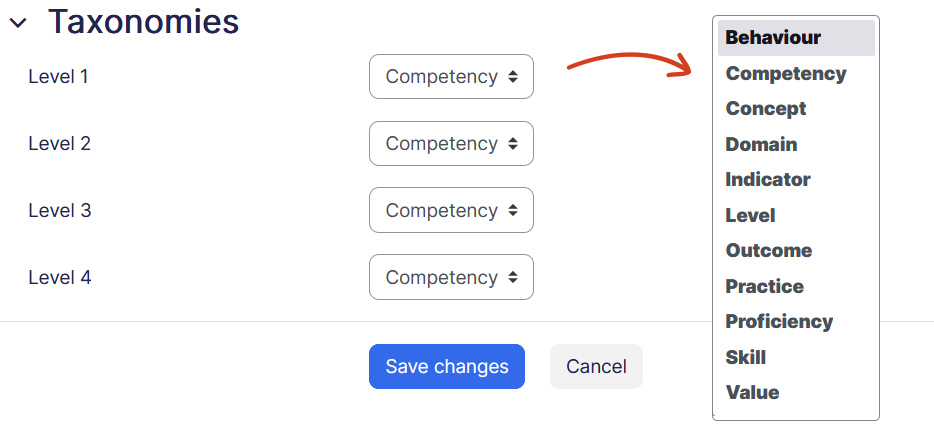
- Once done, save changes and you just have created a competency framework, it will appear in the list of frameworks and you can add Competencies to it.
Adding Competencies in a framework #
To add a competency in competency framework:
- Select the competency framework.
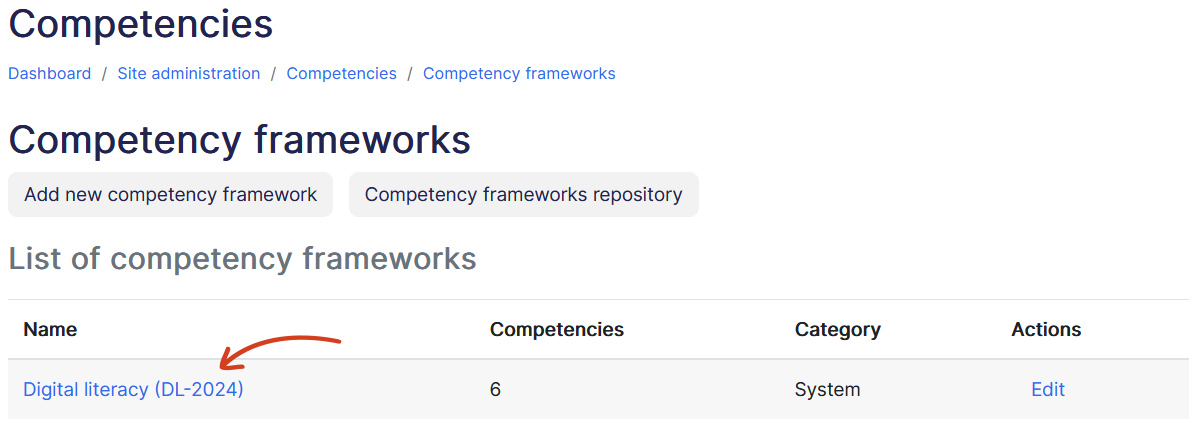
- Click on Add Competency button which opens a new form.
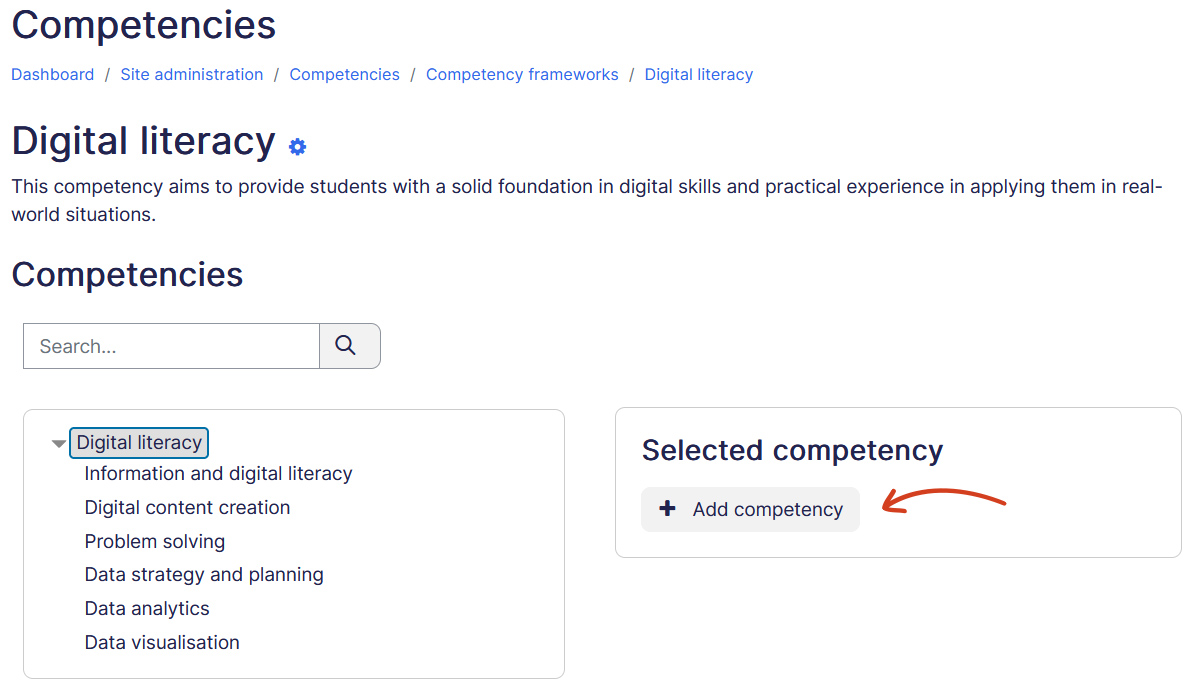
- Add details about the competency.
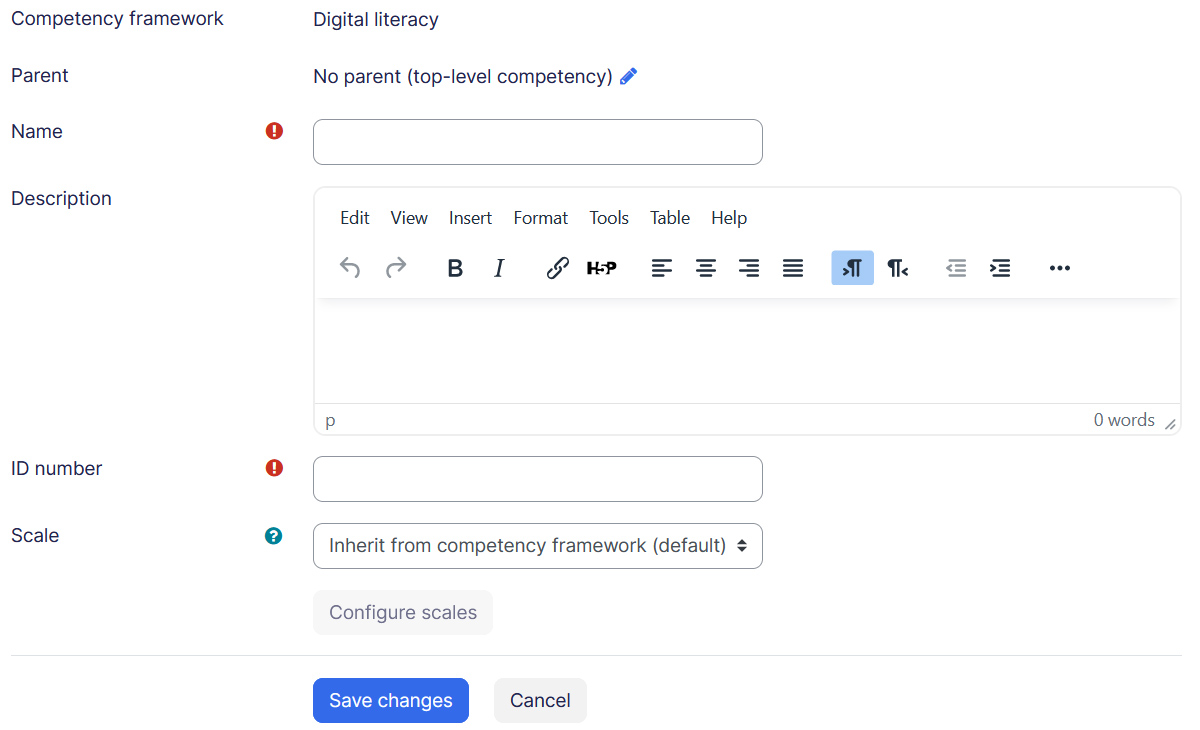
- Once done Save changes.
- Repeat to add all Competencies in the framework.
Competency actions #
To take an action on a competency, click on Edit link on the selected competency, it opens a window for more actions.
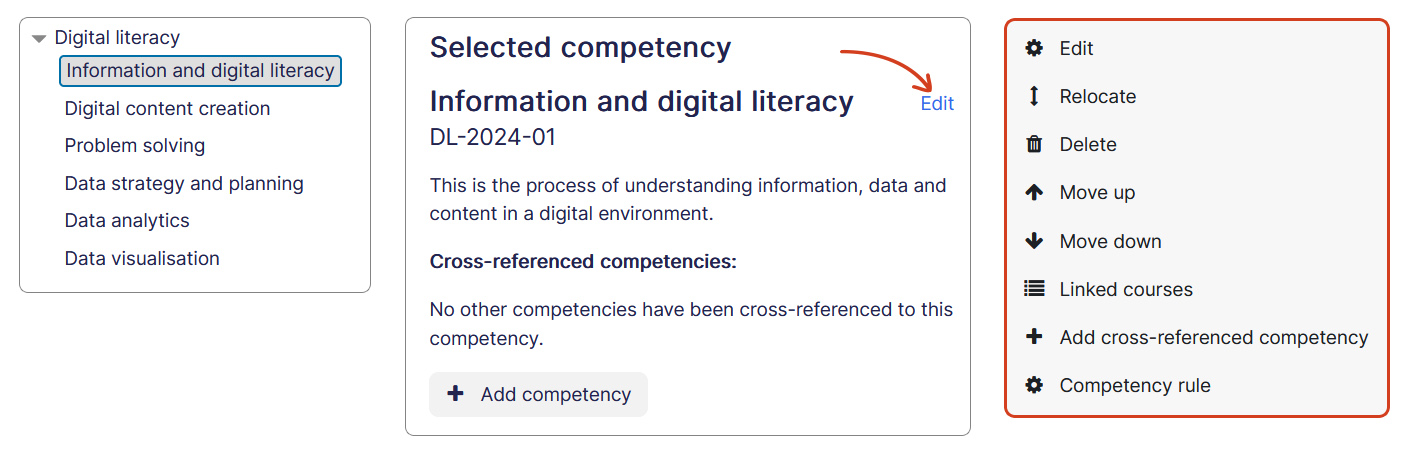
- Edit — Takes you the competency edit page.
- Relocate — Allows you to relocate competency.
- Delete — Deleted the competency.
- Move up and down — Allows you to move or down competency from it’s current position.
- Linked courses — Opens a popup to show what all courses this competency has been linked.
- Add cross-referenced competency — Allows you to cross-reference one competency with another.
- Competency rule — If you have a multi-layer taxonomy then you can have a competency automatically marked as complete if all of its children are complete. Competency rules can be added to any competency in a framework, as long as it has children. A competency rule can be used to automatically mark as complete a parent competency when all children of it are complete. Linking the child Competencies to course activities combined with the competency rule ‘Mark as complete when all children are complete‘ will award the parent competency to a student when he has successfully completed the course activities.