
By default, course completion is enabled at the time of course creation. If, for any reason, you don’t see the ‘Activity Completion’ tab, then course completion must be enabled from the course settings.
To enable course Completion Tracking:
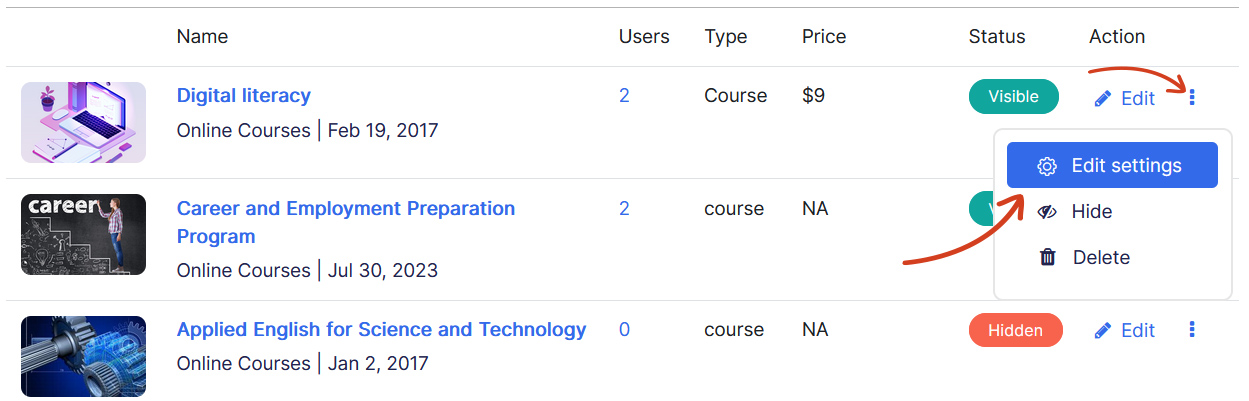
- Navigate to the Courses page.
- Locate the desired course and click on the three dots->Edit Settings icon under Actions.
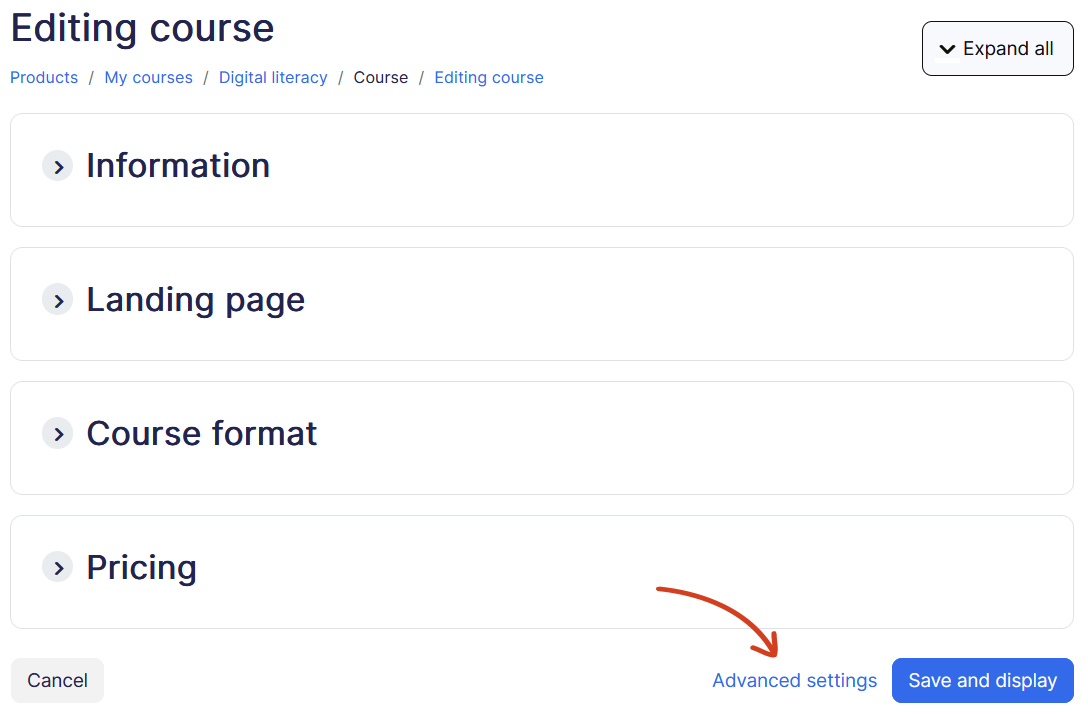
- Then click on Advanced settings from the Course Settings page
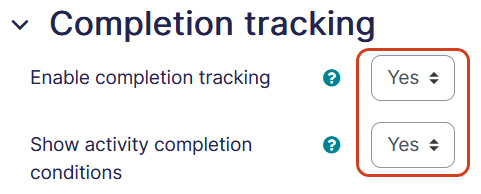
- Under Completion Tracking tab, ensure dropdown Enable Completion Tracking and Show activity completion conditions are set to Yes.
- Click Save and display.