
This article covers:
- Enable expiry alert on course page
- Enable expiry email notification and customization options
This feature is applicable to enrollment from eCommerce store. You can enable eCommerce store functionality in the LMS from the Advanced settings page.
eCommerce store enrollment options (Global settings) #
The below steps will help you to access eCommerce Enrollment’s global settings.
- The eCommerce store enrollment (External Database) enrolls users in the purchased course. How long this user will be enrolled on the course is fetched from “Enroll Duration” course property.
- To access eCommerce store enrollment options, go to Manage Enrollment Methods->External Database enrollment from left navigation.
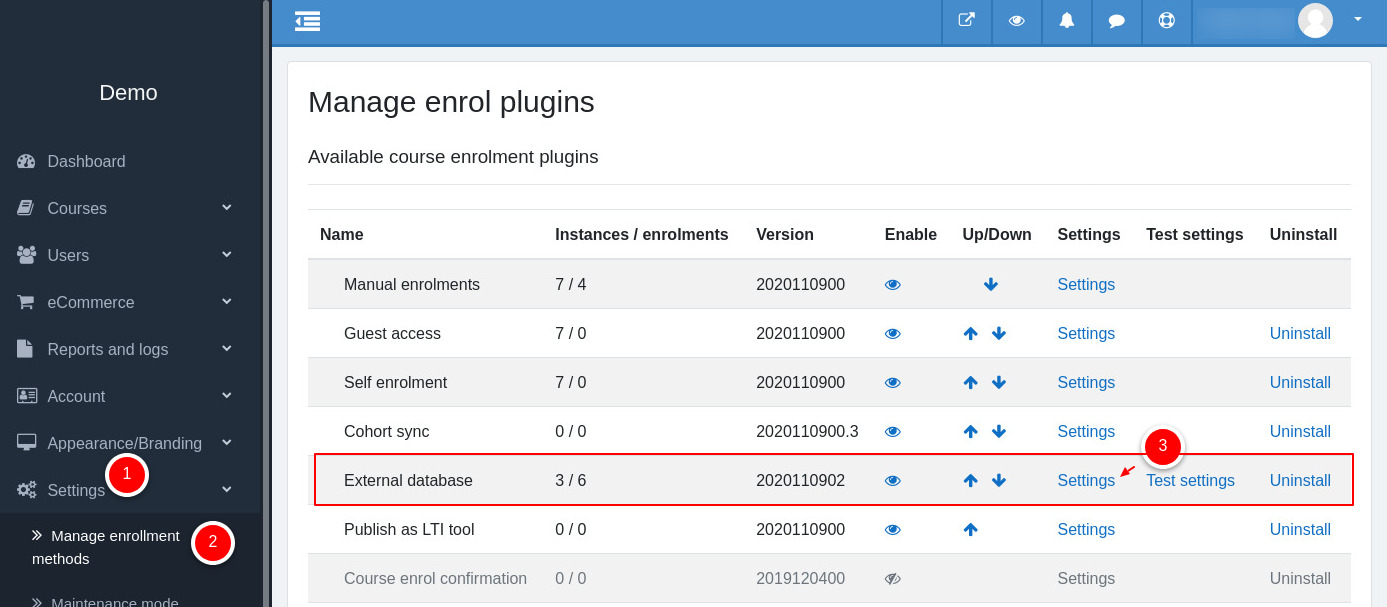
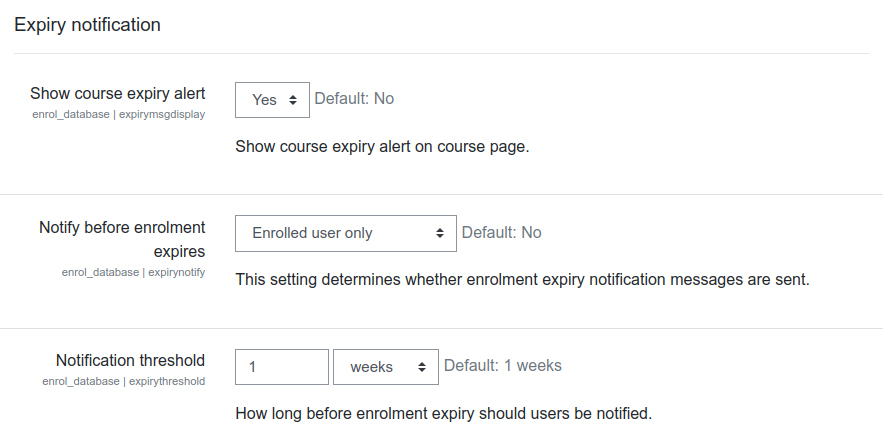
- Clicking on Settings will take you to the External database enrollment page. Scroll down to the “Expiry notification” section.
Global settings – Explained! #
This section will explain all the necessary options under the Expiry Notification section.
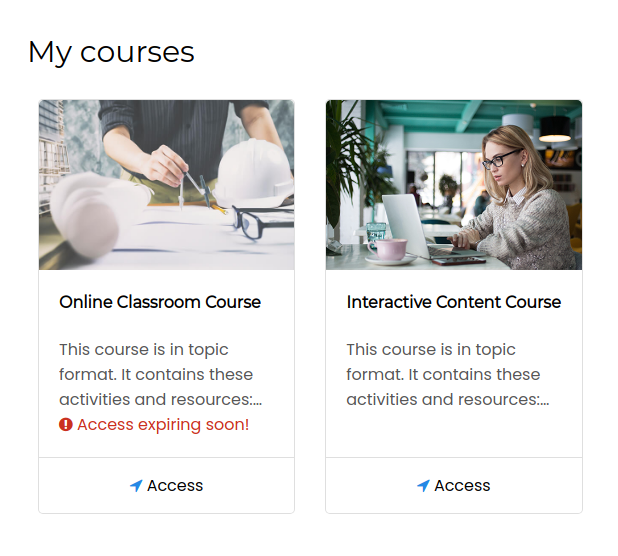
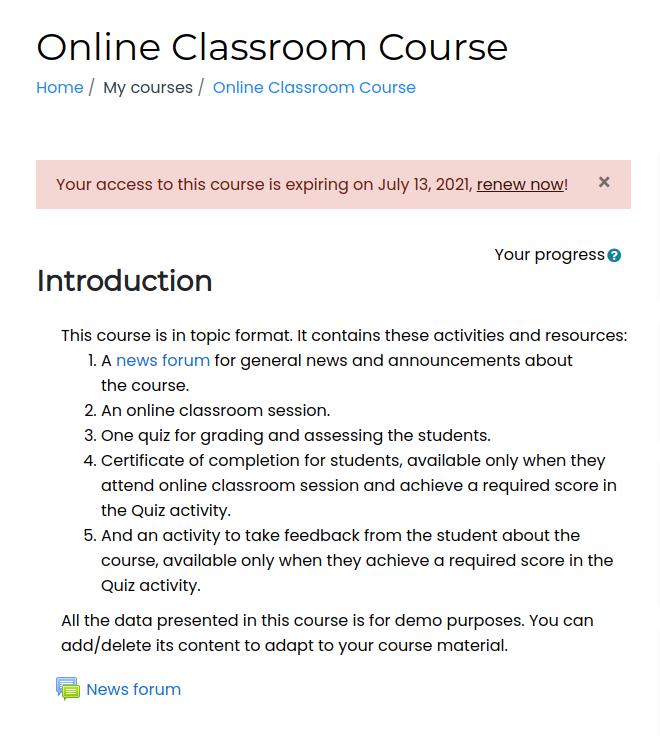
Show course expiry alert – This option shows/hides the expiring soon alert on the home page or course page.
Notify before enrollment expires – This setting determines whether enrollment expiry notification emails are sent and to whom. It could be an Enrolled user, or Enroller or both.
Notification threshold – Choose how long before enrollment expiry should users be notified. If you choose 1 week, the course alert starts showing, and an email notification will be sent 7 days before the access expires.
Default message subject – The message’s subject for email notification, you can customize the subject by any of the given placeholders.
Default message body – The message’s body for email notification, you can further customize by any of the given placeholders.
If “Show course expiry alert” is enabled and conditions are true for a course, it will be shown as soon as you save changes on this page.
All the above settings will be applicable to the new eCommerce Enrollment option you would add in a course.
Enable expiry email notification for a course #
By default, the expiry email notifications are disabled, follow below steps to enable for a desired course.
- Go to the course and then access Course administration->External database->Enrollment Methods->External database. If you don’t see the External database, you will get an option to add on the next page.
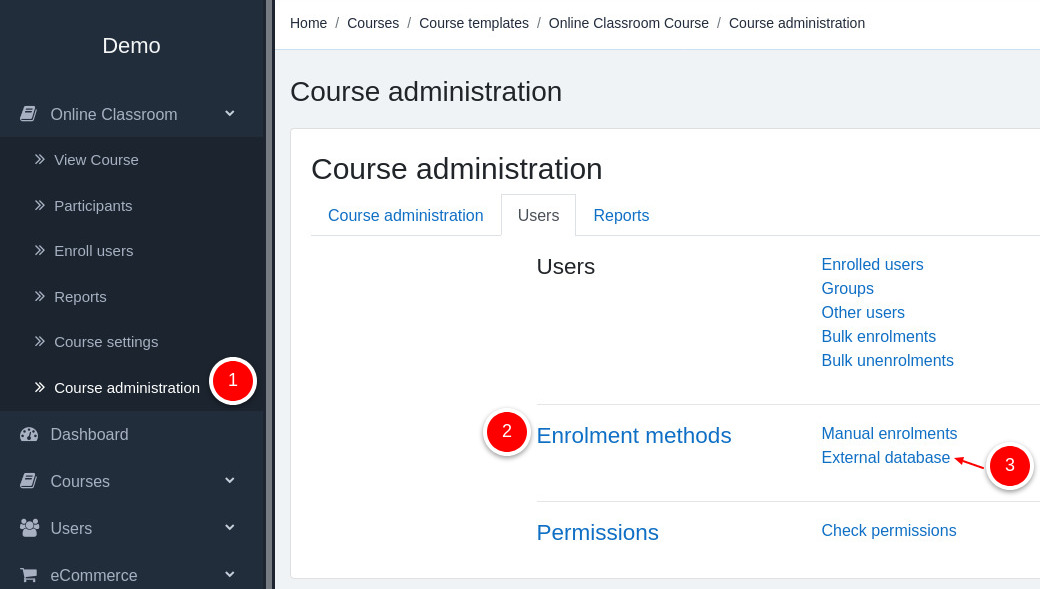
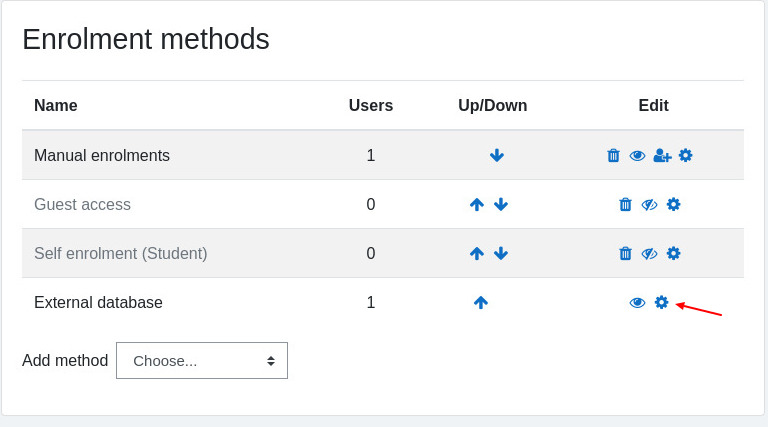
- Then click on settings
- By default the settings will be taken from Global settings we discussed above. Further you can customize time threshold, email subject and body per course.
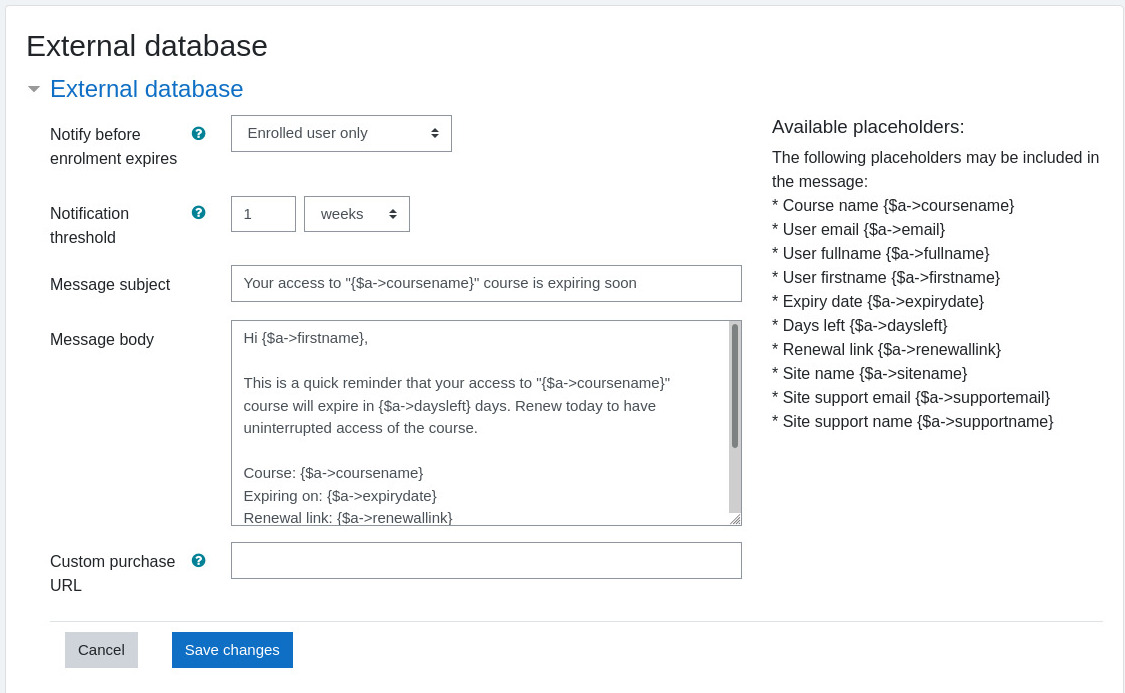
- Custom purchase URL – With this option you can send a custom renewal link to the enrolled users. The “$a->renewal link” will be replaced by “Custom purchase URL”.