This post serves as the last SchoarLMS update of 2021, it covers improvements, new features that have been incorporated since July 2021. The update primarily focused on UI/UX improvements for admin and end-user (student). On the one hand, we have an improved admin dashboard theme, dashboard widgets and font consistency and on the other hand, we have added a more advanced theme for students.
Improvements #
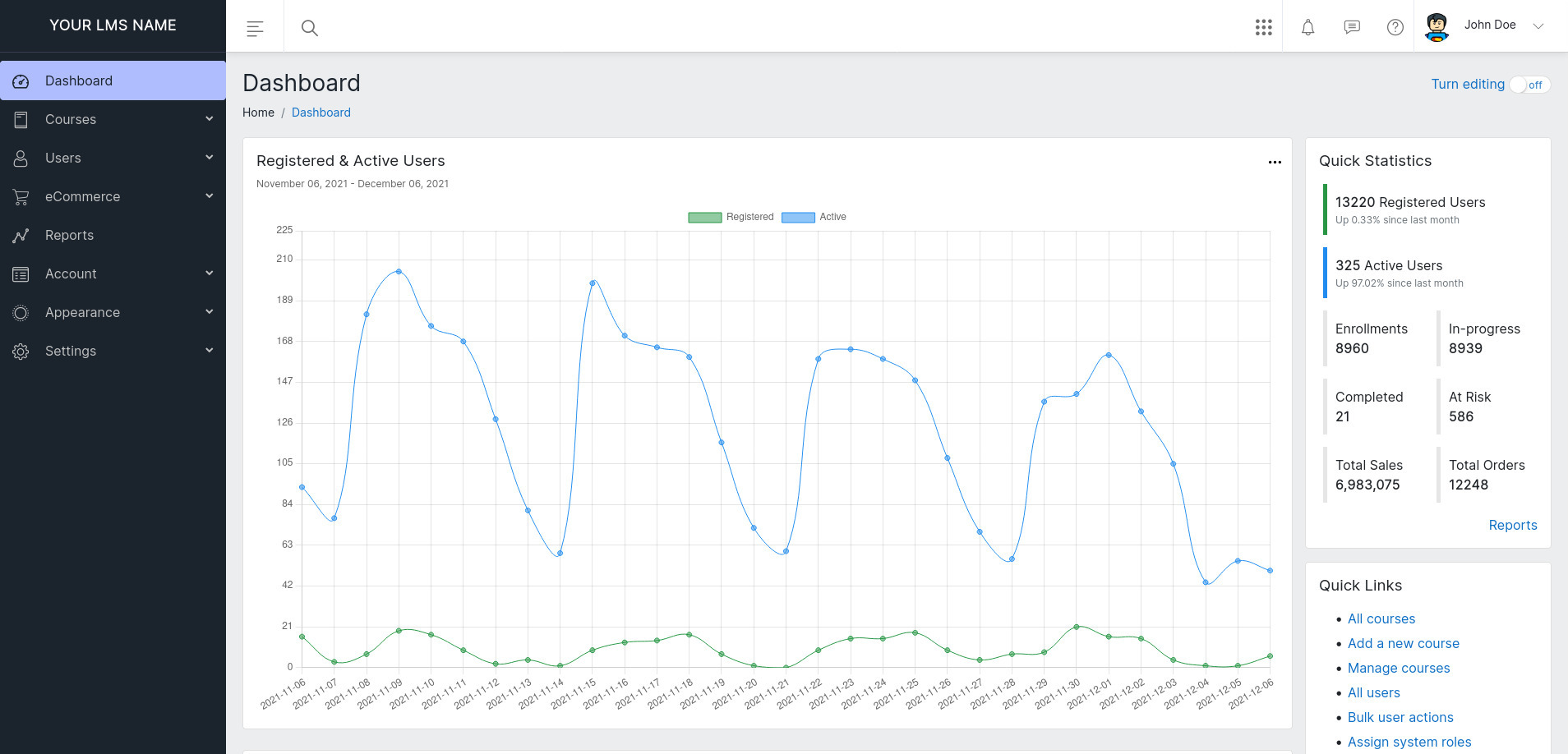
1. Admin’s dashboard now has an improved look and widgets
LMS admin/manager now has access to more precise and varied data on the dashboard than before. The admin now gets to see overall numbers of the LMS for Registered Users, Active Users, Enrollments, In-progress, At Risk, Total Sales, Total Orders, Top 5 Courses, Top 10 Users all at once on the dashboard itself.
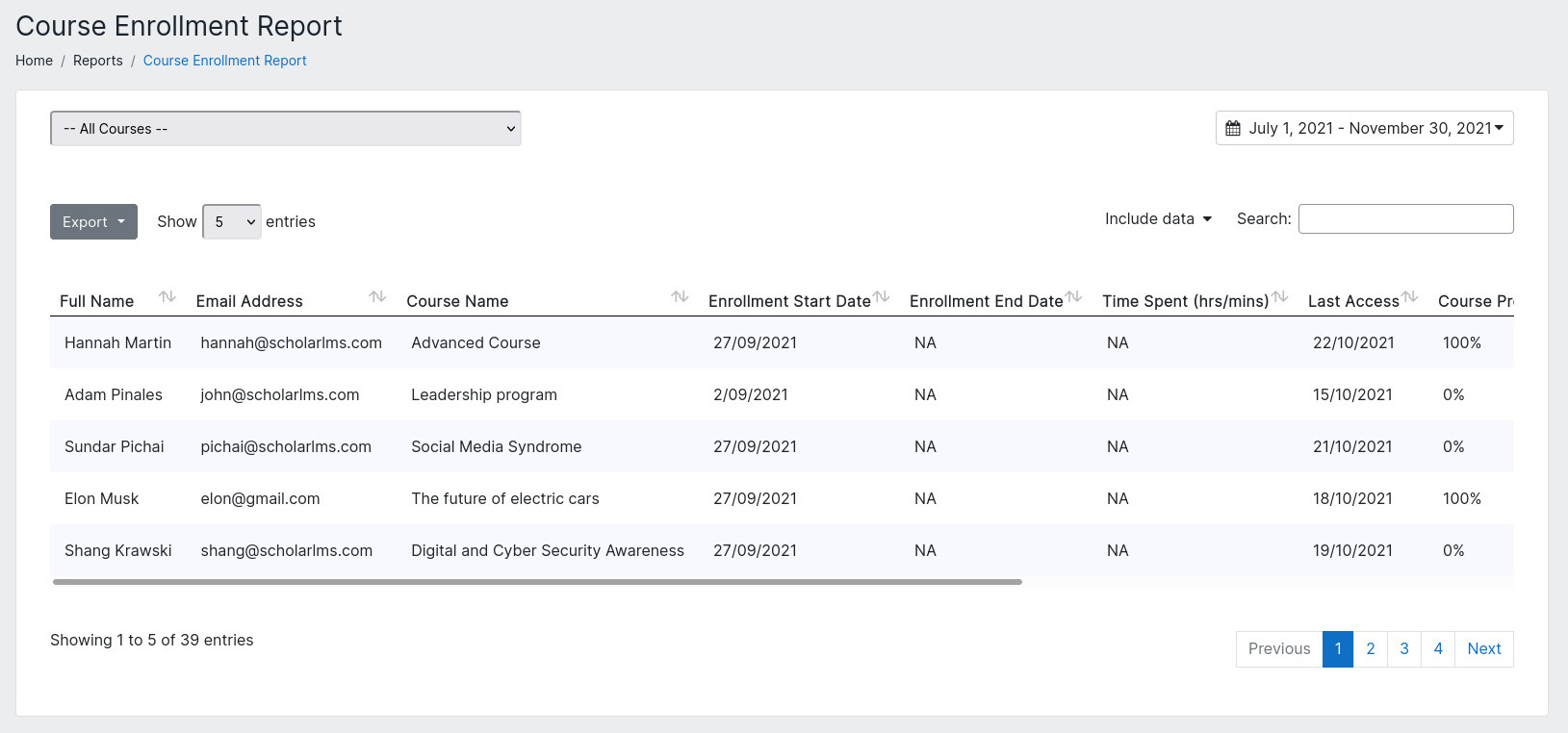
2. “User Course Report” is now “Course Enrollment Report”
Under reports the previously available “User course report” is now available as “Course Enrollment Report”. More details here.
3. Improved Admin’s ‘All Courses’ page
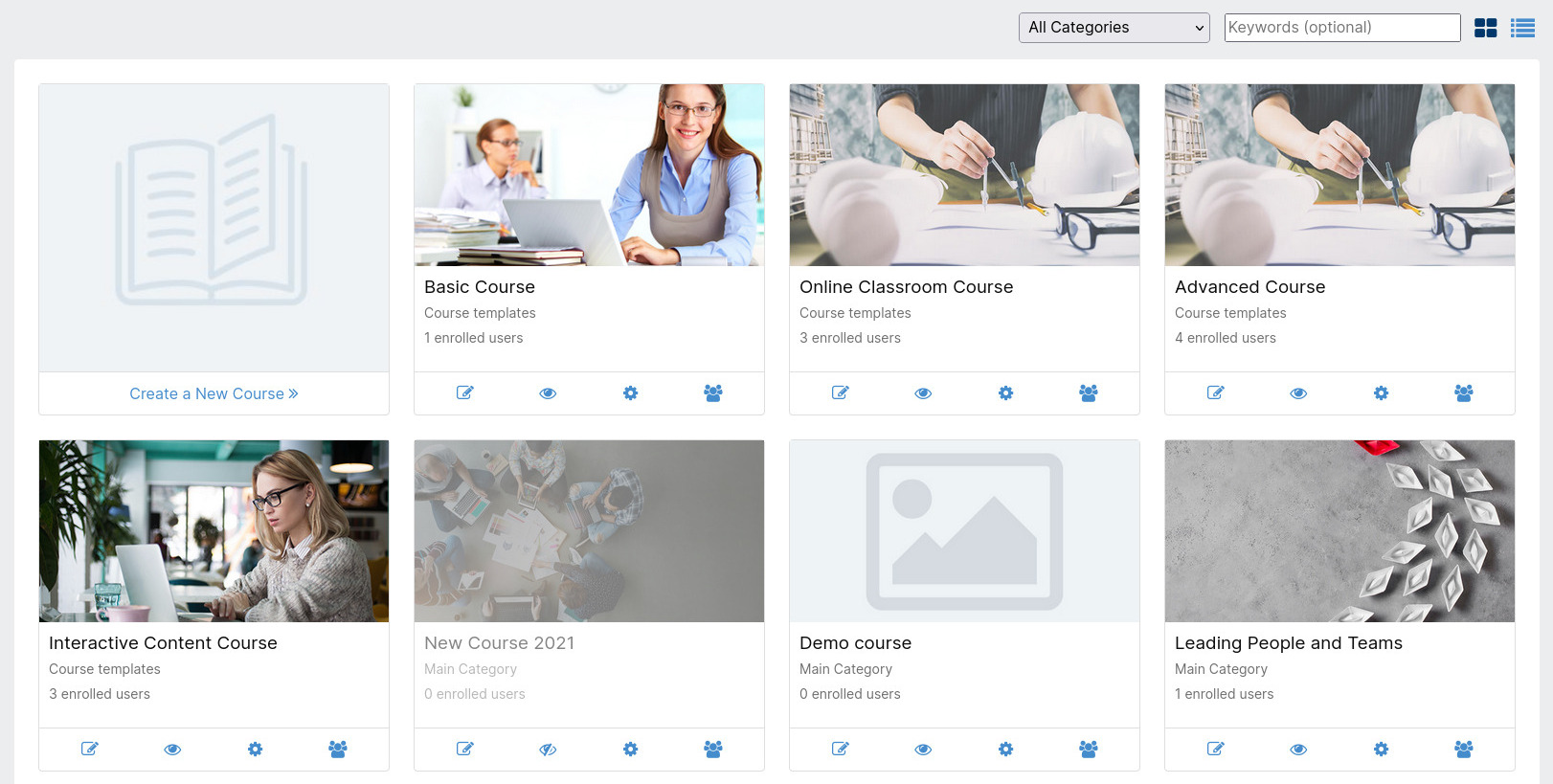
With new improvements on admin’s all courses page the courses are more accessible. The improved features of ‘All Courses’ page are:
- Courses can be filtered by category or can be searched with their name.
- Each course card now displays the total enrolled users in it.
- Commonly used course actions like edit course, course settings, hide/show course, and participants can be reached from the course card itself.
- Courses can be shown in tiles or list view.
- Hidden courses are greyed out to provide a clear indication of its published state.
4. Reports and logs are now accessible from one hub page
With this improvement all the reports can be accessed from a dedicated Reports page that could be navigated to from left navigation. Explore more about Reports and Logs.
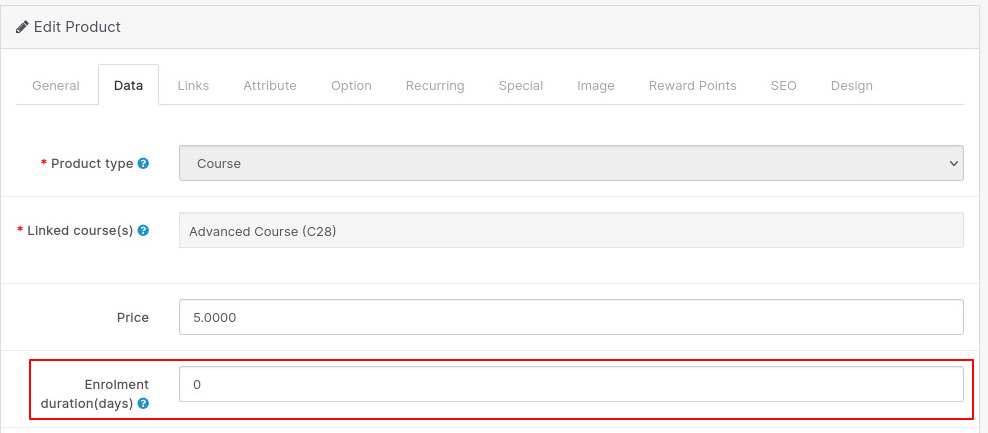
5. Product ‘Enrollment Duration’ property is shifted to the Data tab.
The Enrollment Duration property of a product decides how long the user should be enrolled in a course. ‘0’ meaning there is not an end date or student is enrolled for ‘unlimited’ time. Previously this data had to be set from the Attribute tab which didn’t come obvious for new LMS admins. We have now shifted this field to the ‘Data’ field which can’t be missed.
New Features #
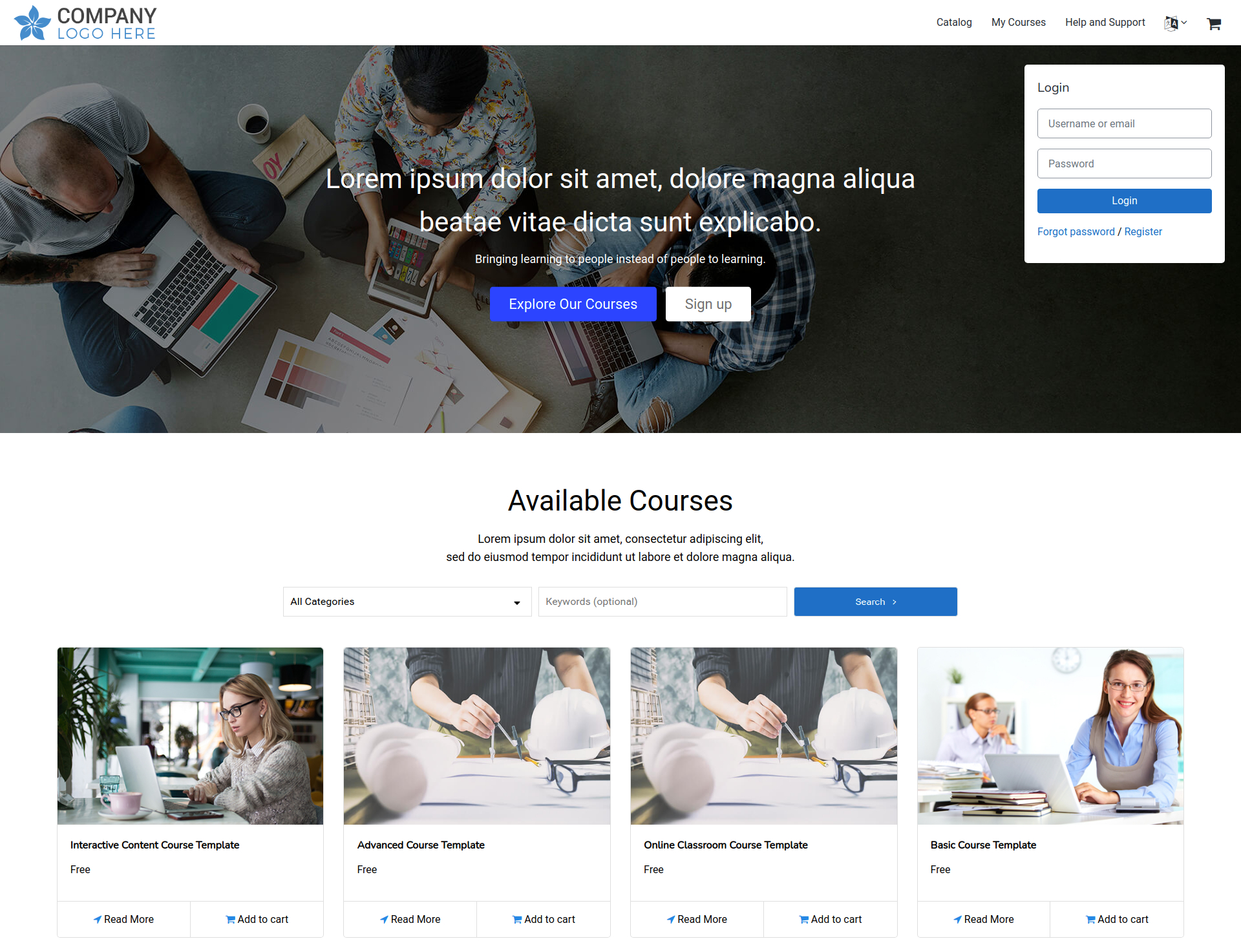
1. Added ‘ScholarLMS’ theme for students
We are excited to announce that we have added a new theme at student-end. The theme is called ‘ScholarLMS’ and comes pre-installed with new ScholarLMS accounts. For older ScholarLMS accounts, you can raise a support ticket to make this switch. Explore setup documentation of ScholarLMS themes.
Features of new theme:
- Allows you to customize theme’s color, fonts, header, footer, login and register pages.
- Home page builder allows you to customize the home page.
- Take advantage of the course landing page, read more here.
2. Added 6 new blocks (widgets) that can be used in the Admin Dashboard
As mentioned in the ‘Improvements’ section, the new Dashboard has 6 new blocks (widgets) to give you some important insights of the LMS site. The newly added blocks are :-
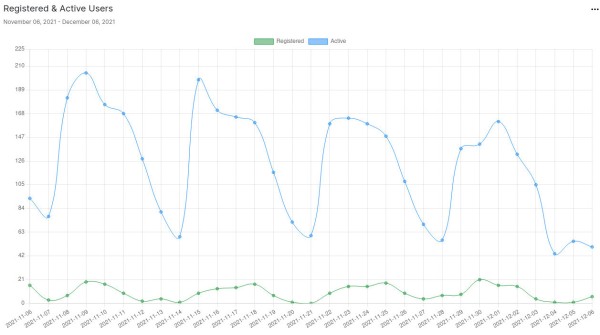
a) Registered and Active users – The block is a graph of registered and active users for a specific time period. Data can be filtered from a range of 7 days, 30 days, 6 months to 12 months.
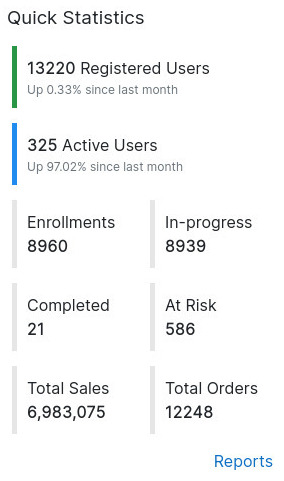
b) Quick Statistics – Shows quick insights of the account for Registered Users, Active Users, Enrollments, In-progress, Completed, At Risk Users, Total Sales and Total Orders.
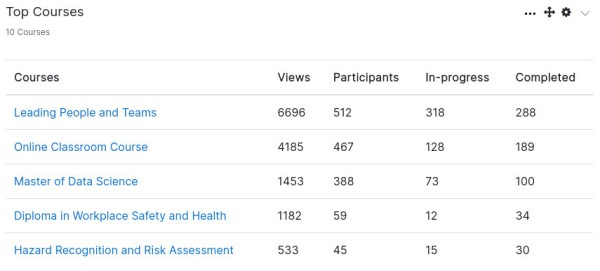
c) Top Courses – Shows top 5 courses which can be filtered by participants, in-progress, by completed and by views.
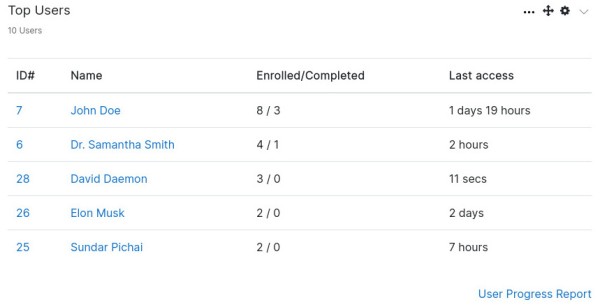
d) Top Users – Shows top 10 users of the LMS which can be filtered by enrolled courses, and by completed courses.
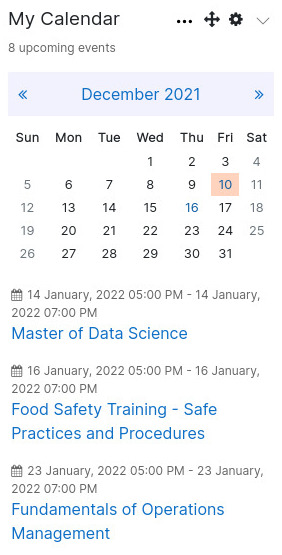
e) My Calendar – My Calendar is an improved version of the existing Calendar block as it shows 5 upcoming events (even if they are not scheduled for the current month). A new event can be added right from the My Calendar block.
3. Online Classroom recordings can now be downloaded in MP4 format.
For any recorded Online Classroom session, the system by default preserves a recorded session in an HTML5 file. The MP4 format file can now be requested. Upon request the system sends an email having an MP4 file link in it. Since the system prepares MP4 files on request it might take some time to get them to your inbox. The download link self expires after 7 days. Explore this feature in this detailed guide.
4. Integration between ScholarLMS and Panopto
Panopto is a video recording/streaming service that allows teachers to record lectures and embed them directly into ScholarLMS.
This integration:
- Allows users to access Panopto resources without leaving the LMS platform at all.
- Allows to embed direct video links and quizzes that report back to the Gradebook.
- Adds a Panopto block for accessing live sessions and completed recordings of the course.
- Adds a button to the Atto editor to embed Panopto videos from a Panopto server.
- Provides navigation through the Panopto directory tree, making the process of selecting the video easier.
5. Integration between ScholarLMS and WebeX
This integration allows you to schedule, host, and attend WebEx meetings within ScholarLMS.
Disclaimer
WebEx, Cisco WebEx, Cisco and the WebEx Ball logo are Registered Trademarks of Cisco.
This module in no way is affiliated with, endorsed by, or approved by Cisco.
As specified in GNU GPL v3, this software is provided as is, without any warranty.
Features
- Seamlessly creates users for meeting hosts.
- Schedule meetings simply by adding the activity.
- Host or join a meeting.
- Hosts have access to shareable links for non-ScholarLMS users to join the meeting.
- Recordings are automatically associated with the activity, allowing students (or teachers) to go back and view past sessions from within the activity.
- Ability to hide, rename, or delete recordings from an activity.
- Admins can use the module to help manage all recordings in the WebEx.