
Course landing page is a web page and is a great way for showcasing course’s outline and curriculum to potential users.
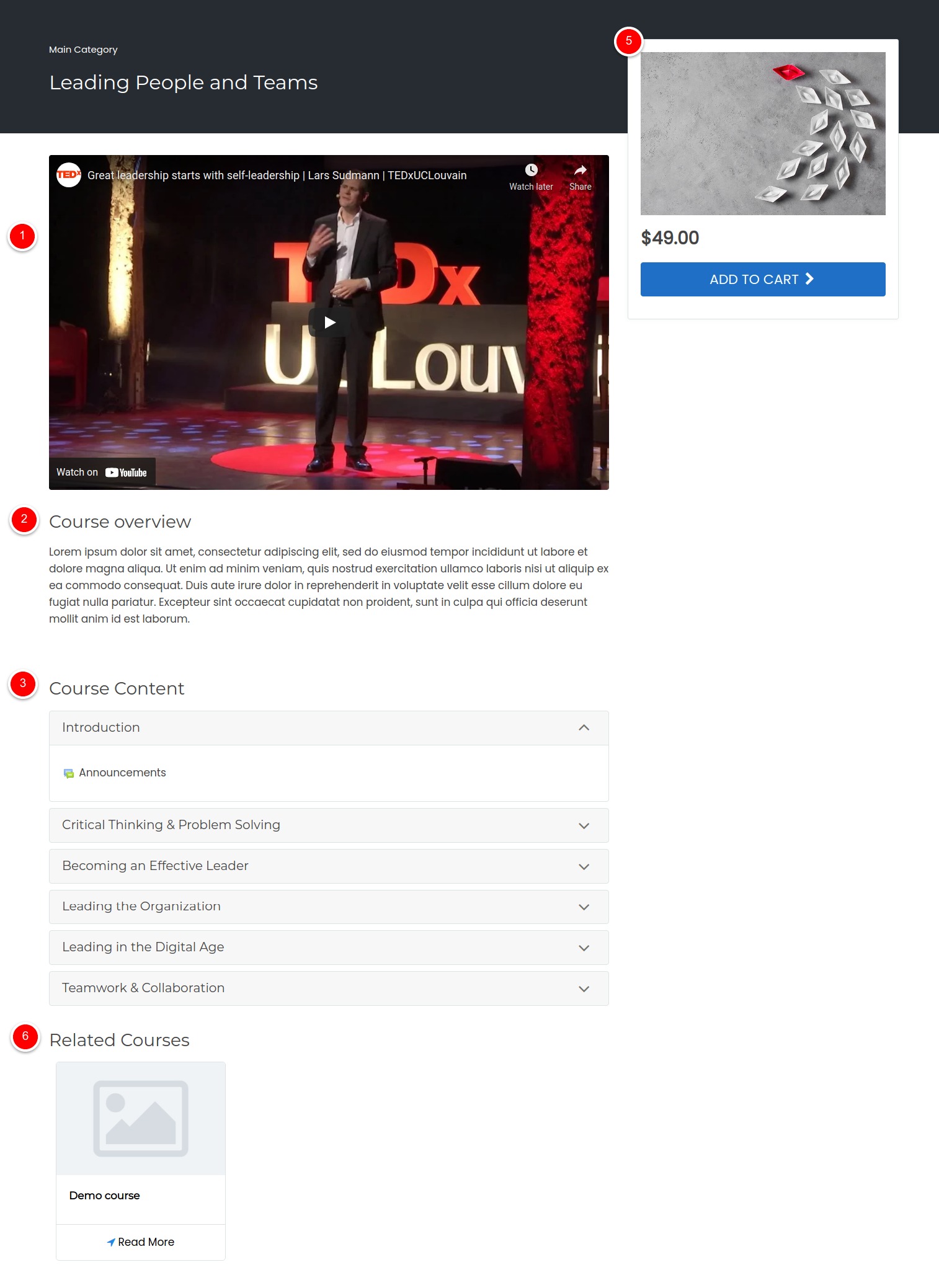
A user is redirected to course landing page in two cases:
- If user clicks on a course from home page but was not logged-in
- If user is logged-in but not enrolled in the course
Course landing page works only on ScholarLMS theme.
If you have a ScholarLMS theme, the course landing page works by default and it pulls data from course page automatically. In this article, we will be discussing building blocks of the landing page and how you can customize the content of the page.
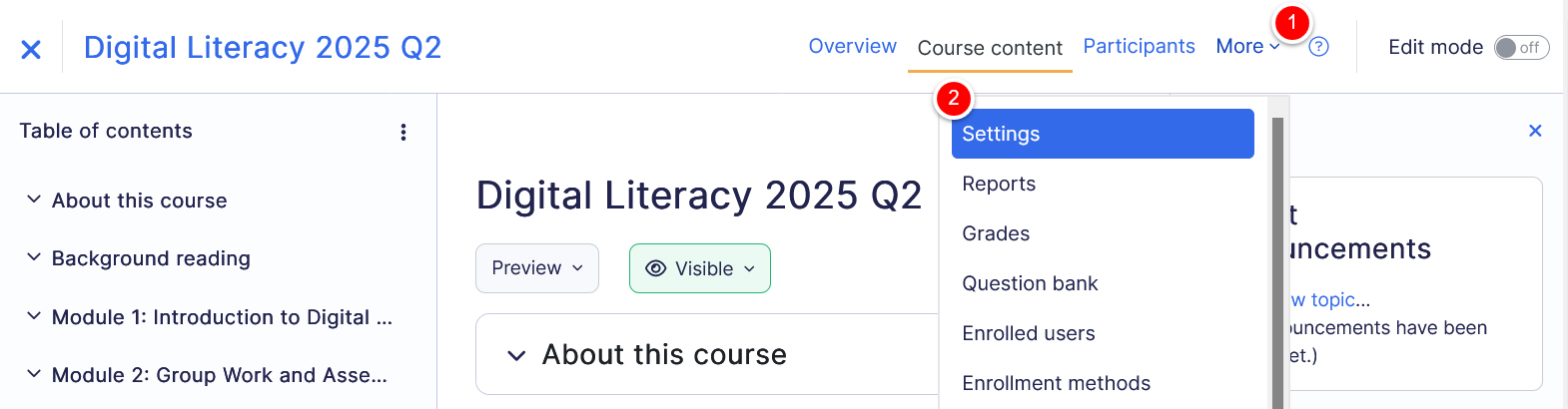
Accessing Landing Page Settings #
The landing page settings can be accessed from the course settings page.
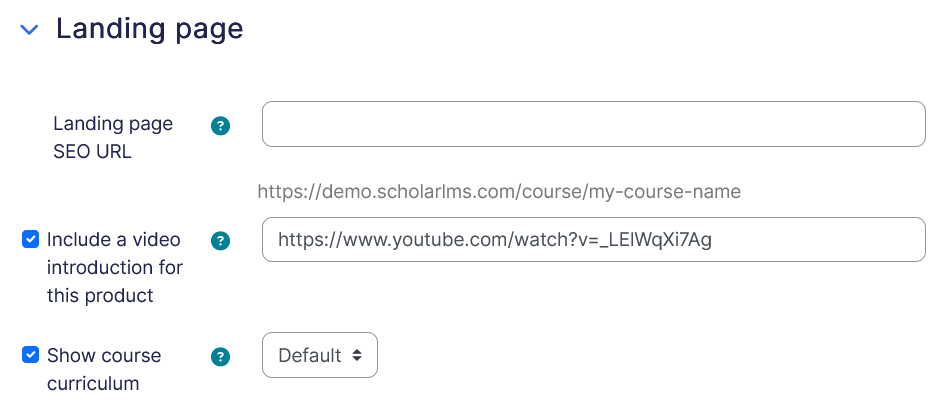
1. Introductory Video
Course video field is an optional block which allows you to have an introductory video of the course. This could be a video from video libraries like Youtube or Vimeo.
2. Course Description/Overview
Course Overview can be used for sharing a blurb or an introduction about the course. It shows just below the Introductory Video. If left blank, the landing page will pull information from the Course summary.
3. Course Content
If enabled, the course content or course curriculum section shows below the Course Overview block.
4. Course Enrollment Options
This block of the landing page shows the course’s featured image and enrollment option of the course. Usually a course which is meant to sell shows pricing options of the course.
5. Related Courses
Related course blocks comes at the very bottom of the page, this block pulls courses from the same course category this course belongs to.