
In the course guide we learned what a course is, how to add one and important settings of a course. In this article we will be focusing on structuring a course with its course content, and how to publish to make it available to enrolled users.
Structuring a Course #
The course structure refers to the choice of topics, activities within a topic and sequencing of course content. Since ScholarLMS offers more than 30 activities (there could be more than one activity delivering the same content), it’s helpful to plan on the structure of the course in the beginning. We recommend reading this article which covers the structuring and planning phase of a course https://ctl.wustl.edu/resources/designing-a-course/
Course Editing #
A course can be edited only when “Editing” mode is turned on. This is to avoid any accidental changes in the courses. To make changes in the course, click on “Turn editing on” toggle, if it’s off.

Topic/Section in a Course #
Each course consists of one or more sections often called topics. The course sections (topics) are learning content holders of the course lessons and study material. Below is an example course which is built with six sections.
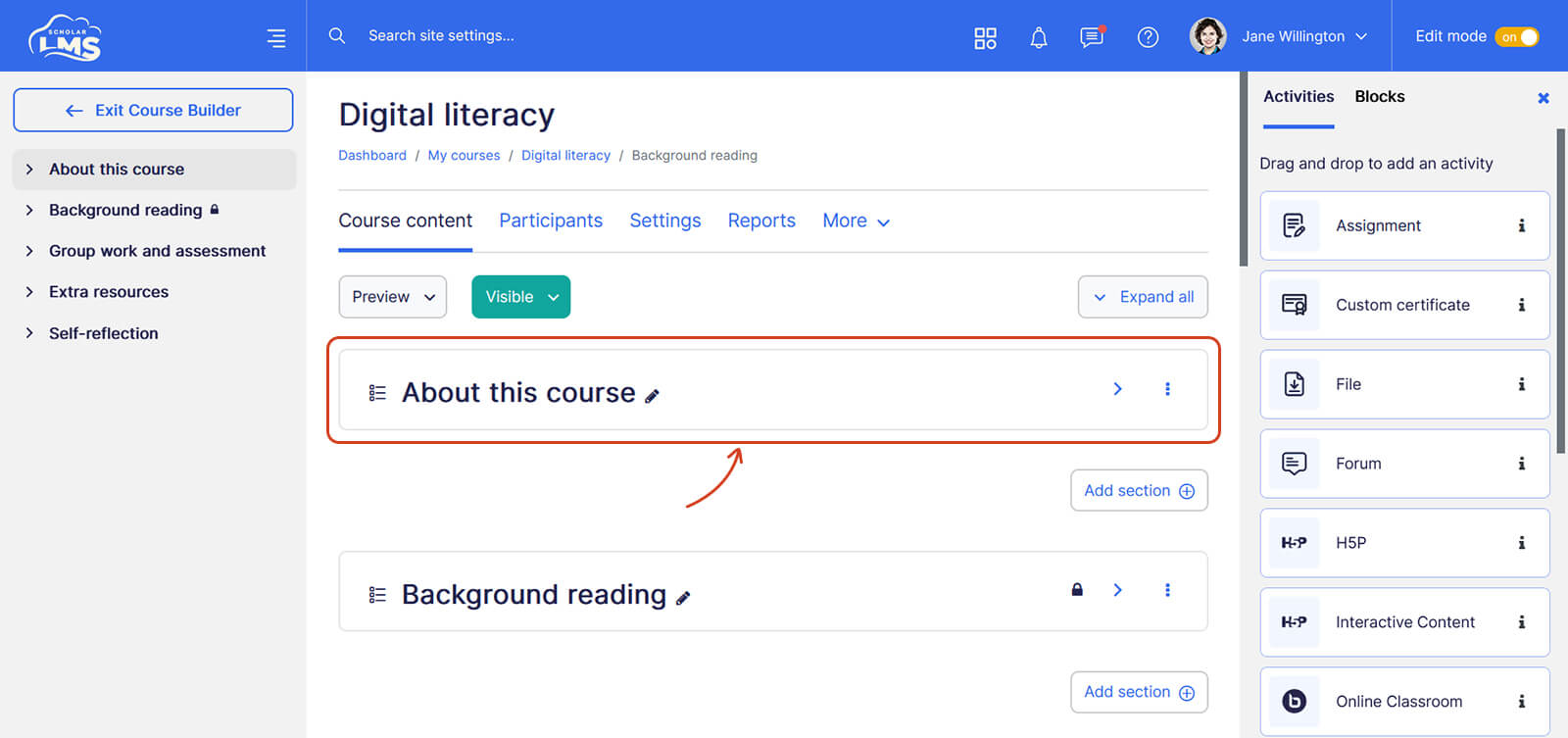
Adding a Topic/Section #
A course might have some topics already added, depending on how many topics you have chosen while creating the course. To add a new topic, click on the ‘Add topics’ link at the bottom of the course page.
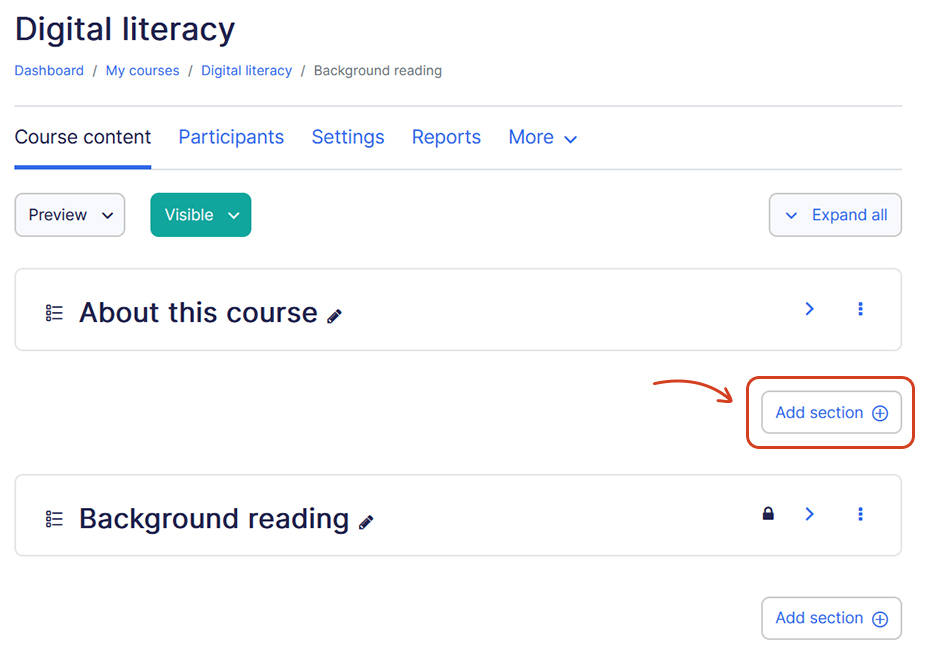
A course has one default topic named “Introduction” which cannot be deleted, the name could be changed though. This topic also has an “Announcements” forum for sharing news and updates about this course.
Editing a Topic/Section #
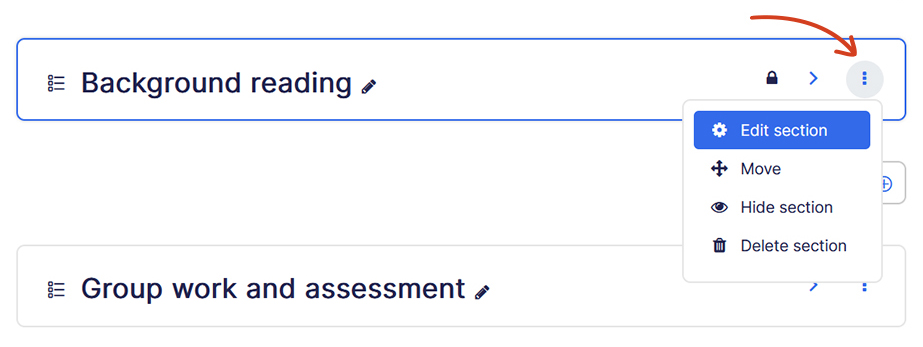
You can edit a topic/section by clicking on the edit section link.
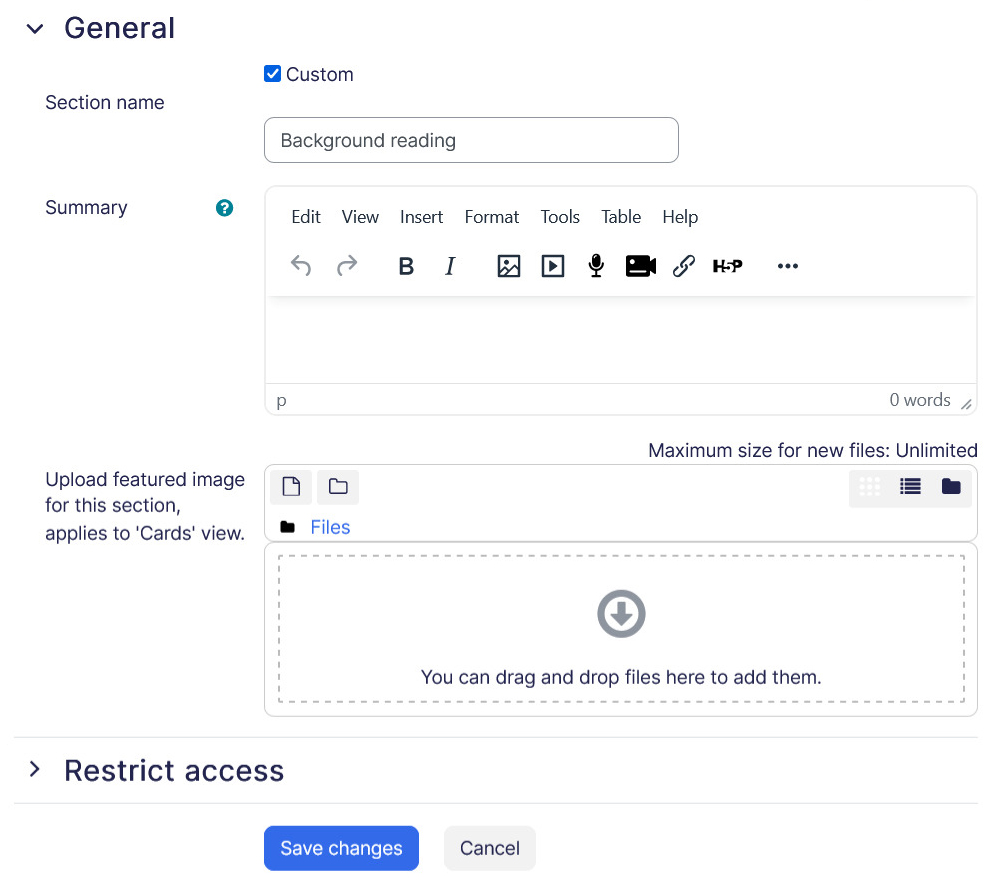
- Section name – Name of the topic/section visible to enrolled users.
- Summary – Allows you to add a description for the topic/section.
- Featured image – Applicable for “Topics and Tiles format” in Tiles view.
- Access Restriction – Access Restriction allows you to control the visibility of the topic/section based on certain conditions. Read our detailed guide on Access restriction.
Blocks #
Blocks are located on the right side of the course page. Blocks are like “widgets” and can be used for enhancing the user’s experience or extending information which cannot be provided from course’s sections. For example, a ‘Upcoming events’ block can be added which gives students a clear picture of the upcoming events in the course. Explore our detailed guide on blocks to know more about them.
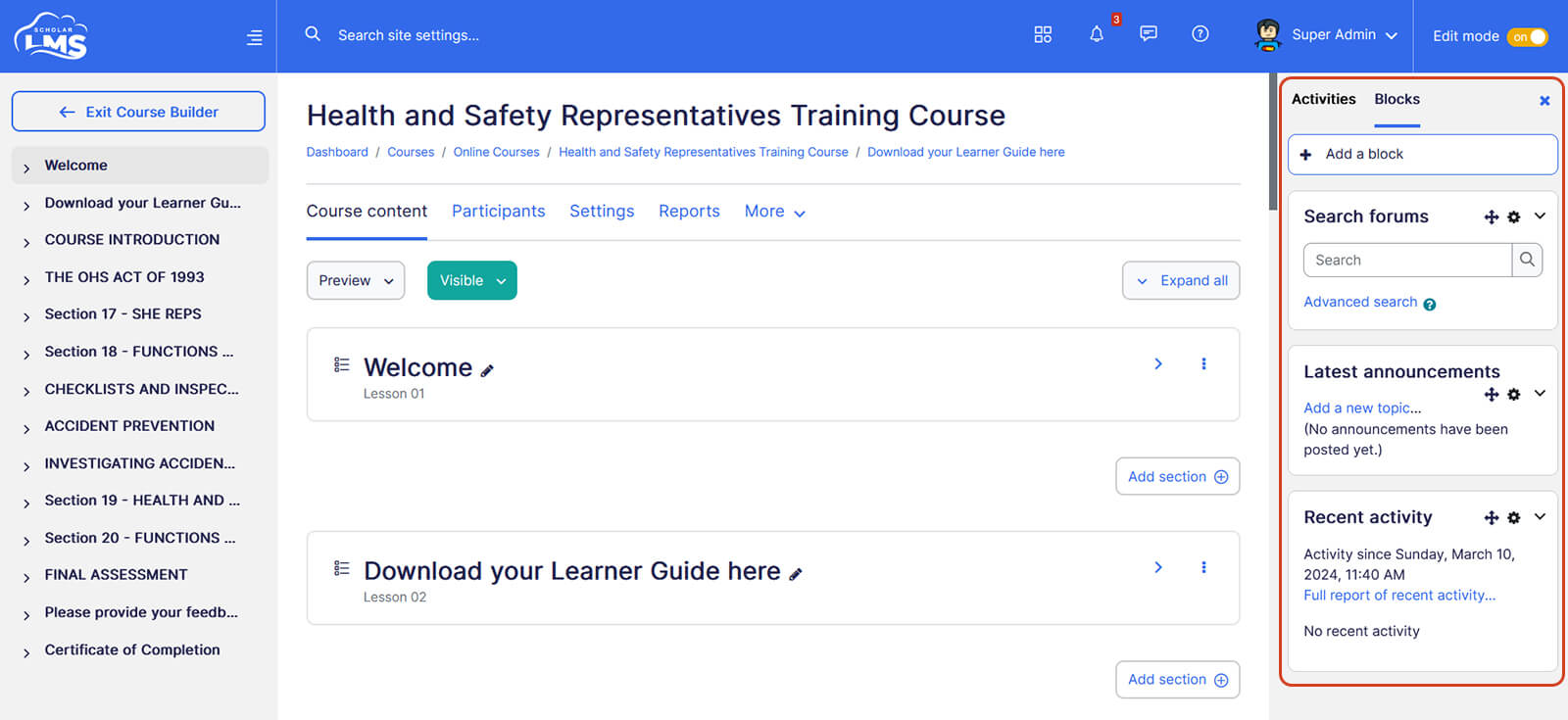
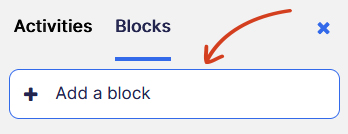
Adding a block #
You can add a block by clicking on “Add a Block” link besides turn editing on and choose from the available blocks.
Adding Course Elements (Activities) #
ScholarLMS offers offers a rich array of course elements, including interactive activities, informative resources, and collaborative tools, empowering you to build engaging and dynamic courses tailored to your teaching objectives. Explore this guide which covers all the types of course elements ScholarLMS has to offer.
Adding an element #
To add an element, click ‘Edit’ link on the desired course which then takes you to the course builder page.
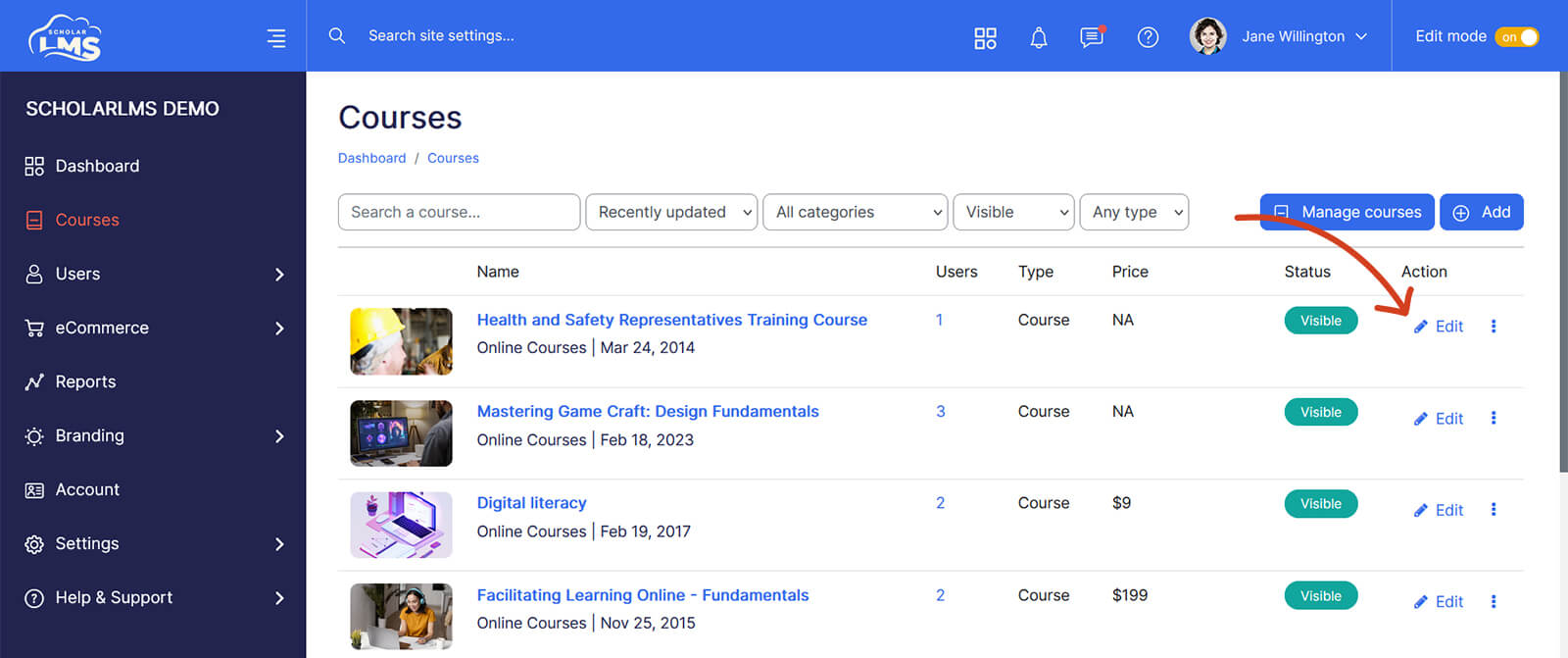
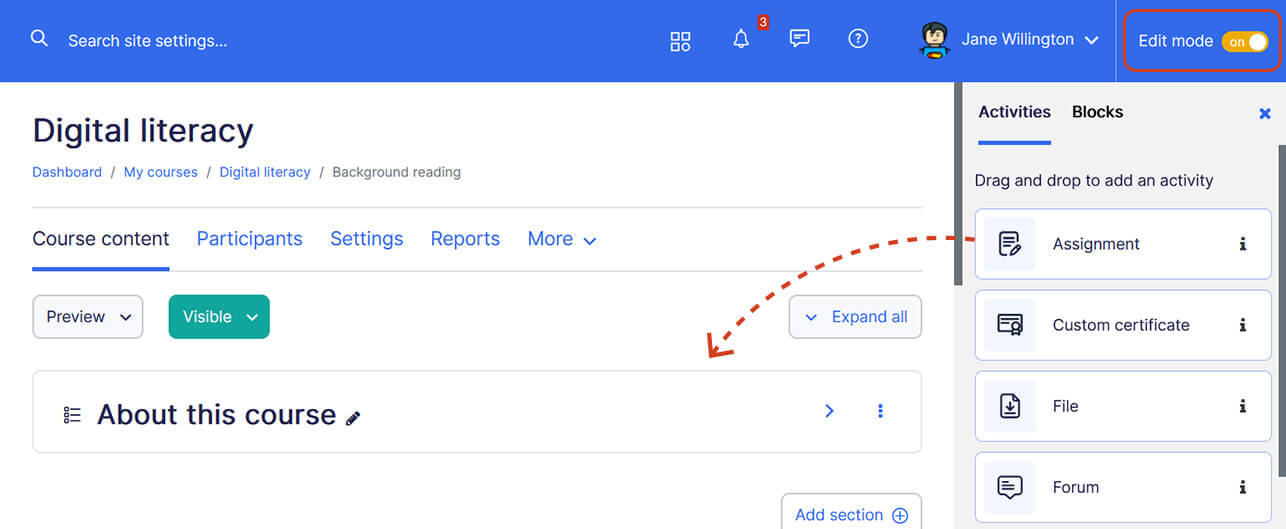
Once you’re on the course builder page, you have two methods to add an activity:
Drag and Drop: Utilize the ‘Elements’ block located on the right sidebar of the course builder page. Simply drag the desired element like ‘Assignment’ and drop it into the section where you want to add it.
Only elements marked with a star are available to drag and drop from the right sidebar. To edit this list, scroll to the end of this article.
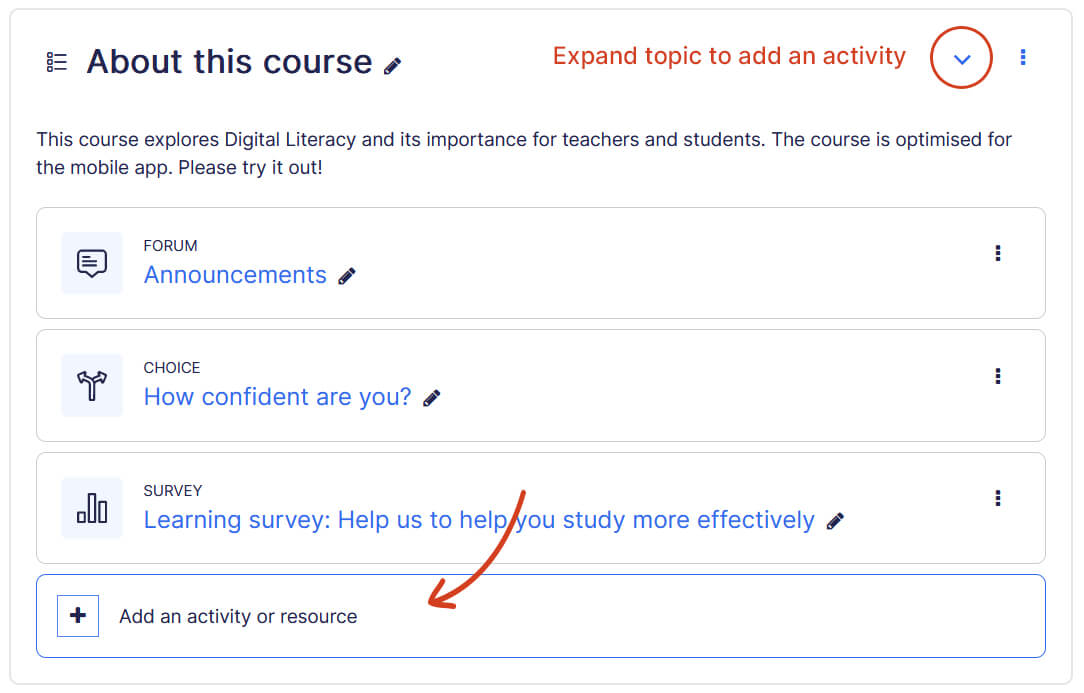
Click ‘Add an Element’ Link: Alternatively, within the section where you wish to add an element, click on the ‘Add an element’ link.
Editing elements list from right sidebar #
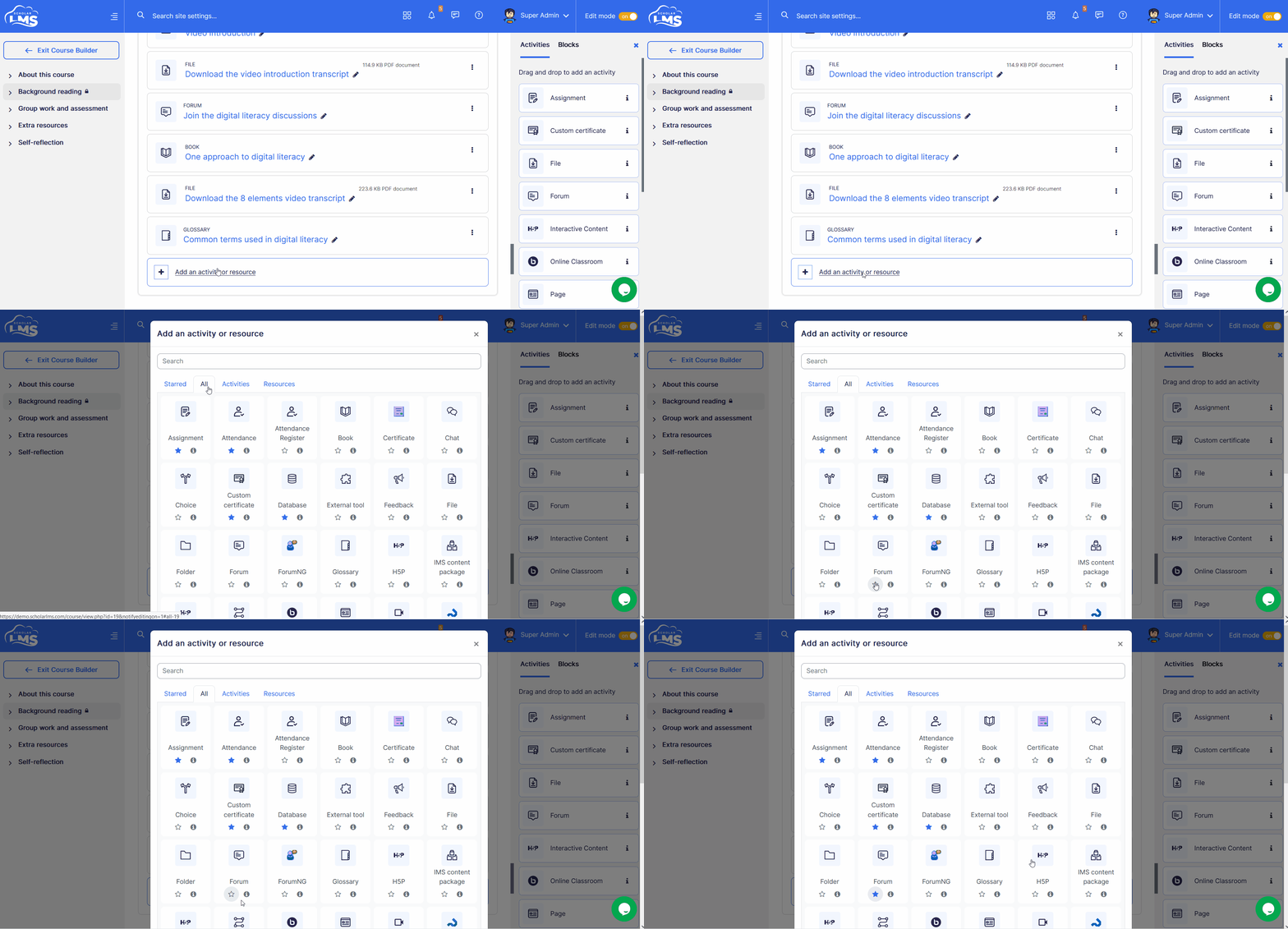
To edit the list of elements available on the right sidebar for drag and drop, click on the “Add an Element” button within any section. Then navigate to the “All” tabs, and select the elements you wish to display on the right sidebar by clicking the star icon to mark them, or unmark to remove an element.
By following the steps outlined in this documentation, you’ve learned how to create a structured and engaging learning experience for your students on ScholarLMS. Remember, effective course design is essential for facilitating meaningful learning outcomes and student engagement.