
The eCommerce Enrollment method enables a site to facilitate course purchases for potential customers. Users can add courses to their cart, proceed through the checkout process, and upon successful payment, they are automatically enrolled in the course.
Enabling eCommerce #
Typically an LMS site is configured with enabled eCommerce Enrollment method. If for any reason you don’t see eCommerce option you must enable it first to use it. To enable eCommerce on your site:
- Navigate to Settings -> Enrollment Methods from left navigation.
- Click icon to enable eCommerce Enrollment method.
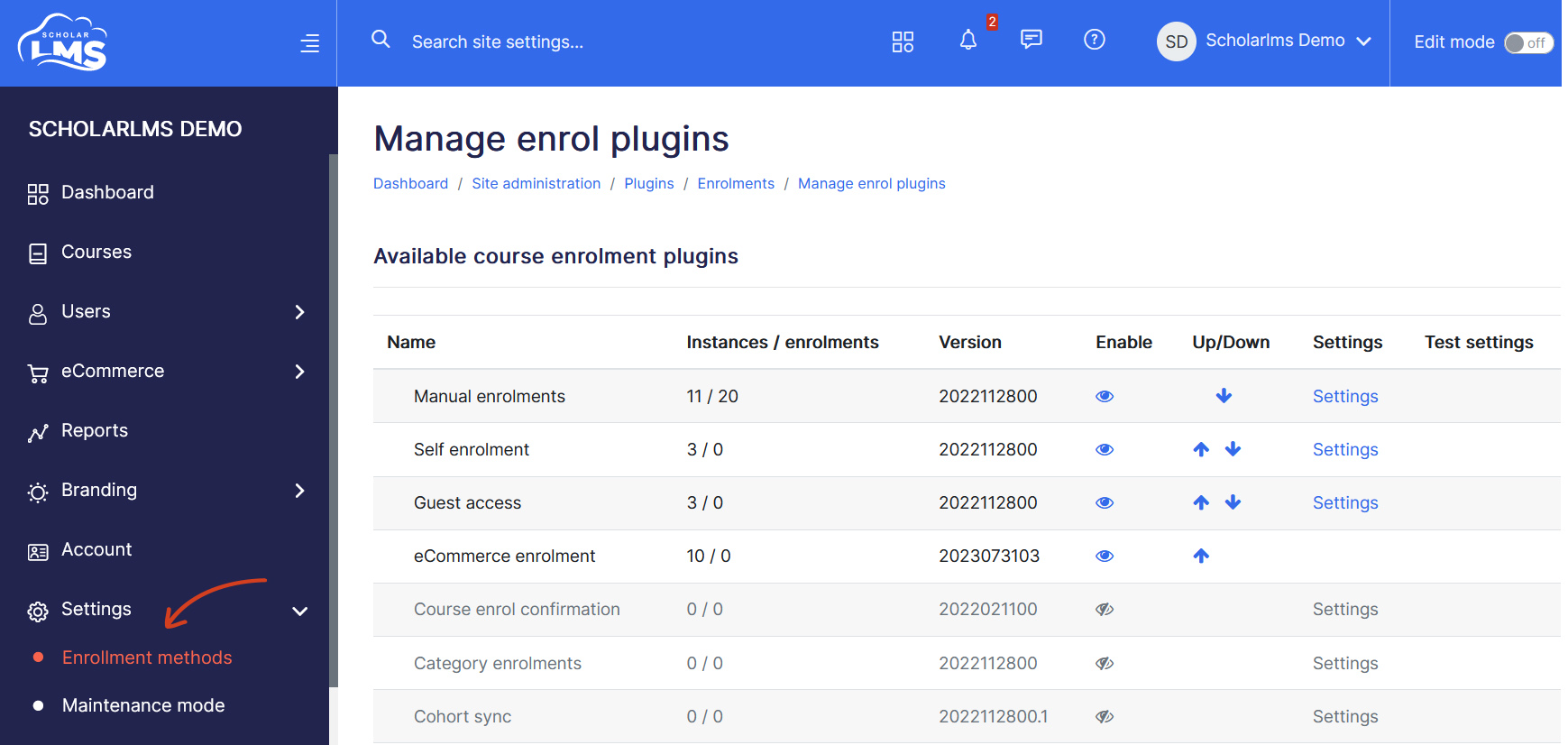
Warning! Disabling an enrollment method may result in the loss of access for all users who were enrolled through that method. For example, if you disable Manual Enrollment, all users (at site-wide level) who were manually enrolled will lose access.
Enabling eCommerce method in a Course #
Enabling eCommerce Enrollment will apply this method to all courses created from that point onward. However, existing courses may not have the eCommerce method automatically added. In such cases, you need to manually include the eCommerce method for each course lacking it. Follow these steps to add the eCommerce method to a course:
- Navigate to your course.
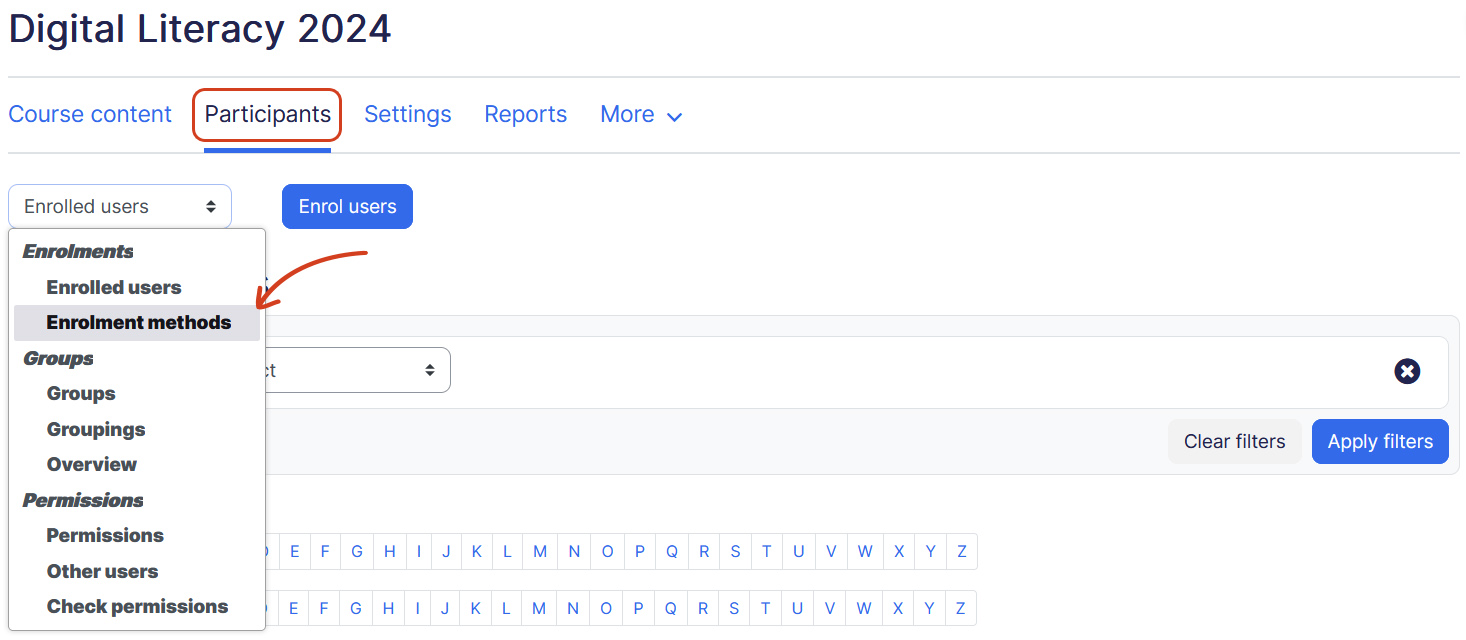
- Click Participants. Change the drop-down menu at the top from Enrolled Users to Enrollment Methods.
- Add eCommerce Enrollment from the dropdown.
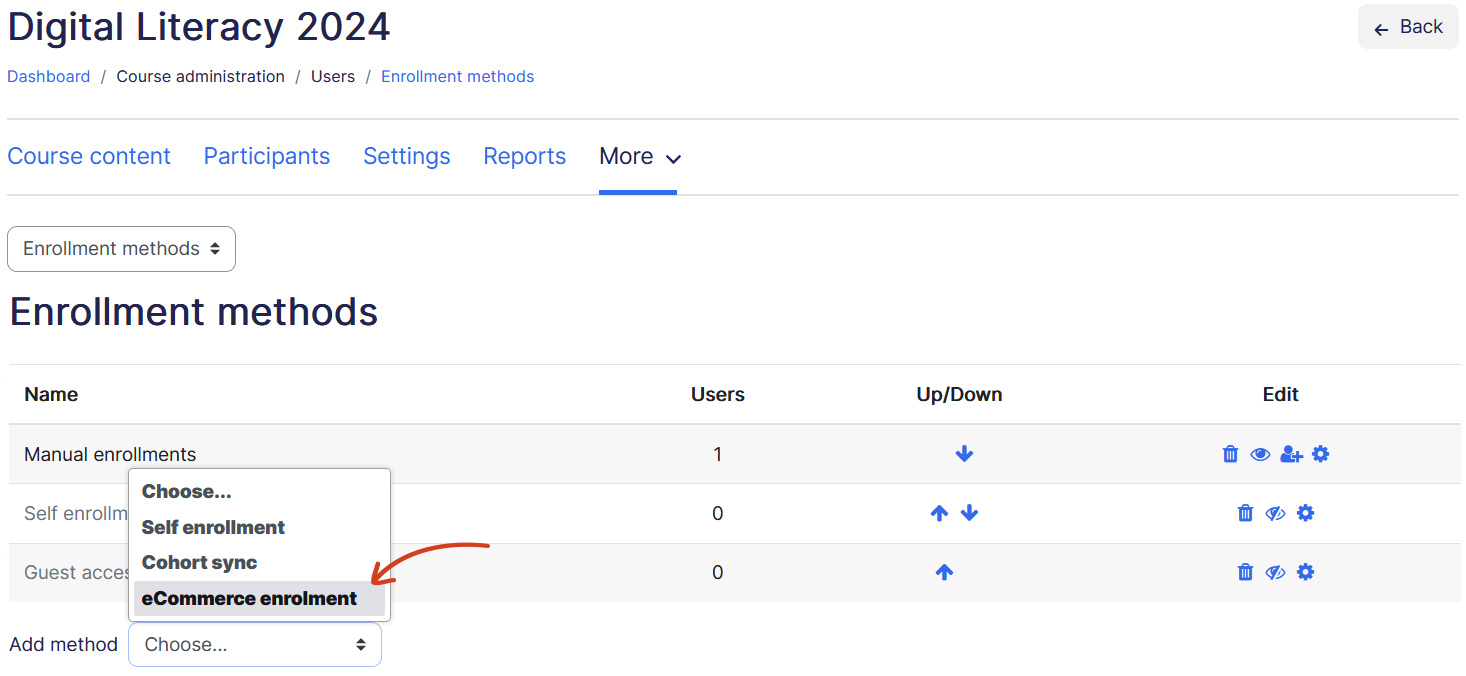
- Once you have added eCommerce Enrollment method, you can go ahead and add pricing options for the course.