
Introduction #
The Course Overview page gives instructors and administrators a clear, real-time snapshot of their course in one place. The Overview helps you quickly understand the current state of a course, monitor learner activity, and identify issues that may require attention.
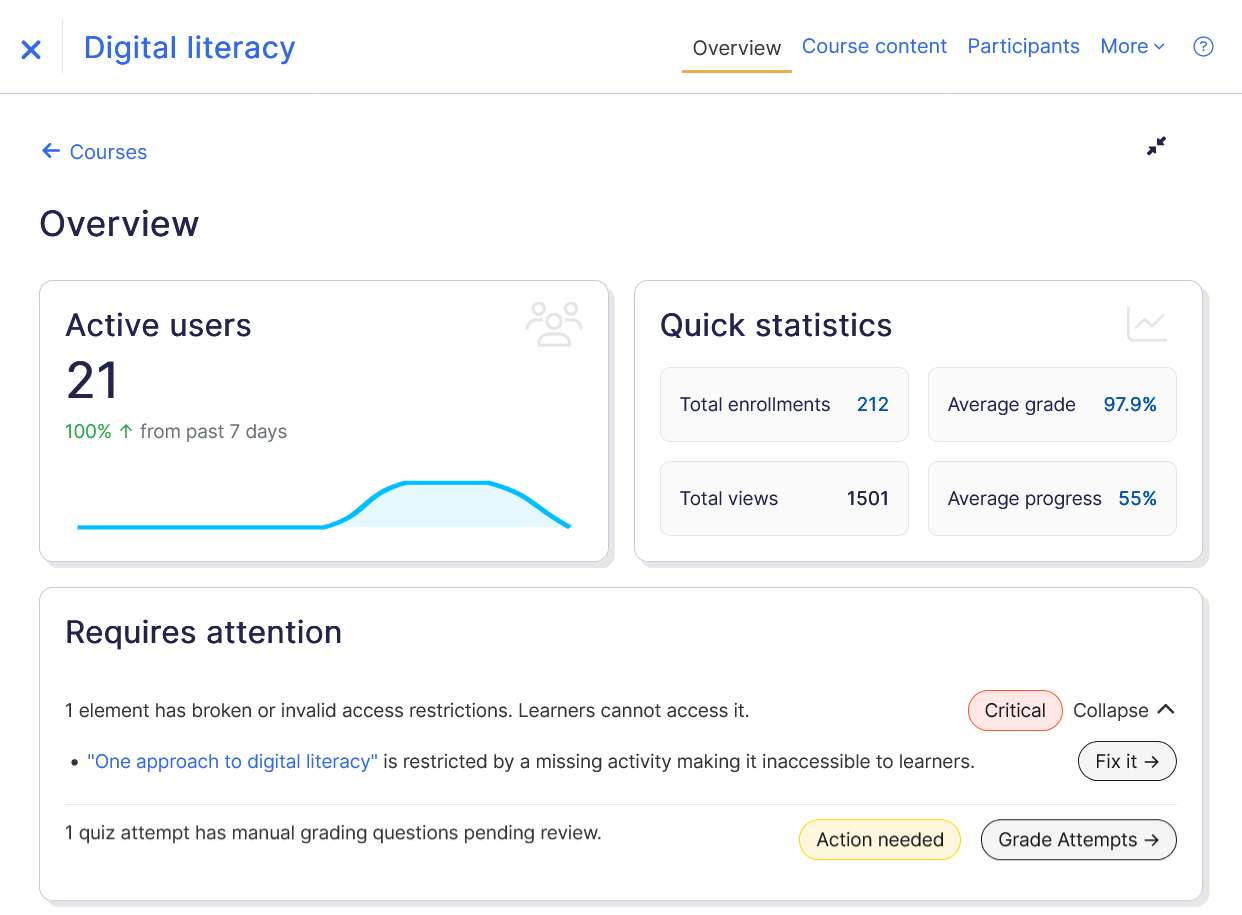
The page highlights key information such as:
- Course activity insights
- Learner progress indicators
- Configuration checks
- Recommendations for improving course setup
This helps instructors maintain well-structured courses and quickly address issues that may affect learner progress.
Course Overview Components #
The Course Overview page includes several widgets designed to provide quick insights into course performance and potential issues.
Active Users #
The Active Users widget shows how many learners have recently interacted with the course. This section helps instructors monitor course engagement and activity trends.
Quick Statistics #
The Quick Statistics section provides a summary of important course metrics. These metrics help instructors quickly evaluate course performance and learner progress. The metrics displayed are:
- Total Enrollments – Total number of learners enrolled in the course.
- Average Grade – Average score across graded course activities.
- Total Views – Number of times course activities and resources have been accessed.
- Average Progress – Overall completion progress of learners in the course.
These statistics provide a quick overview without requiring instructors to open multiple reports.
Requires Attention #
The Requires Attention section highlights important issues that may require instructor review. This block helps instructors quickly identify and resolve problems that may affect learner access or course functionality.
Issues are categorized into Criticals and Recommendations to help instructors prioritize actions effectively. Criticals highlight problems that may block learners from accessing course content and require immediate attention, while Recommendations suggest improvements that can enhance the overall learning flow and course experience.
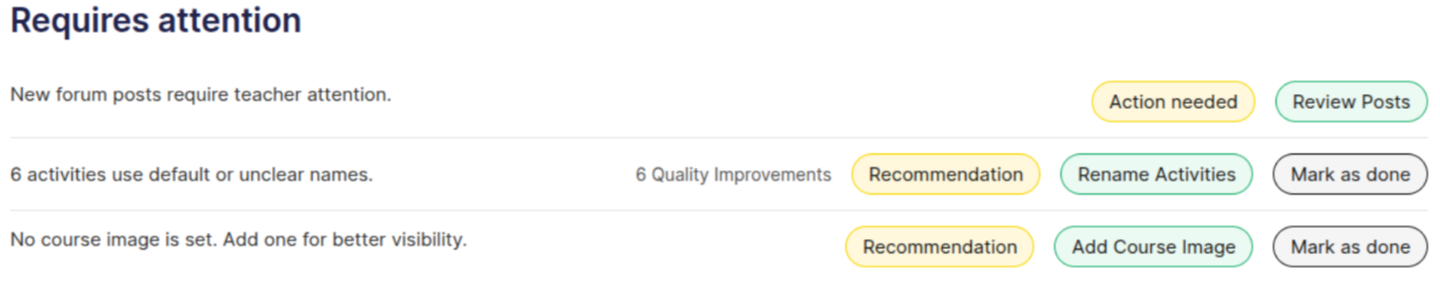
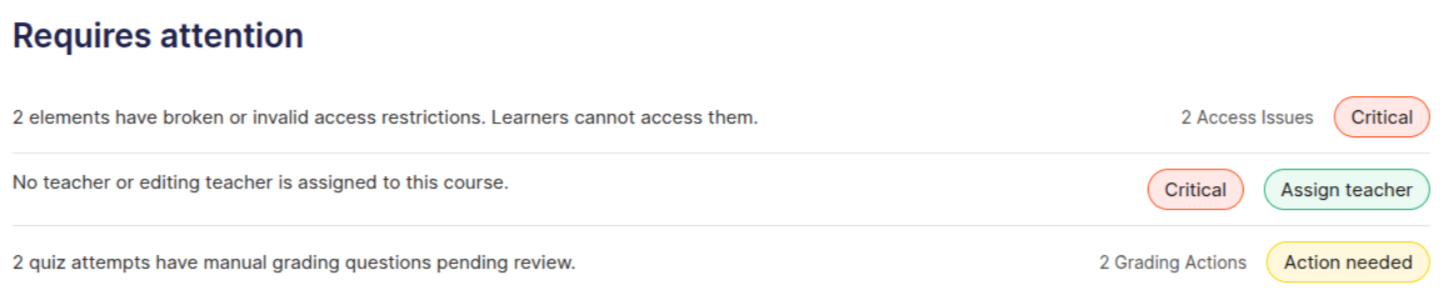
Examples of issues shown
- Broken or invalid access restrictions like activities may be restricted by missing or incorrectly configured conditions.
- Quizzes or assignments containing manually graded questions that require instructor review.
Upcoming Events #
The Upcoming Events section displays upcoming deadlines and scheduled activities within the course.
This may include:
- Assignment due dates
- Quiz deadlines
- Online classes
Best Practices #
To make the most of the Course Overview page:
- Check the Requires Attention section regularly.
- Resolve Critical issues immediately to avoid learner access problems.
- Review Quick Statistics to track learner progress.
- Monitor Active Users to understand engagement trends.
- Use Upcoming Events to stay aware of course deadlines.